Setting up the TV
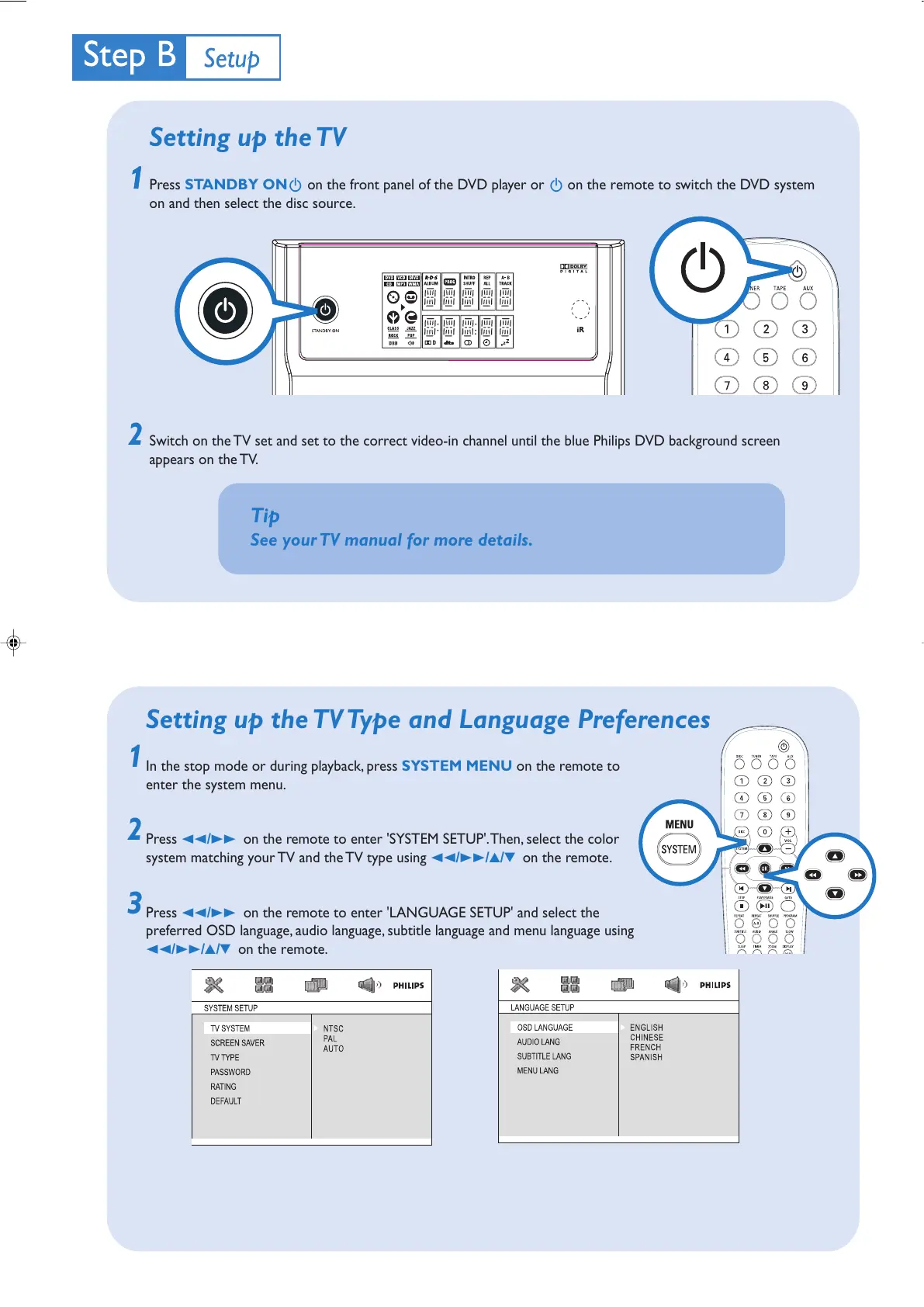
Press STANDBY ONB on the front panel of the DVD player or B on the remote to switch the DVD system
on and then select the disc source.
Switch on the TV set and set to the correct video-in channel until the blue Philips DVD background screen
appears on the TV.
2
1
Tip
See your TV manual for more details.
1
2
1
3
Setting up the TV Type and Language Preferences
In the stop mode or during playback, press SYSTEM MENU on the remote to
enter the system menu.
Press 22/33 on the remote to enter 'SYSTEM SETUP'. Then, select the color
system matching your TV and the TV type using 22/33/3/4 on the remote.
Press 22/33 on the remote to enter 'LANGUAGE SETUP' and select the
preferred OSD language, audio language, subtitle language and menu language using
22/33/3/4 on the remote.
MCD190 QUG_Eng-21 2005.7.27, 10:483



 To Next Page