Hair comb 3/8in. 9mm
Hair comb 15/32in. 12mm
Hair comb 21/32in. 16mm
1 Attach a comb to the extra-wide hair trimmer.
2 Move the trimmer slowly over the crown from
different directions to achieve an even result.
Make sure the surface of the comb always stays
in contact with the skin.
-
Always move the trimmer against the
direction of hair growth. Press lightly.
-
Make overlapping passes over the head to
ensure that all hair that should be cut has
been cut.
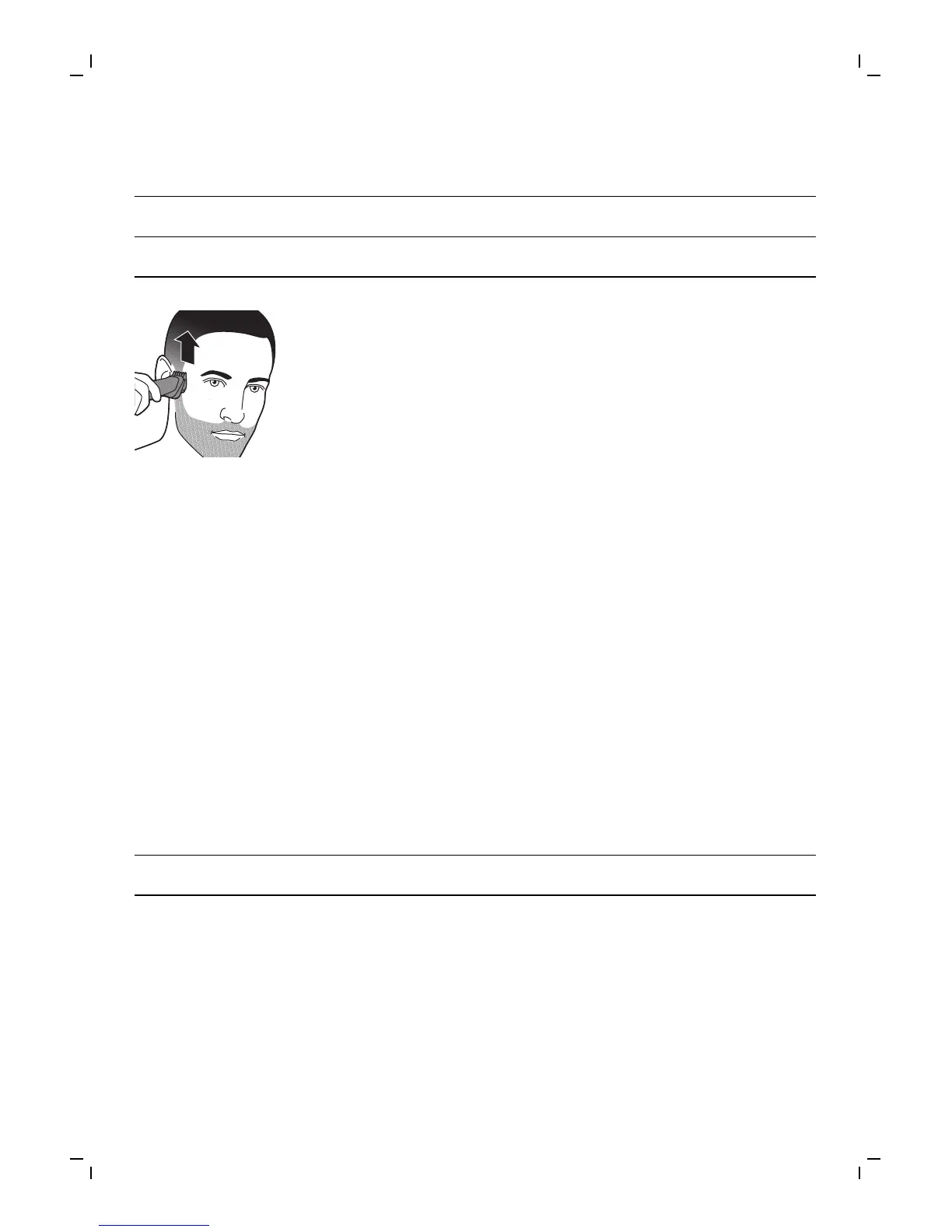
Fading hair comb
Attach the fading hair combs to the extra-wide hair
trimmer to trim the hair around the ears with a
faded result. The appliance comes with 2 combs.
Use both combs to trim hair around both ears.
Choose a hair comb based on the preferred
trimming direction of back to front or front to back.
Always make sure that you hold the side of the
comb with the short teeth closest to your ear.
Comb inch mm
Fading hair combs 5/32in.-3/8in. 4-9mm
1 Attach the comb to the extra-wide hair trimmer
to trim the hair around the ear. Then attach the
other comb to trim the hair around the other
ear.
17
English




 To Next Page