14
English
3139 115 21993
Connections
FM ANTENNA
AM
SPEAKER SYSTEMS (4Ω)
SUB-
WOOFER SURROUND CENTER FRONT
L
R
SL
SUB
SR
C
DIGITAL
OUT
DIGITAL
IN
AUX
IN
TV
IN
LINE
OUT
AUDIO
VIDEO
OUT
CVBS
S-VIDEO
L
R
Pr
Pb
Y
1
2
➠
FM
antenna
AM
antenna
fix the claw
into the slot
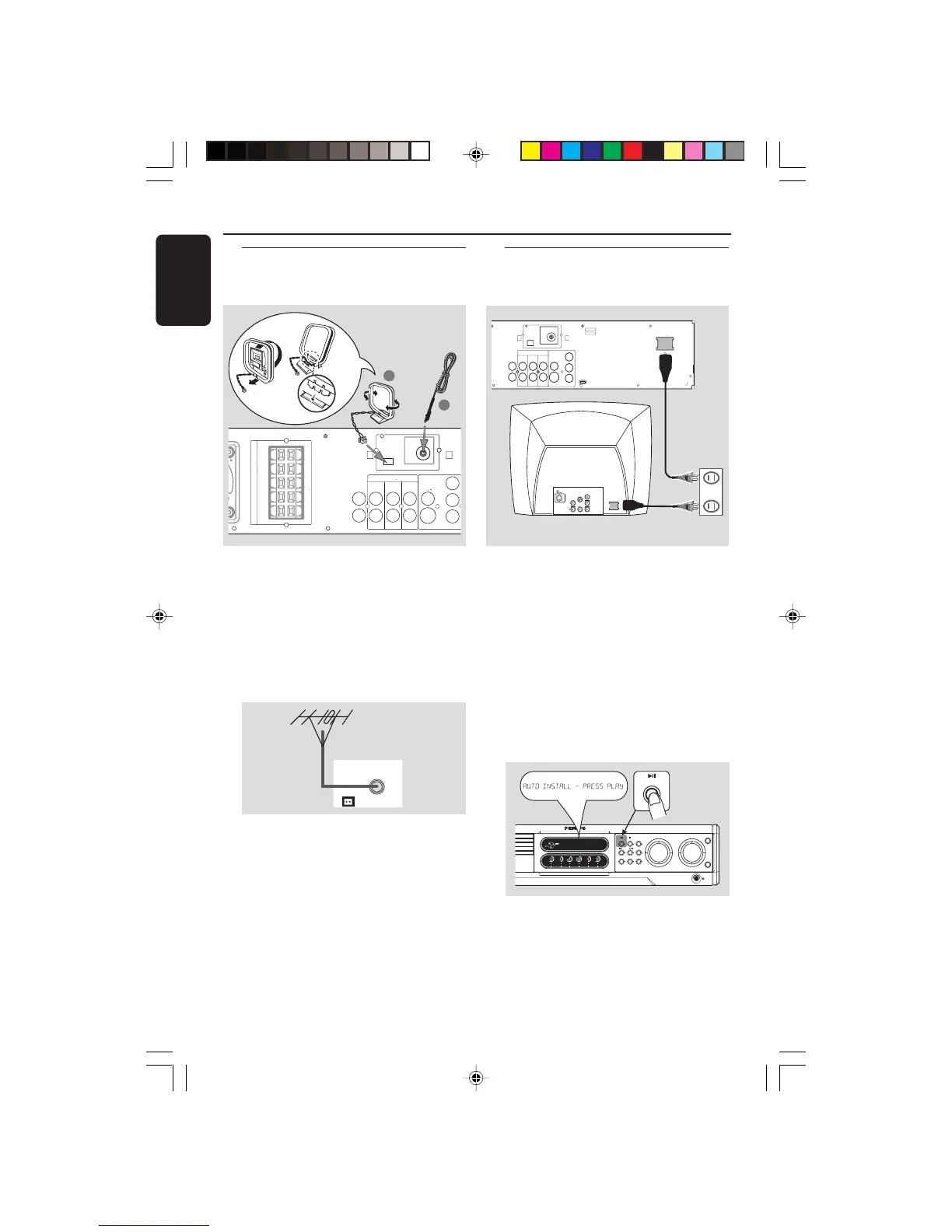
1 Connect the supplied AM loop antenna to the
AM jack. Place the AM loop antenna on a shelf
or attach it to a stand or wall.
2 Connect the supplied FM antenna to the FM
jack. Extend the FM antenna and fix its ends to
the wall.
For better FM stereo reception, connect an
external FM antenna (not supplied.)
AM
FM ANTENNA
Notes:
– Adjust the position of the antennas for optimal
reception.
– Position the antennas as far as possible from
your TV, VCR or other radiation source to prevent
unwanted interference.
Step 4: Connecting FM/AM
antennas
Step 5: Connecting the power
cord
After everything is connected
properly, plug in the AC power cord to
the power outlet.
Never make or change any connections with the
power switched on.
On the DVD system,
"AUTO INSTALL - PRESS PLAY" may appear
on the display panel. Press ÉÅ on the front
panel to store all available radio stations or
press Ç to exit (see page 34 “Tuner
Operations”.)



 To Next Page