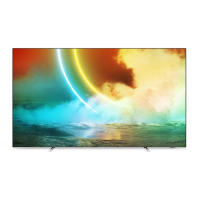
This document is a user manual for the Philips OLED705 series television, covering models 55OLED705 and 65OLED705. It provides comprehensive information on the TV's functions, technical specifications, usage, and maintenance.
Function Description
The Philips OLED705 series TV is a smart television designed for home entertainment, offering a wide range of features including digital TV reception, internet browsing, app access, and multimedia playback. It supports various input sources such as HDMI, USB, and satellite, allowing users to connect external devices like Blu-ray players, game consoles, and USB storage. The TV integrates with Philips TV Collection apps and Google Play Store, providing access to a vast library of applications, movies, and TV shows. Voice control is available through Alexa, enabling hands-free operation for various TV functions. The Ambilight feature enhances the viewing experience by projecting colors from the screen onto the surrounding wall.
Important Technical Specifications
- Display Input Resolution: Supports a wide range of video resolutions from 480i to 2160p at various refresh rates (24 Hz to 120 Hz). Computer input resolutions include 640x480p to 3840x2160p.
- Dimensions and Weights:
- 55OLED705: Without stand: 1227.8 mm (width) x 705.6 mm (height) x 49.3 mm (depth), approx. 21.2 kg. With stand: 1227.8 mm (width) x 716.6 mm (height) x 230 mm (depth), approx. 21.6 kg.
- 65OLED705: Without stand: 1448.7 mm (width) x 829.7 mm (height) x 49.3 mm (depth), approx. 27.9 kg. With stand: 1448.7 mm (width) x 841.2 mm (height) x 280 mm (depth), approx. 28.5 kg.
- Sound: Output power (RMS) 50W. Supports Dolby Atmos (DDP/DTHD), Dolby MS12 V2.3, Dolby AC-4, DTS-HD (M6), and Dolby Atmos Virtualizer.
- Connectivity:
- TV Side: Common Interface slot (CI+/CAM), USB 1 (USB 2.0), USB 2 (USB 3.0), Headphones (3.5mm stereo mini-jack), HDMI 1, 2, 3 (ARC, Ultra HD, HDR).
- TV Bottom: Network LAN (RJ45), Satellite tuner, Antenna (75 ohm), Audio out (Optical Toslink), HDMI 4 (ARC, Ultra HD, HDR).
- Wireless: Wi-Fi 802.11a/b/g/n/ac (built-in), BT 4.2.
- Multimedia Playback:
- Supported USB file systems: FAT 16, FAT 32, NTFS.
- Playback formats: Containers (PS, TS, M2TS, TTS, AVCHD, MP4, M4V, MKV, ASF, AVI, 3GP, Quicktime). Video Codecs (AVI, MKV, H.264/MPEG-4 AVC, MPEG1, MPEG2, MPEG4, WMV9/VC1, VP9, HEVC (H.265)). Audio Codecs (MP3, WAV, AAC, WMA (v2 up to v9.2), WMA-PRO (v9 and v10)). Subtitles (SRT, SUB, TXT, SMI with various character encodings).
- Maximum Supported Data Rate: MPEG-4 AVC (H.264) up to High Profile @ L5.1. 30Mbps. H.265 (HEVC) up to Main / Main 10 Profile up to Level 5.1 30Mbps. VC-1 up to Advanced Profile @ L3.
- Image Codecs: JPEG, GIF, PNG, BMP, HEIF, 360 Photo.
- Operating System: Android OS, Android Pie 9.
Usage Features
- Remote Control: Features dedicated buttons for Standby/On, Voice Microphone, Ambilight, Philips TV Collection, Freeview Play, Rakuten TV, Netflix, Quick Menu, Sources, and Google Assistant. It also includes standard navigation, playback, and color keys.
- Switching On and Off: The TV can be switched on from standby using the remote control or the joystick key on the back of the TV. It consumes very little energy in standby mode.
- Channels: Users can install and manage channels, including searching, sorting, and locking channels. Parental rating controls are available for restricting content.
- Interactive TV (iTV): Supports HbbTV for interactive services, including red button services and on-demand programming.
- Connect Devices: Provides guidance on connecting various devices via HDMI, including Home Theatre Systems (HTS), Blu-ray Disc players, and game consoles. It supports HDMI CEC (EasyLink) for integrated control of connected devices.
- CAM (Conditional Access Module) with Smart Card: Allows access to encrypted digital TV services by inserting a CAM and smart card into the CI+ slot.
- USB Hard Drive: Enables pausing live TV, recording broadcasts, and playing multimedia files from a connected USB hard drive.
- USB Flash Drive: Supports playing music, videos, and photos from a connected USB flash drive.
- Network and Internet: Connects to the internet via Wi-Fi or wired LAN (RJ45). Supports Google Account sign-in for accessing Google Play services.
- Apps: Access to Philips TV Collection and Google Play Store for downloading and managing applications. App locks and restricted profiles can be set up for parental control.
- TV Guide: Provides a list of current and scheduled TV programs, allowing users to tune to programs, set reminders, and schedule recordings.
- Ambilight: Offers various Ambilight styles and settings, including Follow Video, Follow Audio, Follow App, and Lounge Light, to create an immersive viewing experience. It can also be extended to Philips Wireless Home Speakers.
- Eco Settings: Features energy-saving settings, including screen off to save energy consumption and a built-in Ambilight light sensor.
- Clock, Region, and Language Settings: Allows users to set the TV's clock, region, and language preferences, including audio and subtitle languages.
- Software Update: Supports software updates via the internet or USB to ensure the TV has the latest features and improvements.
Maintenance Features
- Screen Care: Advises against touching, pushing, rubbing, or striking the screen. Recommends unplugging the TV before cleaning and using a soft damp cloth. Warns against using alcohol, chemicals, or household cleaners, and suggests avoiding stationary images to prevent screen damage.
- Leather Care and Maintenance: For models with leather components, recommends regular vacuuming and cleaning with a soft cloth wrung out in a warm, mild soap solution. Advises against using detergents, spray polishes, saddle soaps, waxes, or hide foods.
- Risk of Electric Shock or Fire: Provides safety instructions, including not exposing the TV to rain or water, avoiding liquid spills, and ensuring proper ventilation.
- Risk of Overheating: Emphasizes the importance of adequate ventilation around the TV and warns against covering ventilation slots.
- Lightning Storms: Recommends disconnecting the TV from the power outlet and antenna during lightning storms.
- Low Temperatures: Advises waiting for the TV to reach room temperature after transport in cold conditions before connecting it to power.
- Online Help and Support: Directs users to www.philips.com/TVsupport for online help, FAQs, and software downloads. Provides information on contacting customer support and locating the TV's model and serial numbers.
- Troubleshooting: Offers guidance on resolving common issues related to the remote control, channels, connections, picture, sound, and network.
- Batteries: Provides instructions for replacing remote control batteries and warnings regarding battery disposal and potential hazards.

 Need help?


 To Next Page
 General