EasyManua.ls Logo

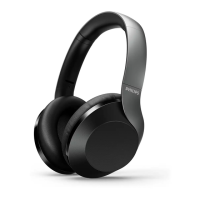
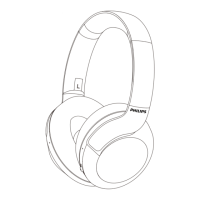
Philips Over Ear PH802 - User Manual

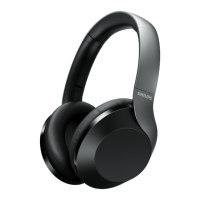
Philips Over Ear PH802
14 pages
Print Icon
To Next Page IconTo Next Page
Loading...
User manual
Register your product and get support at
www.philips.com/support
8000 Series8000 Series
Over Ear
PH802
Question and Answer IconNeed help?

Do you have a question about the Philips Over Ear PH802 and is the answer not in the manual?

Summary

Important Safety Instructions

Hearing Safety Guidelines

Guidelines for safe listening to avoid hearing damage and distractions.

General Information and Precautions

Information on avoiding damage, malfunction, and operating/storage conditions.

Your Bluetooth Over-Ear Headphones

Whats In The Box

Lists the items included in the product packaging.

Other Devices Compatibility

Details compatible external devices for connection.

Overview of Bluetooth Wireless Headset

Identifies and explains the different parts of the wireless headset.

Get Started with Your Headphones

Charge the Battery

Instructions on how to charge the headset using the USB cable.

Pair Headphones with Mobile Phone

Step-by-step guide to connect the headset to a mobile device via Bluetooth.

Using Your Headset

Connect to Bluetooth Device

Steps to establish a Bluetooth connection between the headset and a device.

Manage Calls and Music

Details on controlling calls, music playback, and volume.

Technical Data

Notices and Compliance Information

Declaration of Conformity

Statement of compliance with EU directives and where to find the full declaration.

Disposal of Old Product and Battery

Information on how to properly dispose of the product and its battery.

Remove Integrated Battery

Instructions for safely removing the rechargeable battery.

Compliance with EMF

Statement regarding compliance with electromagnetic field exposure regulations.

Environmental Information

Details about eco-friendly packaging and material recyclability.

Notice of Compliance

Information on FCC rules and compliance for interference.

Trademarks

Bluetooth Trademark Information

Information about the Bluetooth word mark and logos.

Siri Trademark Information

Information about Siri as a trademark.

Frequently Asked Questions and Troubleshooting

Headset Not Turning On

Troubleshooting steps for when the headset fails to power on.

Bluetooth Pairing Issues

Guidance on resolving Bluetooth pairing problems.

Reset Bluetooth Pairing

Instructions on how to perform a factory reset for Bluetooth pairing.

Music Control Problems

Troubleshooting music control issues with Bluetooth devices.

Low Headset Volume

Advice on addressing low volume issues due to volume sync.

Device Cannot Find Headset

Steps to take when the Bluetooth device cannot detect the headset.

Music Plays on Phone Speaker

How to ensure music plays through the headset and not the phone speaker.

Poor Audio Quality and Crackling

Tips to improve audio quality and reduce static or crackling sounds.

Slow or No Audio Streaming

Troubleshooting slow or non-existent audio streaming issues.
Summary

Important Safety Instructions

Hearing Safety Guidelines

Guidelines for safe listening to avoid hearing damage and distractions.

General Information and Precautions

Information on avoiding damage, malfunction, and operating/storage conditions.

Your Bluetooth Over-Ear Headphones

Whats In The Box

Lists the items included in the product packaging.

Other Devices Compatibility

Details compatible external devices for connection.

Overview of Bluetooth Wireless Headset

Identifies and explains the different parts of the wireless headset.

Get Started with Your Headphones

Charge the Battery

Instructions on how to charge the headset using the USB cable.

Pair Headphones with Mobile Phone

Step-by-step guide to connect the headset to a mobile device via Bluetooth.

Using Your Headset

Connect to Bluetooth Device

Steps to establish a Bluetooth connection between the headset and a device.

Manage Calls and Music

Details on controlling calls, music playback, and volume.

Technical Data

Notices and Compliance Information

Declaration of Conformity

Statement of compliance with EU directives and where to find the full declaration.

Disposal of Old Product and Battery

Information on how to properly dispose of the product and its battery.

Remove Integrated Battery

Instructions for safely removing the rechargeable battery.

Compliance with EMF

Statement regarding compliance with electromagnetic field exposure regulations.

Environmental Information

Details about eco-friendly packaging and material recyclability.

Notice of Compliance

Information on FCC rules and compliance for interference.

Trademarks

Bluetooth Trademark Information

Information about the Bluetooth word mark and logos.

Siri Trademark Information

Information about Siri as a trademark.

Frequently Asked Questions and Troubleshooting

Headset Not Turning On

Troubleshooting steps for when the headset fails to power on.

Bluetooth Pairing Issues

Guidance on resolving Bluetooth pairing problems.

Reset Bluetooth Pairing

Instructions on how to perform a factory reset for Bluetooth pairing.

Music Control Problems

Troubleshooting music control issues with Bluetooth devices.

Low Headset Volume

Advice on addressing low volume issues due to volume sync.

Device Cannot Find Headset

Steps to take when the Bluetooth device cannot detect the headset.

Music Plays on Phone Speaker

How to ensure music plays through the headset and not the phone speaker.

Poor Audio Quality and Crackling

Tips to improve audio quality and reduce static or crackling sounds.

Slow or No Audio Streaming

Troubleshooting slow or non-existent audio streaming issues.

Philips Over Ear PH802 Specifications

General IconGeneral
BrandPhilips
ModelOver Ear PH802
CategoryHeadphone
LanguageEnglish

Related product manuals