21
6 Use more of your player
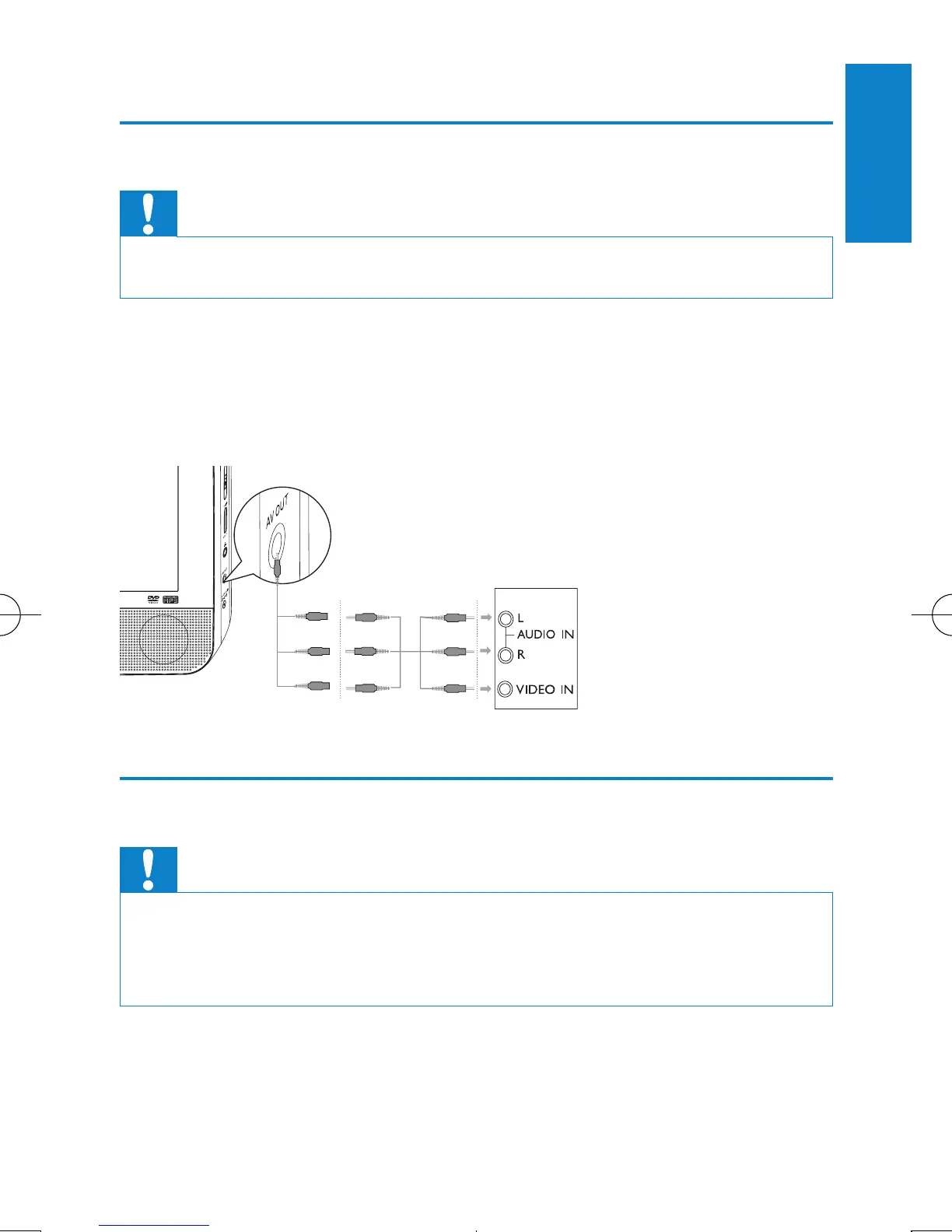
Connect additional equipment
Caution
• Turn off your player before connecting to any additional equipment.
You can connect the player to a TV or an amplier to enjoy DVDs or
Karaoke.
Match the color of the AV cables (the AV cable connected to TV is not
supplied) with the jacks: the yellow cable is for the yellow video jack, the red/
white cable is for the red/white audio jacks.
Connect power from household source
Caution
• Risk of product damage! Ensure that the power supply voltage corresponds to the
voltage pointed on the back or the underside of the player.
• Risk of electric shock! When you unplug the AC adaptor, always pull the plug from
the socket. Never pull the cable.
TV
not supplied
English
EN



 To Next Page