23EN
To return to the game list, press the button on the game pad of
GAME 1P .
Connect additional equipment
Caution
Turn off your player before connecting to any additional equipment.
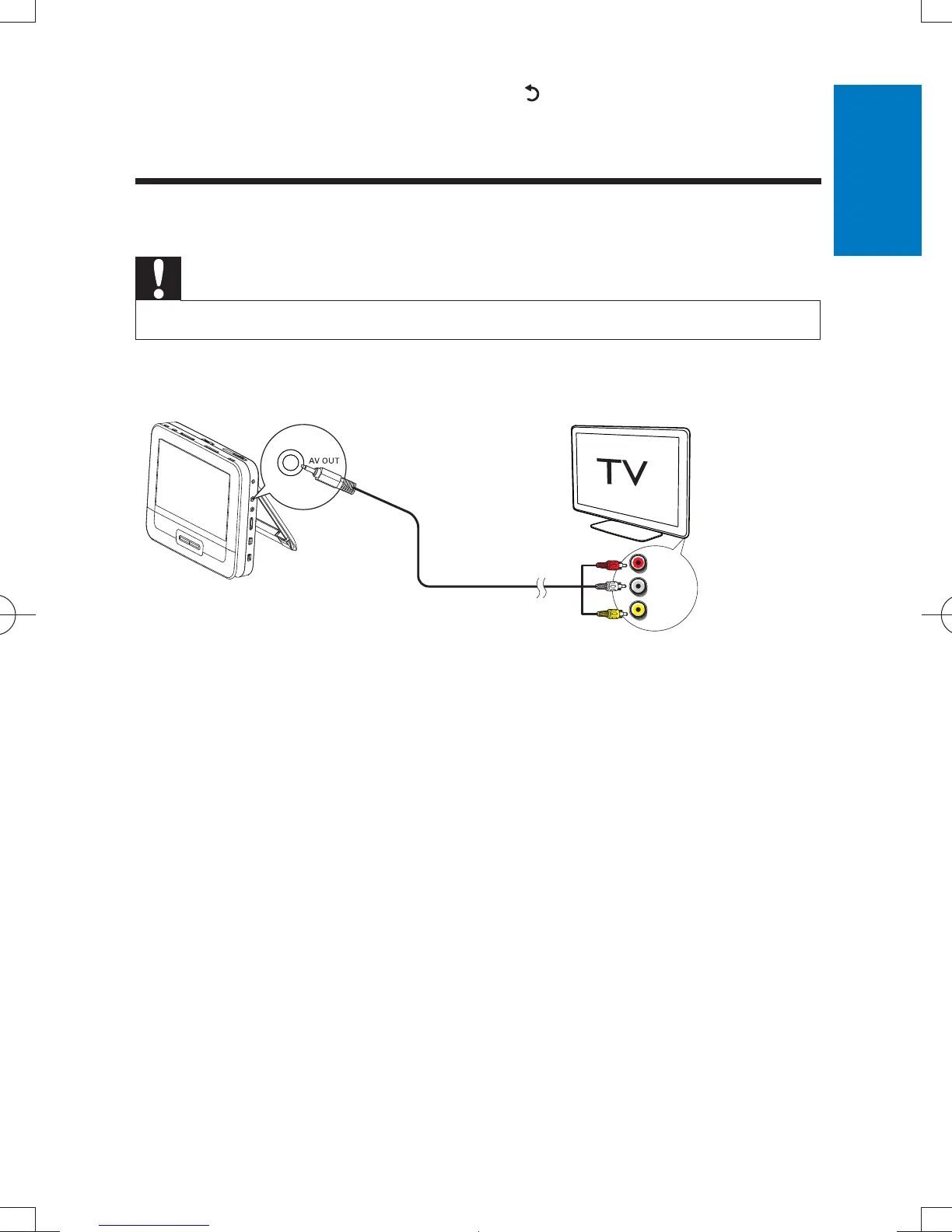
1 Connect a AV cable (not supplied) to:
the AV OUT jack of this player
the audio/video jacks of your TV.
2 Match the colors of the AV cable with the jacks:
the yellow cable is for the video jack
the red/white cable is for the audio jacks.
L
R
VIDEO IN
English
PD7012G_37_UM_V1.0.indb 23 2012/2/20 16:21:25



 To Next Page