EasyManua.ls Logo

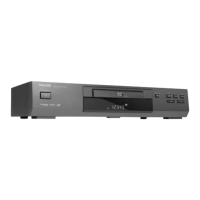
Philips DVD616K/P01 - User Manual

Philips DVD616K/P01
26 pages
Print Icon
To Next Page IconTo Next Page
Loading...

Table of Contents

Question and Answer IconNeed help?

Do you have a question about the Philips DVD616K/P01 and is the answer not in the manual?

Summary

General Information

Region Code Information

Details on region codes for Singapore and Australia.

Dolby Laboratories Mention

Notes on licensing and trademarks from Dolby Laboratories.

Important Safety Notes

Includes CAUTION regarding connections and an important note on CD-Audio compatibility.

Laser Safety

Laser Warning and Service

Warning about eye injury from laser; service by qualified personnel only.

Radiation Exposure Hazard

Caution against hazardous radiation exposure from improper control use.

Introduction

Environmental Information

Details on packaging materials and disposal regulations.

Supplied Accessories

Lists all items included with the DVD player package.

Safety Information

Crucial guidelines for operation, placement, and ventilation.

Symbols and Hints

Explains booklet symbols and provides helpful playback tips.

Functional Overview

Front and Rear Panels

Identifies and explains the controls and connectors on the player.

Functional Overview

Remote Control Functions

Detailed explanation of each button on the remote control.

Preparation

Basic Connection Guide

General advice for connecting the player to other devices.

Video Connection Options

Describes different methods for connecting to a TV for optimal picture.

Preparation

Sound Connection Options

Details digital and analog audio output connections.

Connecting to Audio System

Instructions for connecting to a stereo system for audio playback.

Connecting to Optional Equipment

Guide for connecting to receivers with surround sound decoders.

Preparation

Remote Control Battery Installation

Step-by-step guide for inserting batteries into the remote control.

Remote Control Usage

Best practices and precautions for using the remote control.

NTSC;PAL Video Conversion

Explains how to convert video output standards for TV compatibility.

Preparation

Switching On the Player

Steps to power on the DVD player and connect to the TV.

Operation

Basic Playback Steps

Loading a disc and initiating automatic playback.

General Playback Controls

Functions like Stop, Play/Pause, and Search during playback.

Operation

Playback Control Features

Includes Slow Motion, Mute, and Surround Sound effects.

Audio Channel and Repeat Modes

Selecting audio tracks and setting repeat functions for discs.

5 Disc Resume Feature

Allows resuming playback from the last stopped position for up to 5 discs.

Operation

On-Screen Display (OSD)

Provides information about the playing disc directly on the screen.

Special DVD Features

Covers title, chapter selection, camera angles, audio, and subtitles.

Operation

VCD;SVCD Playback Control (PBC)

Enables index menu selection for VCD and SVCD discs.

Disc Preview Functions

Offers disc introduction, disc preview, and track preview options.

Picture CD & MP3 CD Playback

Function Introduction and Basic Playback

Supports JPEG, MP3, and Kodak Photo CD formats with basic playback.

Special Playback Features

Includes auto playback, selection, preview, zoom, and rotation.

KARAOKE

General Karaoke Operation

Steps for connecting microphones and playing karaoke discs.

Karaoke Setup and Learning

Covers key control, audio options, and recording for learning.

Setup Menu

Basic Setup Operations

Instructions for entering and navigating the main setup menu.

General Setup Options

Configuration for Disc Lock, Program, and VFD Dim settings.

Setup Menu

OSD Language and Screen Saver

Settings for on-screen display language and screen saver.

Speaker Setup Configuration

Options for DOWNMIX and Dynamic Range Compression (D.R.C.).

Setup Menu

SPDIF Digital Audio Setup

Configures coaxial and optical digital audio output formats.

SPDIF Output Configuration

Sets digital audio output to RAW or PCM signal.

LPCM 96 K Mode

Adjusts sampling rate for decoding LPCM audio signals.

Setup Menu

Video Output Settings

Selects S-Video or YCbCr video output for high quality picture.

TV Display and Type Settings

Configures aspect ratio (TV Display) and video standard (TV Type).

Setup Menu

Smart Picture and Video Modes

Applies preset picture settings or selects from fixed modes.

Personal Picture Settings

Customizes Black Level, Brightness, Contrast, Saturation, and Hue.

Setup Menu

Preference Settings

Sets default audio, subtitle, and disc menu languages.

Password Management

Manages passwords for parental control and disc lock features.

Setup Menu

Parental Control and Ratings

Restricts playback based on disc content ratings (1-8).

Default and Smart Navigator Settings

Resets settings to factory defaults and configures MP3/Picture CD navigation.

Specifications

Playback System and Video Specs

Details supported playback systems and video performance metrics.

Audio, Connections, and Cabinet Specs

Covers audio performance, connection types, and unit dimensions.

Maintenance

Cleaning Guide

Instructions for cleaning the player's cabinet and discs.

Troubleshooting

Power and Picture Problems

Solutions for issues related to no power or no picture.

Sound and Disc Playback Issues

Troubleshooting distorted picture, sound, and disc reading errors.

Remote and Player Response Issues

Fixes for player not responding to remote or button commands.

Summary

General Information

Region Code Information

Details on region codes for Singapore and Australia.

Dolby Laboratories Mention

Notes on licensing and trademarks from Dolby Laboratories.

Important Safety Notes

Includes CAUTION regarding connections and an important note on CD-Audio compatibility.

Laser Safety

Laser Warning and Service

Warning about eye injury from laser; service by qualified personnel only.

Radiation Exposure Hazard

Caution against hazardous radiation exposure from improper control use.

Introduction

Environmental Information

Details on packaging materials and disposal regulations.

Supplied Accessories

Lists all items included with the DVD player package.

Safety Information

Crucial guidelines for operation, placement, and ventilation.

Symbols and Hints

Explains booklet symbols and provides helpful playback tips.

Functional Overview

Front and Rear Panels

Identifies and explains the controls and connectors on the player.

Functional Overview

Remote Control Functions

Detailed explanation of each button on the remote control.

Preparation

Basic Connection Guide

General advice for connecting the player to other devices.

Video Connection Options

Describes different methods for connecting to a TV for optimal picture.

Preparation

Sound Connection Options

Details digital and analog audio output connections.

Connecting to Audio System

Instructions for connecting to a stereo system for audio playback.

Connecting to Optional Equipment

Guide for connecting to receivers with surround sound decoders.

Preparation

Remote Control Battery Installation

Step-by-step guide for inserting batteries into the remote control.

Remote Control Usage

Best practices and precautions for using the remote control.

NTSC;PAL Video Conversion

Explains how to convert video output standards for TV compatibility.

Preparation

Switching On the Player

Steps to power on the DVD player and connect to the TV.

Operation

Basic Playback Steps

Loading a disc and initiating automatic playback.

General Playback Controls

Functions like Stop, Play/Pause, and Search during playback.

Operation

Playback Control Features

Includes Slow Motion, Mute, and Surround Sound effects.

Audio Channel and Repeat Modes

Selecting audio tracks and setting repeat functions for discs.

5 Disc Resume Feature

Allows resuming playback from the last stopped position for up to 5 discs.

Operation

On-Screen Display (OSD)

Provides information about the playing disc directly on the screen.

Special DVD Features

Covers title, chapter selection, camera angles, audio, and subtitles.

Operation

VCD;SVCD Playback Control (PBC)

Enables index menu selection for VCD and SVCD discs.

Disc Preview Functions

Offers disc introduction, disc preview, and track preview options.

Picture CD & MP3 CD Playback

Function Introduction and Basic Playback

Supports JPEG, MP3, and Kodak Photo CD formats with basic playback.

Special Playback Features

Includes auto playback, selection, preview, zoom, and rotation.

KARAOKE

General Karaoke Operation

Steps for connecting microphones and playing karaoke discs.

Karaoke Setup and Learning

Covers key control, audio options, and recording for learning.

Setup Menu

Basic Setup Operations

Instructions for entering and navigating the main setup menu.

General Setup Options

Configuration for Disc Lock, Program, and VFD Dim settings.

Setup Menu

OSD Language and Screen Saver

Settings for on-screen display language and screen saver.

Speaker Setup Configuration

Options for DOWNMIX and Dynamic Range Compression (D.R.C.).

Setup Menu

SPDIF Digital Audio Setup

Configures coaxial and optical digital audio output formats.

SPDIF Output Configuration

Sets digital audio output to RAW or PCM signal.

LPCM 96 K Mode

Adjusts sampling rate for decoding LPCM audio signals.

Setup Menu

Video Output Settings

Selects S-Video or YCbCr video output for high quality picture.

TV Display and Type Settings

Configures aspect ratio (TV Display) and video standard (TV Type).

Setup Menu

Smart Picture and Video Modes

Applies preset picture settings or selects from fixed modes.

Personal Picture Settings

Customizes Black Level, Brightness, Contrast, Saturation, and Hue.

Setup Menu

Preference Settings

Sets default audio, subtitle, and disc menu languages.

Password Management

Manages passwords for parental control and disc lock features.

Setup Menu

Parental Control and Ratings

Restricts playback based on disc content ratings (1-8).

Default and Smart Navigator Settings

Resets settings to factory defaults and configures MP3/Picture CD navigation.

Specifications

Playback System and Video Specs

Details supported playback systems and video performance metrics.

Audio, Connections, and Cabinet Specs

Covers audio performance, connection types, and unit dimensions.

Maintenance

Cleaning Guide

Instructions for cleaning the player's cabinet and discs.

Troubleshooting

Power and Picture Problems

Solutions for issues related to no power or no picture.

Sound and Disc Playback Issues

Troubleshooting distorted picture, sound, and disc reading errors.

Remote and Player Response Issues

Fixes for player not responding to remote or button commands.

Philips DVD616K/P01 Specifications

General IconGeneral
BrandPhilips
ModelDVD616K/P01
CategoryDVD Player
LanguageEnglish

Related product manuals