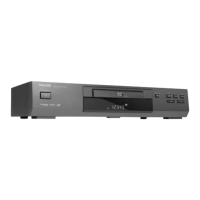
Need help?
Do you have a question about the Philips DVD621AT and is the answer not in the manual?
Connects the DVD player to a TV using audio (red/white) and video (yellow) jacks for basic connection.
Connects the DVD player to a TV using S-Video and audio (red/white) jacks for improved picture quality.
Connects the DVD player to a TV and stereo using component video and audio jacks for higher quality video.
Connects the DVD player to a surround sound decoder for enhanced digital audio playback.
Connects the DVD player to a TV and amplifier using digital audio and video connections for advanced setup.
Press this button to pause the disc playback.
Press this button to start or resume disc playback.
Press this button to stop the disc playback.
Press this button to open or close the disc tray.
Receives signals from the remote control for operation from a distance.
Press this button to turn the power on and off.
Navigate tracks or chapters; hold for fast search.
Connect an optional S-Video cable to the TV's S-Video In jack for video output.
Connect the supplied yellow video cable to the TV's Video In jack.
Connect an optional audio optical cable to a decoder or amplifier for digital audio.
Connect optional component video cable to TV/stereo component video jacks for high-quality video.
Connect to a standard AC outlet to supply power to the DVD Player.
Connect supplied red/white audio cables to TV/stereo Audio In jacks.
Connect optional audio coaxial cable to decoder/amplifier for digital audio.
 General
| Progressive Scan | Yes |
|---|---|
| Remote Control | Yes |
| Audio Playback | MP3, WMA |
| Disc Formats | DVD, CD, CD-R, CD-RW |
| Video Output | Composite Video, S-Video |
| Video Playback | MPEG-2, MPEG-1 |
| Connectivity | Composite Video Output, S-Video Output |
| Audio Output | Stereo |
| Output Resolution | 480p |


 To Next Page