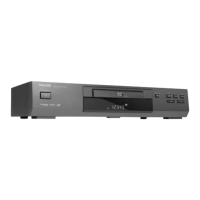
Need help?
Do you have a question about the Philips DVD633 and is the answer not in the manual?
Precautions regarding laser radiation exposure and servicing by qualified personnel.
Important precautions before operating the player, including voltage checks and placement.
Steps for inserting discs, turning on the player, and starting playback.
Navigating titles, chapters, and menus on a DVD-Video disc.
Instructions for playing Video CDs, including TRACKS, INDEXES, and PBC.
Playing audio CDs and selecting tracks via the menu or numerical keys.
Accessing disc menus, selecting titles, and changing camera angles.
Changing the audio language and subtitle options for DVD playback.
Using fast motion and slow motion features for DVD, VCD, and CD playback.
Using scan, repeat (track, title, disc, A-B) and shuffle features.
Details on supported MP3-CD formats, bit rates, sampling frequencies, and unsupported formats.
Available playback functions for MP3 discs: STOP, PLAY, PAUSE, SKIP, REPEAT.
Activating, deactivating, and authorizing discs for the Child Lock feature.
Procedures for authorizing discs for continuous playback or deauthorizing them.
Introduction to Parental Control for managing content suitability for children.
Activating, deactivating, and setting parental rating levels for disc playback.
Solutions for no power, no picture, and distorted picture problems.
Troubleshooting no sound, no audio output, disc read errors, and playback freezes.
Fixing issues with the remote control, buttons, and player commands.
 General
| Progressive Scan | Yes |
|---|---|
| Remote Control | Yes |
| Dolby Digital Decoding | Yes |
| DTS Decoding | Yes |
| Video Playback Formats | MPEG-2 |
| Disc Formats Supported | DVD, DVD-R, DVD-RW, CD, CD-R, CD-RW |
| Video Output | Composite Video, S-Video, Component Video |
| Audio Output | Digital Audio (Coaxial) |
| Audio Playback Formats | MP3 |
| Output Resolution | 480p |


 To Next Page