EasyManua.ls Logo

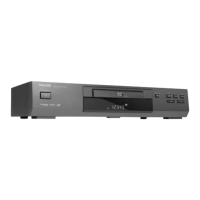
Philips DVD621 - User Manual

Philips DVD621
55 pages
Print Icon
To Next Page IconTo Next Page
Loading...
DVD621
Digital Video Disc Player
Owner’s Manual
Question and Answer IconNeed help?

Do you have a question about the Philips DVD621 and is the answer not in the manual?

Summary

Safety Symbols

Safety Information

Safety Precautions

General warnings to prevent fire or shock hazards and equipment damage.

FCC Warning

Warning regarding unauthorized changes to equipment that could void user authority.

Laser Safety

Caution regarding potential hazardous radiation exposure from the laser.

Canadian Users Information

Compliance statement for Canadian ICES-003 standard for digital apparatus.

Radio;TV Interference

Guidelines for preventing interference with radio and TV reception.

Copyright Protection

Information on unauthorized copying and protected technology.

Declaration of Conformity

Statement of compliance with regulations and licensing information.

Playable Discs

Playable Disc Types

Details on types of discs the player can play, including size and time.

Region Codes

Explanation of DVD region codes and compatibility requirements.

Unacceptable Discs

List of discs that will not play or have limited functionality.

Remote Control Setup

Putting Batteries in the Remote Control

Step-by-step guide for inserting batteries into the remote control.

Using the Remote Control

Instructions on how to properly operate the remote control.

Hookups

Connecting DVD Player to TV (AV)

Guide for connecting the player directly to a TV using AV cables.

Connecting DVD Player to TV (S-Video)

Guide for connecting the player to a TV using an S-Video cable.

Connecting to TV and Stereo (Component Video)

Instructions for connecting the player to a TV and stereo system.

Connecting to Dolby;DTS Decoder

Guide for connecting to surround sound decoders for enhanced audio.

Connecting to Amplifier (Digital)

Connecting to amplifiers with digital inputs and tape decks.

DVD Player Display

Display Messages

Lists and explains messages shown on the player's display panel.

Front Panel

Rear Panel

Remote Control Buttons

Playing a Disc

Playing a DVD or Audio CD

Step-by-step guide to insert and start playback of a disc.

Helpful Hints for Disc Playback

Tips for troubleshooting disc playback issues.

Disc Menus

Using the DVD Menus

How to navigate and use DVD menus for playback features.

Using the Title Menu

How to select specific titles or chapters from a DVD's title menu.

Pausing Playback

Pausing and Resuming Playback

Instructions on how to pause and resume disc playback.

Resume Functionality

How the player remembers the last playback point.

Step by Step Playback

Fast Forward;Reverse Search

Slow Motion

Zoom Playback

Track Playback

Selecting Tracks with Number Buttons

How to select tracks using the remote's number buttons.

Selecting Tracks with Search Mode

How to select tracks using the search mode function.

Selecting Tracks with Skip Buttons

How to navigate between tracks using skip buttons.

Title;Chapter Playback

Starting Playback at Specific Title;Chapter

Guide to starting playback at a specific title or chapter.

Specific Time Playback

Repeat Playback

A-B Repeat Playback

Programmed Playback

Random Playback

Audio Language Selection

Subtitle Language Selection

Camera Angles

Parental Lock Password

Parental Lock Levels

Display Screen (DVD)

Display Screen (Audio CD)

Marker Setup Screen

Audio Settings

Display Settings

Language Settings

Care and Maintenance

Cleaning the DVD Player

Instructions for cleaning the exterior of the DVD player.

Cleaning a Disc

Proper methods for cleaning discs to ensure playback.

Checking the Laser

Guidance on when to seek service for laser issues.

Helpful Hints

Specifications

Glossary

Limited Warranty

Who is Covered?

Defines who is eligible for warranty coverage.

What is Covered?

Details the scope of the warranty, including duration and coverage.

What is Excluded?

Lists items and conditions not covered by the warranty.

Where is Exchange Available?

Information on where product exchanges can be made.

Exchange Procedures

Instructions for exchanging products in the USA, Puerto Rico, U.S. Virgin Islands, and Canada.

Record Model and Serial Numbers

Reminder to record product information for warranty purposes.

Exchange Instructions

Supplied Accessories

Summary

Safety Symbols

Safety Information

Safety Precautions

General warnings to prevent fire or shock hazards and equipment damage.

FCC Warning

Warning regarding unauthorized changes to equipment that could void user authority.

Laser Safety

Caution regarding potential hazardous radiation exposure from the laser.

Canadian Users Information

Compliance statement for Canadian ICES-003 standard for digital apparatus.

Radio;TV Interference

Guidelines for preventing interference with radio and TV reception.

Copyright Protection

Information on unauthorized copying and protected technology.

Declaration of Conformity

Statement of compliance with regulations and licensing information.

Playable Discs

Playable Disc Types

Details on types of discs the player can play, including size and time.

Region Codes

Explanation of DVD region codes and compatibility requirements.

Unacceptable Discs

List of discs that will not play or have limited functionality.

Remote Control Setup

Putting Batteries in the Remote Control

Step-by-step guide for inserting batteries into the remote control.

Using the Remote Control

Instructions on how to properly operate the remote control.

Hookups

Connecting DVD Player to TV (AV)

Guide for connecting the player directly to a TV using AV cables.

Connecting DVD Player to TV (S-Video)

Guide for connecting the player to a TV using an S-Video cable.

Connecting to TV and Stereo (Component Video)

Instructions for connecting the player to a TV and stereo system.

Connecting to Dolby;DTS Decoder

Guide for connecting to surround sound decoders for enhanced audio.

Connecting to Amplifier (Digital)

Connecting to amplifiers with digital inputs and tape decks.

DVD Player Display

Display Messages

Lists and explains messages shown on the player's display panel.

Front Panel

Rear Panel

Remote Control Buttons

Playing a Disc

Playing a DVD or Audio CD

Step-by-step guide to insert and start playback of a disc.

Helpful Hints for Disc Playback

Tips for troubleshooting disc playback issues.

Disc Menus

Using the DVD Menus

How to navigate and use DVD menus for playback features.

Using the Title Menu

How to select specific titles or chapters from a DVD's title menu.

Pausing Playback

Pausing and Resuming Playback

Instructions on how to pause and resume disc playback.

Resume Functionality

How the player remembers the last playback point.

Step by Step Playback

Fast Forward;Reverse Search

Slow Motion

Zoom Playback

Track Playback

Selecting Tracks with Number Buttons

How to select tracks using the remote's number buttons.

Selecting Tracks with Search Mode

How to select tracks using the search mode function.

Selecting Tracks with Skip Buttons

How to navigate between tracks using skip buttons.

Title;Chapter Playback

Starting Playback at Specific Title;Chapter

Guide to starting playback at a specific title or chapter.

Specific Time Playback

Repeat Playback

A-B Repeat Playback

Programmed Playback

Random Playback

Audio Language Selection

Subtitle Language Selection

Camera Angles

Parental Lock Password

Parental Lock Levels

Display Screen (DVD)

Display Screen (Audio CD)

Marker Setup Screen

Audio Settings

Display Settings

Language Settings

Care and Maintenance

Cleaning the DVD Player

Instructions for cleaning the exterior of the DVD player.

Cleaning a Disc

Proper methods for cleaning discs to ensure playback.

Checking the Laser

Guidance on when to seek service for laser issues.

Helpful Hints

Specifications

Glossary

Limited Warranty

Who is Covered?

Defines who is eligible for warranty coverage.

What is Covered?

Details the scope of the warranty, including duration and coverage.

What is Excluded?

Lists items and conditions not covered by the warranty.

Where is Exchange Available?

Information on where product exchanges can be made.

Exchange Procedures

Instructions for exchanging products in the USA, Puerto Rico, U.S. Virgin Islands, and Canada.

Record Model and Serial Numbers

Reminder to record product information for warranty purposes.

Exchange Instructions

Supplied Accessories

Philips DVD621 Specifications

General IconGeneral
BrandPhilips
ModelDVD621
CategoryDVD Player
LanguageEnglish

Related product manuals