A-B Repeat Playback 29
• A-B Repeat playback is not available
with some DVDs.
• With DVDs, the entire A-B repeat
section must be within a single Title.
The DVD Player will automatically
set the end point (B) at the end of
the Title.
• With Audio CDs, the A-B repeat
section must be within a single
Track. The DVD Player will auto-
matically set the end point (B) at
the end of the Track.
• Point B must be later on the Disc
than Point A.
• Pressing the Stop C button will can-
cel A-B Repeat Playback.
Helpful Hints
You can play a section of an Audio CD or DVDrepeatedly.
Follow these steps to set up the section that you want to play
over and over.
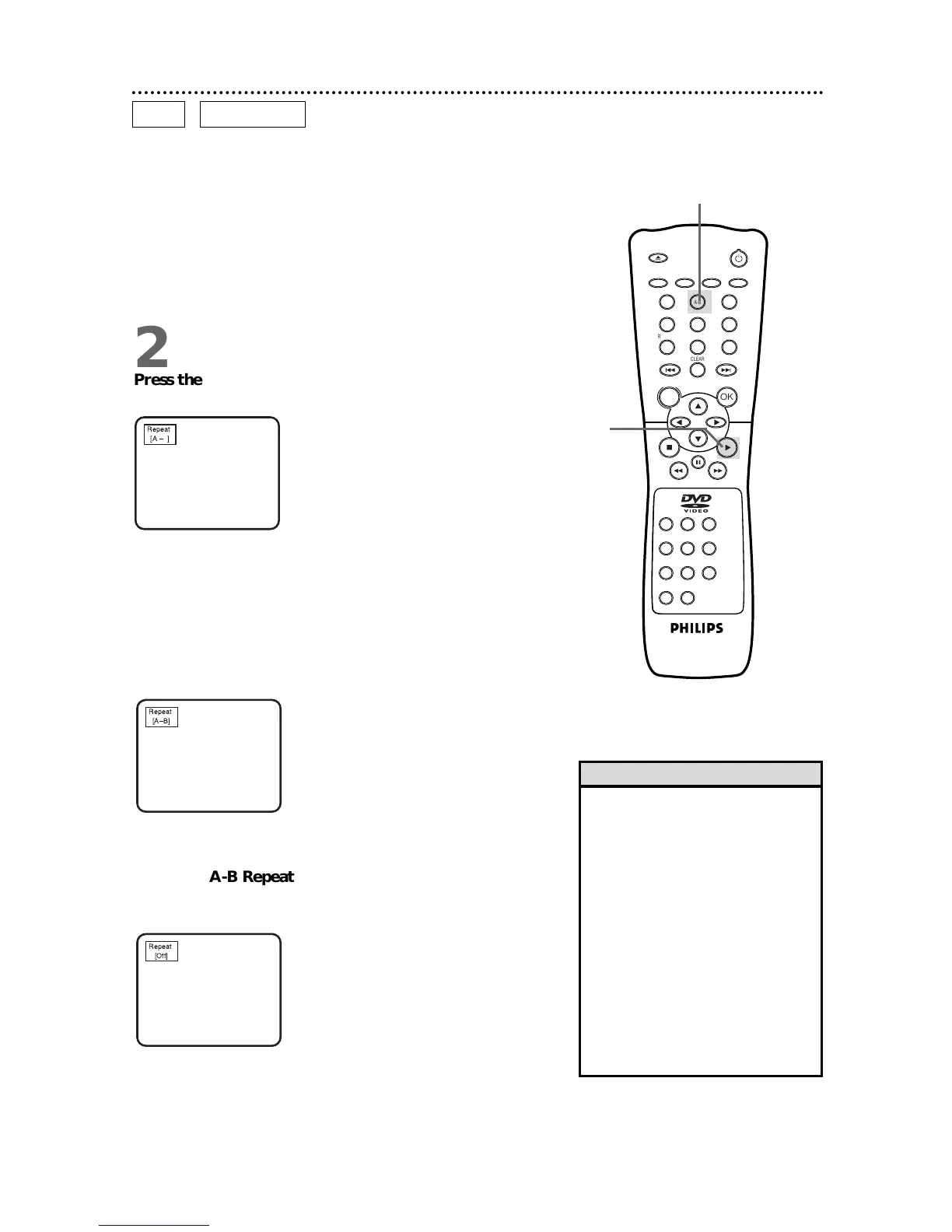
1
Play the Disc to the point at which you want repeated
playback to begin.
2
Press the A-B REPEAT button to set the starting point
(A). Repeat A will appear on the DVD Player’s display panel.
3
Play the Disc to the point at which you want repeated
playback to end, then press the A-B REPEAT button
again.
Within a few seconds, the section will begin to play. The segment
will play over and over until you cancel the A-B Repeat feature.
REPEAT A-B will appear on the DVD Player’s display panel.
4
To cancel A-B Repeat Playback, press the A-B REPEAT
button so that Repeat [Off] appears on the TV screen.
Regular Disc playback will resume.



 To Next Page