CAUTION
Use of controls or adjustments or performance of
procedures other than herein may result in hazardous
radiation exposure or other unsafe operation.
CHG/POWER
Power and charging indicator
IR sensor
Remote sensor
ON
.
POWER
.
OFF
Switches the player on / off
3.0 INSTRUCTIONS FOR USE
1
2
3
6
7
8
9
10
,,,
Up / down / left / right cursor
OK
Confirms selection
Pause playback
Press twice to stop playback
/
For previous ( ) or next ( )
chapters, tracks or titles
Starts / resumes playback
VOLUME
Volume control
Headphones jack
11
A/V OUT
Audio/video output jack
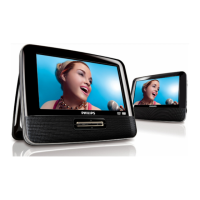
DVD PLAYER LAYOUT
PHONES 1 & 2
A/V IN
Audio/video input jack
MENU
Displays MENU page
MONITOR
Selection display
AV-IN
A/V IN (AUX)
4
/
Search backward ( ) or search
forward ( )
OPEN
Opens disc door to insert or
remove disc
To adjust the brightness with
To adjust the color with
To adjust the screen of 16:9
or 4:3 with
5
IR REMOTE
Remote sensor
DC IN 9V
Power supply socket
13
12
COAXIAL
Digital Audio output jack



 To Next Page