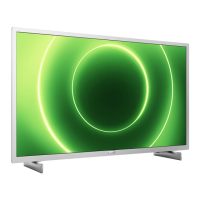
This document is a user manual for Philips PFL4308, PFL3108, and PFL3008 series televisions. It provides comprehensive instructions on setting up, using, and maintaining the TV, as well as troubleshooting common issues.
Function Description
The Philips TV is a display device designed for viewing television broadcasts, playing multimedia content from various sources, and interacting with connected devices. It supports both standard and high-definition content, including 3D viewing for compatible models. Key functions include:
- TV Controls: Basic operations like power on/off, channel switching, and volume adjustment using the TV's integrated controls or a remote control.
- Remote Control: Full control over TV functions, including menu navigation, playback controls, program guide access, and specific buttons for 3D, options, and text.
- EasyLink Controls (HDMI-CEC): Allows control of HDMI-CEC enabled devices (e.g., Blu-ray players, home theatre systems) using the TV's remote control.
- Watch TV: Includes switching channels, adjusting volume, managing favourite channels, and managing channel lists (filter, reorder, lock, rename).
- Connect Devices: Instructions for connecting various external devices such as antennas, Blu-ray/DVD players, TV receivers (satellite or digital), video recorders, game consoles, home theatre systems, digital cameras, digital camcorders, USB storage devices, and computers.
- Watch Connected Devices: Guidance on selecting input sources and managing connected devices.
- View Programme Guide: Accessing and navigating the electronic program guide (EPG) to view broadcast schedules and set reminders or recordings.
- Watch 3D: Instructions for viewing 3D content, including converting 2D to 3D and using 3D glasses.
- Play Multimedia Files: Playing photos, videos, and music from USB storage devices, with options for slideshows, audio tracks, and subtitles. It also covers DivX® VOD (Video On Demand) services.
- Pause TV & Record TV Shows: Functionality to pause live TV, record TV shows to a USB hard drive, and schedule recordings.
- Use More of Your TV: Advanced settings for picture and sound, channel management, satellite settings, language settings, universal access, and software updates.
- Set Locks and Timers: Setting the clock, sleep timer, child lock, and parental rating for channels.
- Change Your TV Settings: Detailed configuration options for picture and sound, channels (automatic installation, manual installation, update channel list, copy channels), satellite settings (manual installation, remove satellite), language settings (menu, audio, subtitles), universal access (hearing impaired, visually impaired), home mode, and software updates.
- Troubleshooting: Solutions for common issues related to general operation, channel reception, picture, sound, connection, and contacting Philips support.
Important Technical Specifications
- Display Type: LED backlight Full HD
- Panel Resolution: 1920x1080p (Full HD)
- Aspect Ratio: 16:9 (widescreen)
- Picture Enhancement: Pixel Precise
- Perfect Motion Rate (PMR): 100 Hz (for PFL43x8 models)
- Power: Mains power: AC 220-240 V (50-60 Hz). Standby power consumption: < 0.3 W. Ambient temperature: 5 to 40 degrees Celsius.
- Antenna Input: 75 ohm coaxial (IEC75)
- TV System: DVB COFDM 2K/8 K
- Video Playback: NTSC, PAL, SECAM
- Digital TV: MPEG-4, DVB-T (Terrestrial), DVB-T2*, DVB-C (Cable), DVB-S/S2* (Satellite) (*Available on certain models only).
- Tuner Bands: VHF, UHF, S-Channel, Hyperband
- Computer Formats - HDMI (Resolution - refresh rate):
- 640 x 480 - 60 Hz
- 800 x 600 - 60 Hz
- 1024 x 768 - 60 Hz
- 1280 x 720 - 60 Hz
- 1280 x 768 - 60 Hz
- 1280 x 1024 - 60 Hz
- 1360 x 768 - 60 Hz
- 1680 x 1050 - 60 Hz
- 1920 x 1080 - 60 Hz
- Computer Formats - VGA (Resolution - refresh rate):
- 640 x 480 - 60 Hz
- 800 x 600 - 60 Hz
- 1024 x 768 - 60 Hz
- 1280 x 1024 - 60 Hz
- 1360 x 768 - 60 Hz
- 1600 x 1200 - 60 Hz
- 1920 x 1080 - 60 Hz
- Video Formats (Resolution - refresh rate):
- 480i - 60 Hz
- 480p - 60 Hz
- 576i - 50 Hz
- 576p - 50 Hz
- 720p - 50Hz, 60 Hz
- 1080i - 50Hz, 60 Hz
- 1080p - 24Hz, 25Hz, 30Hz, 50Hz, 60 Hz
- Supported Multimedia Connections: USB (connects only those USB devices that consume 500 mA of power or less), NTFS, FAT 16 (Read only), FAT 32. Ethernet LAN RJ-45 (for certain models).
- Supported Audio/Video Formats: Extensive list of supported file extensions, containers, video codecs (MPEG-1, MPEG-2, MPEG-4 ASP, H.264, HVC, WMV9/VC1, DivX 3.11, DivX), audio codecs (MPEG-1 (L1&L2), MPEG-1 (L3), MPEG-2 (L3), AAC, AC3, DD, DTS, WMA, Ogg Vorbis, LPCM, HE-AAC), and subtitle formats (SRT, SUB, SMI, SSA, ASS, TXT, XML, HTML).
- Supported Image Files: JPEG, JPG, JPE, MPO, JPS, GIF (87a, 89a), GIF, PNG, PNG, PNS, BMP, BMP, DIB, JPS, JPS, PNS, PNS, BMS, BMS.
- Character Encoding: Windows-1250 (CP-1250): Central Europe and Eastern Europe Latin (Czech, Hungarian, Polish, Slovak, Slovenian, Croatian, Romanian, Serbian). Windows-1251 (CP-1251): Cyrillic. Windows-1252 (CP-1252): Western Europe Latin. Windows-1253 (CP-1253): Greek. Windows-1254 (CP-1254): Turkish. UTF-8: Multi-byte character encoding for Unicode.
- Connectivity: HDMI 1 ARC, HDMI Audio Return Channel, PFL43x8: HDMI 2, AUDIO IN (DVI): stereo 3.5 mm mini-jack, NETWORK: Ethernet LAN RJ-45 (for certain models), SERV. U: Service port, CVBS/Y, Pb, Pr; Audio L/R: Composite video and audio, DIGITAL AUDIO OUT: Coaxial, TV ANTENNA: 75 ohm coaxial (IEC), SCART (RGB/CVBS), SCART adaptor, SAT: F-pin satellite (for certain models), Common Interface, HDMI, USB, Headphones: stereo 3.5mm mini-jack.
Usage Features
- User-friendly Interface: Intuitive menus and on-screen prompts guide users through setup and daily operations.
- Energy Efficiency: Features like energy saving picture settings, screen off mode, light sensor, low standby power, auto switch off, and switch off inactive devices help reduce power consumption.
- Parental Controls: Child lock and parental rating features allow control over content access based on age.
- Accessibility Features: Universal access settings for hearing impaired (hearing-impaired audio) and visually impaired (visually impaired audio) users.
- Software Updates: The TV can receive software updates via USB or digital broadcast to improve performance and add new features.
- Customizable Settings: Extensive options to personalize picture, sound, and channel settings to user preferences.
- Multi-language Support: Menu language, audio language, and subtitle language can be set to various options.
- One-touch Recording: Easy recording of TV programs with a single button press on the remote.
- Scheduled Recording: Ability to schedule future TV program recordings.
- Time Shift (Pause TV): Allows pausing live TV broadcasts.
- Multimedia Playback: Supports a wide range of audio, video, and image formats from USB storage.
- DivX® VOD: Access to DivX® Video On Demand content.
- EasyLink (HDMI-CEC): Simplifies control of multiple HDMI-connected devices with one remote.
- 3D Viewing: Offers immersive 3D experience for compatible content and models.
Maintenance Features
- Cleaning: Instructions for cleaning the TV screen and frame using a soft, damp cloth. Avoid using alcohol, chemicals, or household cleaners.
- Software Upgrade: Regular software updates are available to ensure optimal performance and introduce new functionalities. These can be downloaded from the Philips support website and installed via USB, or received through digital broadcasts.
- Reset All: Option to reset all picture and sound settings and reinstall all TV channels, useful for troubleshooting or preparing the TV for a new user.
- Troubleshooting Guide: A dedicated section in the manual provides solutions for common issues, reducing the need for professional service.
- Contact Philips Support: Information on how to contact Philips Consumer Care for further assistance, including FAQs and the Philips TV community forum.
- Safety Precautions: Detailed safety warnings regarding electric shock, fire, liquid spills, ventilation, and proper handling of batteries and power plugs to ensure safe operation and longevity of the device.
- Recycling: Information on proper disposal of the old product and batteries to promote environmental sustainability, adhering to European Directive 2002/96/EC.

 Need help?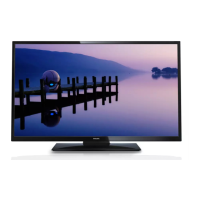

 To Next Page
 General