EasyManua.ls Logo

Philips PM 5715 - Page 51

Philips PM 5715
Print Icon
To Next Page IconTo Next Page
To Previous Page IconTo Previous Page
Loading...
PUSH-BUTTON
SWITCHES
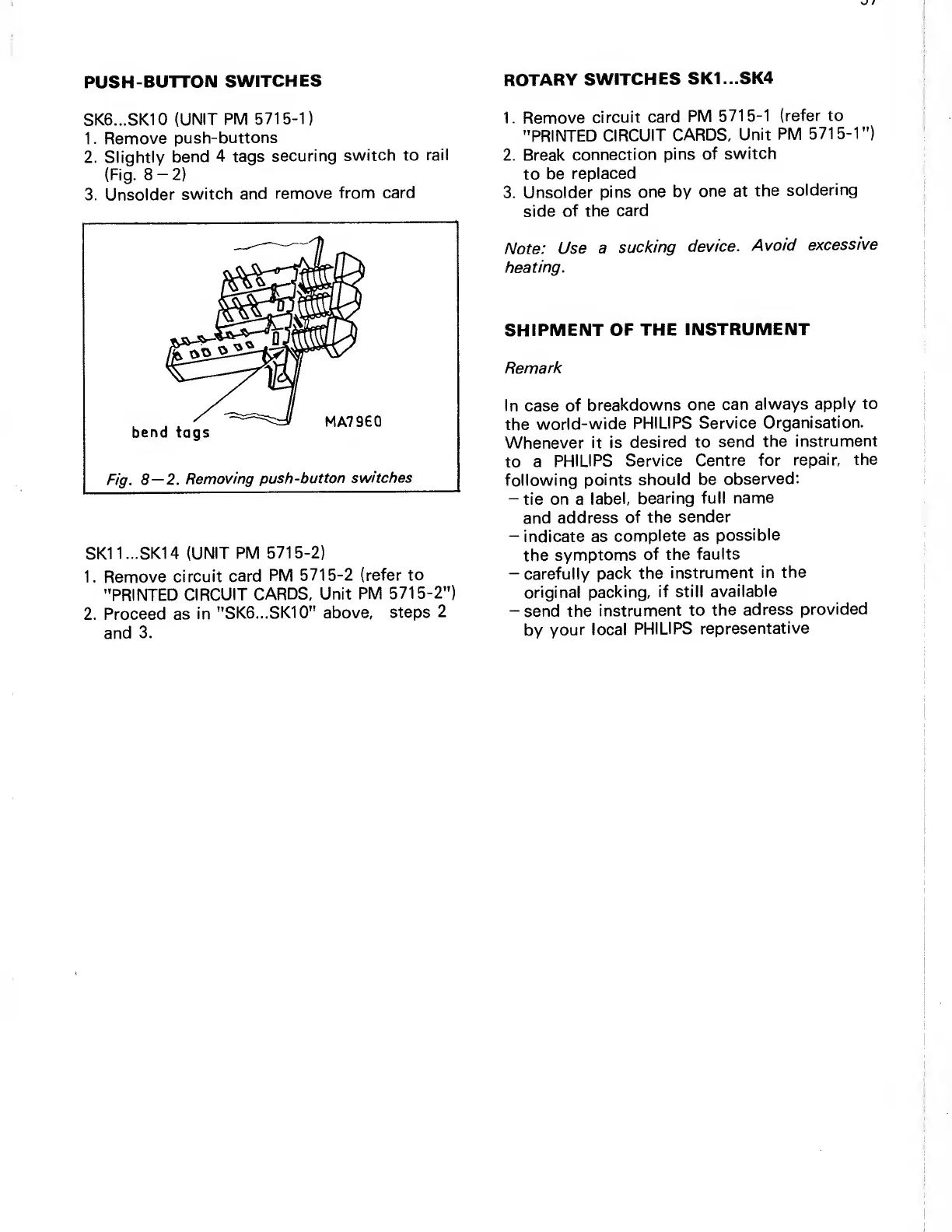
SK6...SK10
(UNIT
PM
5715-1)
1. Remove
push-buttons
2.
Slightly
bend
4 tags
securing
switch to
rail
(Fig.
8-2)
3. Unsolder
switch
and
remove
from
card
SK1 1...
SKI
4
(UNIT
PM
5715-2)
1. Remove
circuit
card
PM
5715-2
(refer to
"PRINTED
CIRCUIT
CARDS, Unit
PM
5715-2")
2. Proceed
as in
"SK6...SK10"
above,
steps
2
and
3.
ROTARY
SWITCHES
SK1...SK4
1. Remove
circuit
card
PM
5715-1 (refer to
"PRINTED
CIRCUIT
CARDS,
Unit
PM
5715-1")
2. Break
connection
pins
of
switch
to
be
replaced
3. Unsolder
pins one
by
one at
the
soldering
side
of the
card
Note:
Use
a
sucking
device.
Avoid
excessive
heating.
SHIPMENT
OF THE
INSTRUMENT
Remark
In case of
breakdowns
one
can
always
apply to
the
world-wide
PHILIPS Service
Organisation.
Whenever
it is
desired to
send
the
instrument
to
a
PHILIPS Service
Centre
for
repair, the
following
points
should be
observed:
-tie on a
label,
bearing
full
name
and
address
of
the
sender
-indicate as
complete
as
possible
the
symptoms
of
the
faults
—
carefully pack
the
instrument
in the
original
packing,
if
still
available
-
send the
instrument to
the
adress
provided
by
your
local
PHILIPS
representative

Related product manuals