EasyManua.ls Logo

Philips PM2519 - Page 5

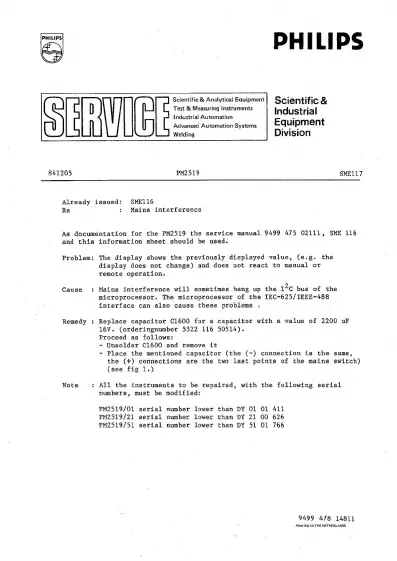
Philips PM2519
126 pages
Print Icon
To Next Page IconTo Next Page
To Previous Page IconTo Previous Page
Loading...
PHILIPS!
841205
PHILIPS
Scientific
&
Analytical
Equipment
Scientific
&
Test
&
Measuring
Instruments
Industrial
Industrial
Automation
Advanced
Automation
Systems
Equipment
Welding
Division
PM2519
SMELL7
Already
issued:
SME116
Re
:
Mains
interference
As
documentation
for
the
PM2519
the
service
manual
9499
475
02111,
SME
116
and
this
Problem:
Cause
:
Remedy
:
Note
$
information
sheet
should
be
used.
The
display
shows
the
previously
displayed
value,
(e.g.
the
display
does
not
change)
and
does
not
react
to
manual
or
remote
operation.
Mains
interference
will
sometimes
hang
up
the
12¢
bus
of
the
microprocessor.
The
microprocessor
of
the
IEC~625/IEEE~488
interface
can
also
cause
these
problems
.
Replace
capacitor
C1600
for
a
capacitor
with
a
value
of
2200
uF
16V.
(orderingnumber
5322
116
50514).
Proceed
as
follows:
-
Unsolder
C1600
and
remove
it
-
Place
the
mentioned
capacitor
(the
(-)
connection
is
the
same,
the
(+)
connections
are
the
two
last
points
of
the
mains
switch)
(see
fig
1.)
All
the
instruments
to
be
repaired,
with
the
following
serial
numbers,
must
be
modified:
PM2519/01
serial
number
lower
than
DY
01 01
411
PM2519/21
serial
number
lower
than
DY
21
00
626
PM2519/51
serial
number
lower
than
DY
51
01
766
9499
478
14811
PRINTED
IN
THE
NETHERLANDS.

Related product manuals