EasyManua.ls Logo

Philips PrestigeWet S9000 - User Manual

Philips PrestigeWet S9000
8 pages
Print Icon
To Next Page IconTo Next Page
Loading...
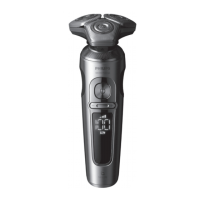
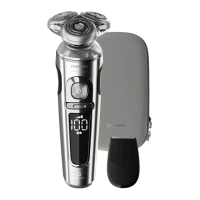
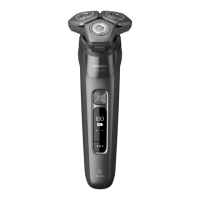
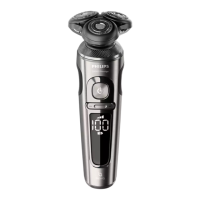
Philips Shaver S9000 PrestigeWet & dry electric shaver, Series 9000 SP9860/86
Frequently Asked Questions
Click on a question to go directly to the answer:
1. What do the symbols on my Philips shaver mean?
2. Which foam or gel can I use with my Philips shaver?
3. How do I charge my Philips Shaver using the wireless Qi pad?
4. How do I remove the shaving heads of my Philips shaver?
5. How do I get the best results with my Philips Shaver?
6. How do I clean my Philips Shaver?
1. What do the symbols on my Philips shaver mean?
If you would like to find out what the symbols and indicator lights on your Philips Shaver mean, read
our explanation in this article.
Charging lights
The battery symbol on you Philips Shaver lights up to indicate the charging status of your shaver.
When the battery is about to run out, the indicator blinks orange. While charging, this light can be
white, green or blue, depending on your shaver model.
Once your shaver is fully charged, the light stays on for 15 or 30 minutes and then automatically
turns off to save energy.
Unplug for use
Some Philips Shavers can only be used cordless. If you try to turn these shavers on while they are still
plugged in, an unplug symbol flashes white as a reminder to unplug your shaver.

Table of Contents

Question and Answer IconNeed help?

Do you have a question about the Philips PrestigeWet S9000 and is the answer not in the manual?

Summary

Philips Shaver Symbols and Indicator Lights

Charging Lights

Explains the battery indicator light behavior during charging and when the battery is low.

Unplug for Use

Describes the unplug symbol indicating the shaver can only be used cordless.

Exclamation Mark

Details meanings of the exclamation mark: blocked heads, overheating, or metal object on Qi pad.

Cleaning Reminder

Explains the tap symbol as a reminder for daily cleaning of the shaver.

Travel Lock

How to activate and deactivate the travel lock feature to prevent accidental switching on.

Replacing Shaving Heads

Notes the shaving head symbol as a reminder for replacement, typically every two years.

Bath and Tap Symbol

Defines shower/bath symbols (waterproof) and tap symbols (washable or not washable).

Notification Symbol

Indicates an important message from the Philips Groom Tribe App for S7000 shavers.

Sensitive Shaving Symbol

Explains the S and XS symbols for sensitive and extra sensitive shave settings.

Foam and Gel Usage for Shaving

Charging Your Philips Shaver

Charging Philips Shaver SP9000 Models with a Wireless QI Pad

Steps to charge SP9000 models using the wireless Qi pad, including placement and charging time.

Charging Philips Shaver S8000 Models with a Wireless Qi Pad

Instructions for charging S8000 models vertically on a wireless Qi pad.

Removing and Reattaching Shaving Heads

Tips for Optimal Shaving Results

Allow Your Skin an Adjustment Period

Advises a 2-3 week adjustment period for new users to minimize skin irritation.

Pre-trim Your Long Facial Hair

Recommends trimming long hair before shaving to improve comfort and reduce irritation.

Be Gentle

Emphasizes using gentle pressure to avoid irritation and improve shaving experience.

Tips for Wet Shaving

Provides guidance on washing face, applying gel, and using circular motions for wet shaving.

Tips for Dry Shaving

Offers advice on washing/drying face, waiting 15 mins, and using circular motions for dry shaving.

How to Clean Your Philips Shaver

Cleaning Instructions for Philips Shaver Series S7000 and S9000

Steps for rinsing and drying shavers from series S7000 and S9000.

Cleaning Instructions for Philips Shaver Series S5000 and S6000

Cleaning procedure for shavers belonging to the S5000 and S6000 series.

Cleaning Instructions for Two-headed Philips Shavers

Specific cleaning steps for models with two shaving heads.

Cleaning the Click-on Attachments

Guidance on cleaning detachable accessories like beard stylers and cleaning brushes.

Cleaning Philips Shaver with a Philips SmartClean System

Instructions for cleaning the shaver using the SmartClean system.

Summary

Philips Shaver Symbols and Indicator Lights

Charging Lights

Explains the battery indicator light behavior during charging and when the battery is low.

Unplug for Use

Describes the unplug symbol indicating the shaver can only be used cordless.

Exclamation Mark

Details meanings of the exclamation mark: blocked heads, overheating, or metal object on Qi pad.

Cleaning Reminder

Explains the tap symbol as a reminder for daily cleaning of the shaver.

Travel Lock

How to activate and deactivate the travel lock feature to prevent accidental switching on.

Replacing Shaving Heads

Notes the shaving head symbol as a reminder for replacement, typically every two years.

Bath and Tap Symbol

Defines shower/bath symbols (waterproof) and tap symbols (washable or not washable).

Notification Symbol

Indicates an important message from the Philips Groom Tribe App for S7000 shavers.

Sensitive Shaving Symbol

Explains the S and XS symbols for sensitive and extra sensitive shave settings.

Foam and Gel Usage for Shaving

Charging Your Philips Shaver

Charging Philips Shaver SP9000 Models with a Wireless QI Pad

Steps to charge SP9000 models using the wireless Qi pad, including placement and charging time.

Charging Philips Shaver S8000 Models with a Wireless Qi Pad

Instructions for charging S8000 models vertically on a wireless Qi pad.

Removing and Reattaching Shaving Heads

Tips for Optimal Shaving Results

Allow Your Skin an Adjustment Period

Advises a 2-3 week adjustment period for new users to minimize skin irritation.

Pre-trim Your Long Facial Hair

Recommends trimming long hair before shaving to improve comfort and reduce irritation.

Be Gentle

Emphasizes using gentle pressure to avoid irritation and improve shaving experience.

Tips for Wet Shaving

Provides guidance on washing face, applying gel, and using circular motions for wet shaving.

Tips for Dry Shaving

Offers advice on washing/drying face, waiting 15 mins, and using circular motions for dry shaving.

How to Clean Your Philips Shaver

Cleaning Instructions for Philips Shaver Series S7000 and S9000

Steps for rinsing and drying shavers from series S7000 and S9000.

Cleaning Instructions for Philips Shaver Series S5000 and S6000

Cleaning procedure for shavers belonging to the S5000 and S6000 series.

Cleaning Instructions for Two-headed Philips Shavers

Specific cleaning steps for models with two shaving heads.

Cleaning the Click-on Attachments

Guidance on cleaning detachable accessories like beard stylers and cleaning brushes.

Cleaning Philips Shaver with a Philips SmartClean System

Instructions for cleaning the shaver using the SmartClean system.

Overview

The Philips Shaver S9000 PrestigeWet & dry electric shaver, Series 9000 SP9860/86 is an advanced grooming device designed for both wet and dry shaving, offering a range of features for optimal performance and user convenience.

Function Description

This electric shaver is primarily designed for removing facial hair efficiently and comfortably. It can be used for dry shaving, which is convenient for quick shaves on the go, or for wet shaving with foam or gel, which can provide a more refreshing experience and is often beneficial for sensitive skin by reducing friction and irritation. The shaver incorporates various indicator lights and symbols to communicate its status and guide the user.

Usage Features

The Philips Shaver S9000 offers several features to enhance its usability:

  • Charging and Battery Indicators: The shaver includes a battery symbol that illuminates to indicate its charging status. When the battery is low, the indicator blinks orange. During charging, this light can be white, green, or blue, depending on the specific shaver model. Once fully charged, the light remains on for 15 or 30 minutes before automatically turning off to conserve energy.
  • Cordless Operation Reminder: Some Philips Shavers are designed exclusively for cordless use. If you attempt to turn on such a shaver while it is still plugged in, an "unplug" symbol will flash white, serving as a reminder to disconnect it from the power source.
  • Exclamation Mark Warnings: An exclamation mark blinking on the shaver can signal several issues:
    • Blocked Shaving Heads: If accompanied by a tap and a shaving head symbol, it indicates that the motor cannot run due to soiled or damaged shaving heads, requiring cleaning or replacement.
    • Overheating: The shaver may overheat from excessive charging, causing it to automatically switch off. In this case, it needs to cool down for a few minutes before being turned on again.
    • Metallic Object on Charging Pad: If the exclamation mark flashes on the Qi charging pad, it means a metallic object is present, causing the pad to turn off. The object must be removed, and the charging pad restarted after 5 minutes.
  • Cleaning Reminder: To promote regular maintenance, a tap symbol may blink on the shaver after it is switched off, reminding the user to clean it.
  • Travel Lock: For safe travel, the shaver features a travel lock. This can be activated by pressing the on/off button for three seconds, at which point a lock symbol will flash. To deactivate, the on/off button is pressed again for three seconds; the lock symbol will flash and then light up continuously, indicating readiness for use.
  • Waterproof Design: Shavers with a shower or bath symbol on the back are waterproof, allowing safe use in the shower or bath. A tap symbol indicates the shaver is washable with water but not necessarily suitable for shower use. A crossed-out tap symbol means the shaver is not washable and should be cleaned without water.
  • Sensitive Shaving Settings: The Philips Shaver S7000 models feature 'S' and 'XS' symbols, representing sensitive and extra-sensitive shave settings, respectively. These settings can be selected via the Philips GroomTribe App, catering to users with varying skin sensitivities.
  • Wireless Qi Charging: For models equipped with a wireless Qi charging pad, charging is straightforward. The Qi pad is plugged into an electrical socket, and the dry shaver is placed horizontally in the pad's cavity. The charger beeps, and a ring on the pad lights up to confirm correct placement and connection. Full charging takes approximately 3 hours, with a quick charge of about 18 minutes providing enough energy for one shave. For S8000 models, the shaver is placed vertically on the charging pad, which beeps upon correct placement. The charging indicator flashes white during charging and lights up continuously when fully charged.
  • Shaving Tips:
    • Adjustment Period: New users should allow 2-3 weeks for their skin to adapt to the electric razor, as initial irritation is possible. Using a gentle moisturizer or aftershave can help.
    • Pre-trimming: For longer facial hair or heavy beards, pre-trimming is recommended to improve comfort and reduce shaving time.
    • Gentle Pressure: Applying gentle pressure during shaving helps facial hair stand upright, making it easier for the blades to catch and cut, while also reducing friction and irritation, especially for sensitive skin.
    • Wet Shaving: Before wet shaving, wash the face with soap and water, then apply shaving gel or foam. Shave in circular movements to ensure all hair is removed.
    • Dry Shaving: Before dry shaving, wash and thoroughly dry the face, allowing at least 15 minutes for the skin to dry completely. Shave in circular movements.
  • Philips GroomTribe App Integration: The notification symbol on S7000 shavers lights up when there is an important message in the Philips GroomTribe App. The app also provides additional shaving tips for both wet and dry shaving.

Maintenance Features

Proper maintenance ensures the longevity and optimal performance of the Philips Shaver S9000:

  • Replacing Shaving Heads: Regular replacement of shaving heads is crucial. Depending on the model, a flashing shaving head symbol or a beep will remind the user. For most models, heads should be replaced every two years. After replacement, the shaver needs to be reset by pressing the on/off button for a few seconds.
  • Cleaning Instructions (S7000 and S9000 series):
    1. Turn on the shaver and rinse it under warm running water.
    2. Turn off the shaver and remove the top part of the shaving head.
    3. Rinse the top part under warm running water for at least 30 seconds.
    4. Reattach the shaving head once it is completely dry.
    5. Shake off excess water and air dry the shaver; avoid using towels or tissues to prevent damage.
  • Cleaning Instructions (S5000 and S6000 series):
    1. Turn on the shaver and rinse it with warm water for at least 30 seconds.
    2. Press the release button to open the shaving head.
    3. Rinse the shaving head holder under warm running water.
    4. Shake off excess water and keep the shaving head holder open until completely dry.
    5. Close the shaving head holder, ensuring it clicks into place.
  • Cleaning Instructions (Two-headed Shavers):
    1. Pull off the shaving head.
    2. Rinse the shaving head under warm water for at least 30 seconds.
    3. Shake off excess water and air dry.
    4. Press the release button to open and pull off the top part of the shaving head.
    5. Rinse with water and click it back on when clean and dry.
    6. Reattach the shaving head to the shaver once completely dry.
  • Cleaning Click-on Attachments: Attachments like beard stylers or cleaning brushes can be pulled off, rinsed with warm water, and reassembled once clean and dry. Refer to the user manual for specific details.
  • SmartClean System Cleaning: For shavers compatible with the Philips SmartClean system:
    1. Rinse the shaver under warm water and shake off excess water.
    2. Open the SmartClean system by pressing its top part.
    3. Hold the shaver upside down and place it in the SmartClean holder.
    4. Tilt the shaver backward and press down the top cap until a click confirms it's locked.
    5. Press the on/off button on the SmartClean system to start the cleaning program; a blinking cleaning symbol will confirm it's working.
    6. Consult the user manual or contact support for further questions.

The Philips Shaver S9000 is designed to provide a versatile, comfortable, and well-maintained shaving experience, with clear indicators and straightforward cleaning procedures.

Philips PrestigeWet S9000 Specifications

General IconGeneral
ModelPrestigeWet S9000
BrandPhilips
Shaving SystemRotary
SkinComfortSkinGlide Rings
Wet & DryYes
Battery TypeLithium-ion
Run Time60 minutes
Charging Time1 hour
Automatic Voltage100-240 V
BladesNanoTech precision blades
Precision ModeYes
WaterproofYes
Cordless UseYes
Travel LockYes
Quick Charge5 minutes
SmartClickYes
DisplayYes
CleaningFully washable
Personal Comfort Settings3 settings

Related product manuals