EasyManua.ls Logo

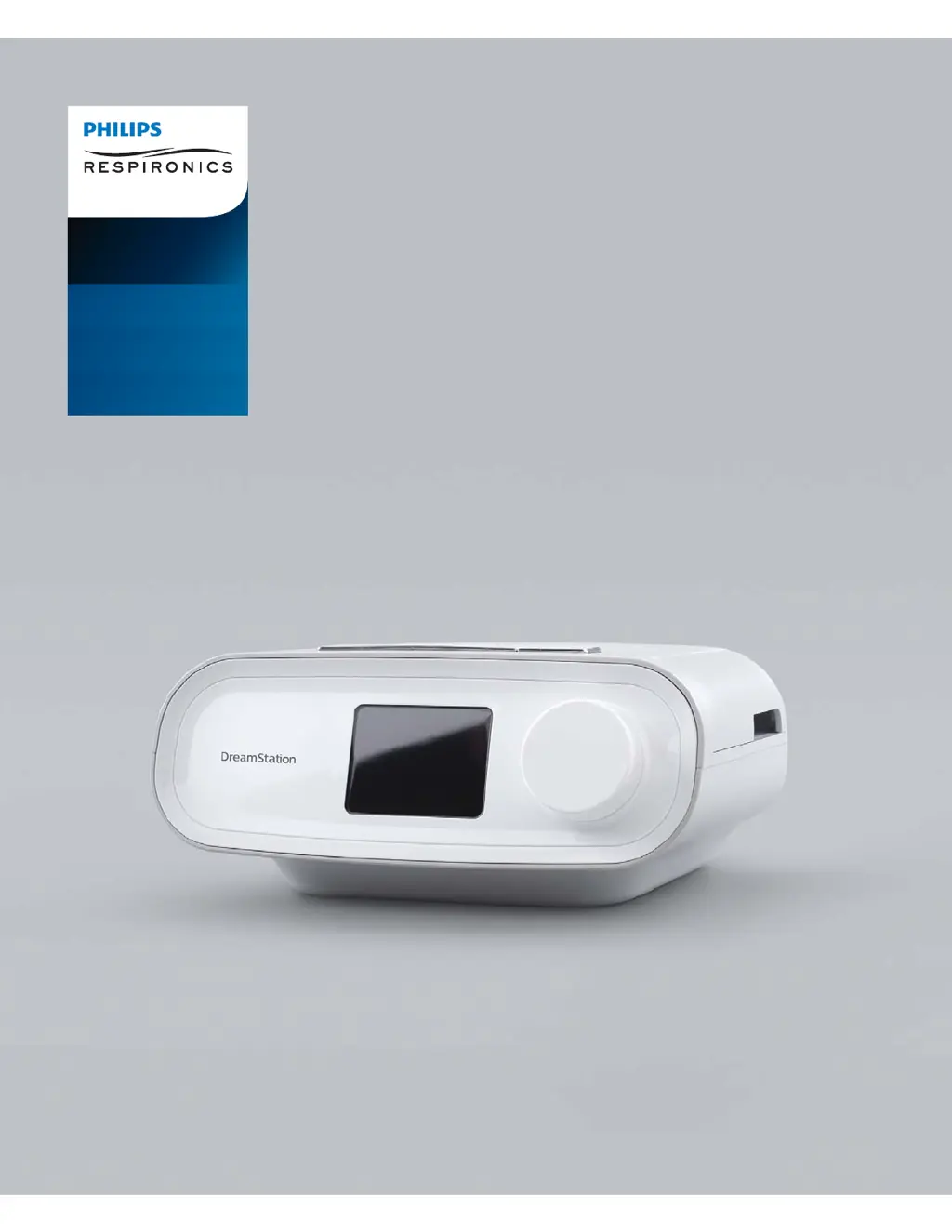
Philips Respironics DreamStation CPAP - User Manual

Philips Respironics DreamStation CPAP
32 pages
Print Icon
To Next Page IconTo Next Page
Loading...
User manual
DreamStation
CPAP
CPAP Pro
Auto CPAP

Other manuals for Philips Respironics DreamStation CPAP

Questions and Answers

  • T
    Timothy KochAug 13, 2025
    What to do if my Philips Personal Care Products device doesn't turn on?
    • A
      Anthony ThompsonAug 13, 2025
      If nothing happens when you apply power to your Philips Personal Care Product, and the backlights on the buttons do not light, it could be due to a lack of power at the outlet or the device being unplugged. If using AC power, verify the outlet has power and the device is properly plugged in, ensuring the AC power cord is correctly connected to both the power supply and the device's power inlet. If using DC power, ensure your DC power cord and battery adapter cable connections are secure, and check your battery to see if it needs recharging or replacement. If problems persist with DC, check the DC cord’s fuse.
  • R
    Roberto HolmesAug 17, 2025
    Why does the water run out so fast in my Philips Personal Care Products humidifier?
    • K
      Kathleen LawrenceAug 17, 2025
      If the water in the water chamber of your Philips Personal Care Products runs out before morning, ensure the chamber is filled to the maximum fill line before starting your sleep session. Check your mask fit and adjust it to reduce mask leak. Verify that the device, humidifier, humidifier seals, and tube are properly connected and not leaking. You might also lower your humidifier and/or heated tube settings or switch from Fixed to Adaptive humidification mode to extend the water's duration.
  • R
    Ryan VargasAug 20, 2025
    Why is the airflow so warm in my Philips Respironics DreamStation CPAP Personal Care Products?
    • T
      Tammy AustinAug 20, 2025
      If the airflow in your Philips Personal Care Products is much warmer than usual, the air filters may be dirty, or the device might be operating in direct sunlight or near a heater. Try rinsing or replacing the reusable air filter or replacing the disposable ultra-fine filter. Ensure the device is properly ventilated, away from bedding or curtains, and not in direct sunlight or near heating equipment. If using a humidifier, check its settings.
  • S
    shelleybrownAug 25, 2025
    Why is my Philips Respironics DreamStation CPAP Personal Care Products device making a whistling sound?
    • A
      agilesAug 26, 2025
      If you hear a leak or whistling sound coming from your Philips Personal Care Products therapy device or humidifier (not related to mask leak), check that the therapy device air inlet is not obstructed and that the filters are free of debris and properly inserted. Confirm that the device, humidifier, and tube are connected properly and not leaking. Also, check that the humidifier lid seal and dry box seal are present and properly seated; if needed, gently press around the perimeter of the seals to reseat them.
  • K
    Kevin JohnsonAug 28, 2025
    What to do if my Philips Respironics DreamStation CPAP Personal Care Products display is acting erratic?
    • P
      pcombsAug 28, 2025
      If the device’s display for your Philips Personal Care Products is erratic, unplug the device and reapply power. If the problem persists, relocate the device to an area with lower Electromagnetic Interference (EMI) emissions, away from electronic equipment such as cellular phones, cordless phones, computers, TVs, electronic games, and hair dryers.
  • F
    faithcrossAug 31, 2025
    Why doesn't the airflow turn on in my Philips Respironics DreamStation CPAP device?
    • H
      Helen TaylorAug 31, 2025
      If the airflow does not turn on for your Philips Personal Care Products, make sure the device is powered correctly and the Home screen appears on the user interface. Press the Therapy button on top of the device to start airflow. If the airflow still does not turn on, there may be a problem with your device.
  • B
    Brett DavisSep 4, 2025
    Why is the ramp feature not working on my Philips Respironics DreamStation CPAP Personal Care Products?
    • S
      Samantha KelleySep 4, 2025
      If the Ramp feature does not work when you press the Ramp button on your Philips Personal Care Products device, it might be because Ramp was not prescribed for you, or your therapy pressure is already set to the minimum setting. If Ramp has been enabled but still doesn't work, check the current pressure setting on the Therapy screen. If the therapy pressure is at the minimum setting (4.0 cm H2O), or the Ramp starting pressure is the same as the therapy pressure, the Ramp feature will not work. Also, ensure that the ramp time setting is >0.
  • G
    Gregory JonesSep 8, 2025
    What to do if I spill water in my Philips Personal Care Products humidifier?
    • J
      Jessica BrownSep 9, 2025
      If you accidentally spilled water into your Philips Personal Care Products humidifier basin, disconnect power from the device. Remove the water chamber, pour out any excess water until the water level is at or below the maximum fill line, and set the chamber aside. Separate the humidifier from the therapy device, and pour out the spilled water. Once the heater plate has cooled, wipe the inside of the humidifier with a paper towel or soft cloth. Reconnect the humidifier and power supply, and reinstall the water chamber.

Summary

Warnings

Cautions

Contraindications

Installing;Replacing the Air Filters

Supplying AC Power to the Device

Connecting the Breathing Circuit

Starting the Device

My Setup

Flex

Adjusts air pressure relief level during exhalation, from 1 to 3.

Check Mask Fit

Device Alerts

Troubleshooting

Adding Supplemental Oxygen

Limited Warranty

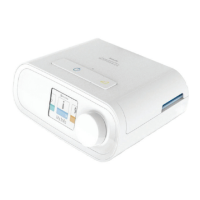
Philips Respironics DreamStation CPAP Specifications

General IconGeneral
Device TypeCPAP
BrandPhilips Respironics
ModelDreamStation
Pressure Range4-20 cm H2O
Power Supply100-240 VAC, 50/60 Hz
Data StorageSD Card
Therapy ModesCPAP, Auto CPAP
Altitude CompensationAutomatic
Ramp Time0 to 45 min (5-min increments)
Sound Level25.8 dBA
ConnectivityBluetooth
Data RecordingAHI, Leak, Flow Limitation
CompatibilityCompatible with a variety of masks
Noise Level25.8 dBA
Power SourceAC Power
HumidificationOptional integrated humidifier

Related product manuals