EasyManua.ls Logo

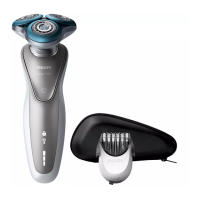
Philips S7783/78 - User Manual

Philips S7783/78
304 pages
Print Icon
To Next Page IconTo Next Page
Loading...
series S7000
Questo manuale d’istruzione è fornito da trovaprezzi.it. Scopri tutte le offerte per Philips Shaver Series 7000
Wet&Dry S7783/78 o cerca il tuo prodotto tra le migliori offerte di Cura della Persona

Table of Contents

Questions and Answers

  • M
    Mr. Seth Galloway IVSep 5, 2025
    Why I can’t find the Bluetooth name of Philips Speaker System on my Bluetooth device?
    • M
      Mia TaylorSep 5, 2025
      If you can't find the Bluetooth name of the unit on your device, ensure that the Bluetooth function is activated on your Bluetooth device. You may also need to re-pair the unit with your Bluetooth device.
  • A
    Andrew CrawfordSep 5, 2025
    What to do if the subwoofer is idle or the indicator of subwoofer does not light up on my Philips Speaker System?
    • E
      Edwin CharlesSep 5, 2025
      To reset the subwoofer, unplug the power cord from the mains for a few minutes.
  • M
    Mr. Chad PattersonSep 6, 2025
    How to troubleshoot a Philips Clock Radio with no power?
    • S
      Samantha HuntSep 6, 2025
      If your Philips Clock Radio isn't turning on, ensure the AC power plug is correctly connected. Also, verify that the AC outlet has power.
  • E
    Emily BowenSep 6, 2025
    What to do if my Philips Clock Radio is not responding?
    • A
      alexcomptonSep 6, 2025
      If your Philips Clock Radio isn't responding, disconnect the AC power plug and then reconnect it. After that, try turning the unit on again.
  • C
    Colleen HendrixSep 7, 2025
    Why does my Philips Clock Radio keep losing its clock/alarm settings?
    • M
      Matthew OliverSep 7, 2025
      If the clock or alarm setting on your Philips Clock Radio is erased, reset the clock and alarm. This issue can occur if the power has been interrupted or the power plug has been disconnected. You may also need to replace the backup batteries.
  • F
    Frank ThompsonSep 7, 2025
    How to fix poor Bluetooth audio quality on Philips Clock Radio?
    • S
      Stephen MossSep 7, 2025
      To improve poor audio quality via Bluetooth on your Philips Clock Radio: * Move your Bluetooth device closer to the clock radio, or remove any obstacles between them. * Ensure that the Bluetooth function is enabled on your device. * Disconnect other Bluetooth devices that may be connected to the clock radio.

Philips S7783/78 Specifications

General IconGeneral
TypeElectric Shaver
ModelS7783/78
Number of Blades3
Contouring360-D flexing heads
Precision TrimmerYes
Wet & DryYes
CleaningYes
Battery Level IndicatorYes
Travel Lock IndicatorYes
Travel LockYes
Battery TypeLi-ion
Charging Time1 hour
Quick Charge5 minutes for 1 shave
Automatic Voltage100-240 V
Cordless UseYes
ColorBlack
Series7000
Shaver TechnologyRotary
BladesGentlePrecision blades
DisplayYes
Run Time60 minutes

Related product manuals