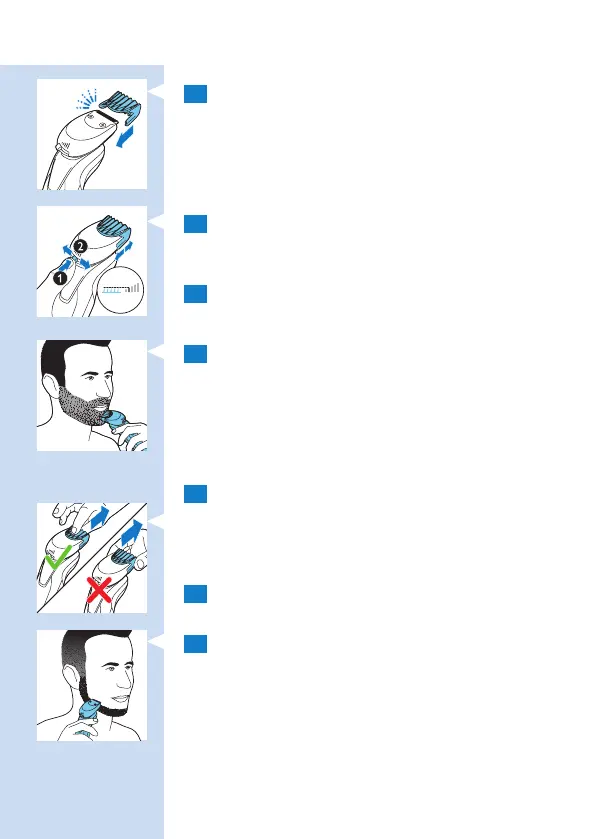
1 Slide the comb straight into the guiding
grooves on both sides of the beard styler
attachment (‘click’).
2 Press the length selector and then push it
to the left or right to select the desired hair
length setting.
3 Press the on/off button once to switch on the
appliance.
4 You can now start styling your beard.
Using the beard styler attachment without
comb
You can use the beard styler attachment without the
comb to contour your beard, moustache, sideburns
or neckline.
1 Pull the comb off the beard styler attachment.
Note: Grab the comb in the centre to pull it off the
beard styler attachment. Do not pull at the sides of the
comb.
2 Press the on/off button once to switch on the
appliance.
3 You can now start contouring your beard,
moustache, sideburns or neckline.
ENGLISH 23


 To Next Page