28
English
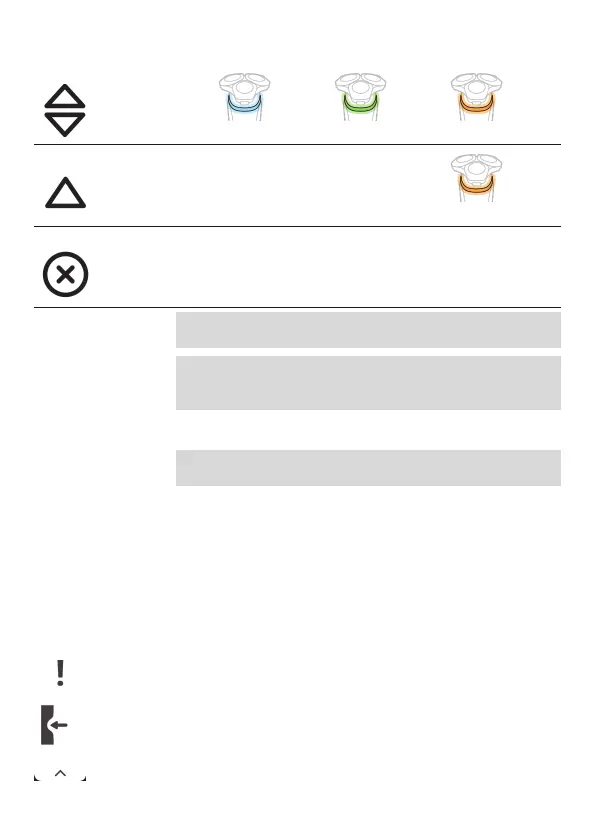
Full pressure feedback
blue green orange
Partial pressure feedback No feedback No feedback
orange
No pressure feedback No feedback No feedback No feedback
Note: Note: Light ring feedback is only available when
the shaving unit is attached to the handle.
When the beard styler or cleansing brush is attached
to the handle, the motion and pressure feedback is
switched off automatically.
Post-shave feedback
Note: This feature is activated via the app settings (see
'How do I connect my shaver and smartphone? (Fig. A)').
You can optimize your shaving experience by applying
the right motion and amount of pressure (see 'Shaving').
Once this feature is activated, your shaver gives you
feedback right after you shave and switch off your
shaver.
Pressure Guard sensor feedback
When your shaving pressure can be improved, the
Pressure Guard sensor icon displays with an exclamation
mark.
- The pressure you applied during the shave was too
high.



 To Next Page