27
English
What is my shaver telling me? (Fig. A)
Light ring feedback
During your shave, you receive feedback on how much
pressure you are applying via the light ring at the top of
your shaver handle.
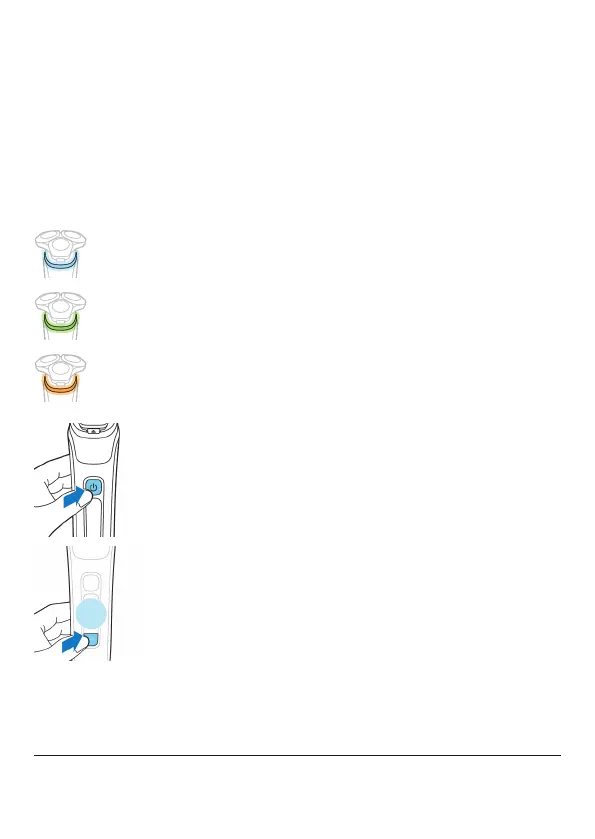
The light ring on the handle lights up in various colors
during your shave to give you feedback on how much
pressure you are exerting. These are the default settings:
- When you don't apply enough pressure, the light
ring lights up blue.
- When you apply the correct amount of pressure,
the light ring lights up green.
- When you apply too much pressure, the light ring
lights up orange.
When your shaver is switched on, you can customize the
type of pressure feedback you receive.
1
Switch on the shaver.
2
Press the menu button to toggle through the pressure
feedback options. The table below shows what
pressure feedback you receive with each option.
Too little
pressure is
being applied
The right
amount of
pressure is
being applied
Too much
pressure is
being applied



 To Next Page