EasyManua.ls Logo

Philips SBC RU422 - User Manual

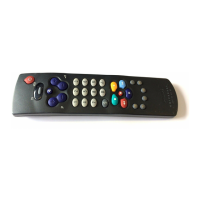
Philips SBC RU422
57 pages
Go to English
Print Icon
To Next Page IconTo Next Page
Loading...
Norsk
SATTV
SATTV
U
N
IVERSAL
U
N
IVERSAL
P
P
231
564
8
0
97
231
564
8
0
97
S
S
SBC RU 422
Instructions for Use
Mode d’emploi
Bedienungsanleitung
Gebruiksaanwijzing
Instrucciones de manejo
Manual de utilização
Istruzioni per l’uso
Οδηγίεσ χρήσεωσ
Bruksanvisning
Brugsanvisning
Bruksanvisning
Käyttöohje
Code list
Universal Remote Control
Question and Answer IconNeed help?

Do you have a question about the Philips SBC RU422 and is the answer not in the manual?

Summary

Universal Remote Control Instructions

At a Glance Overview

Provides a quick overview of the remote's basic functions and setup.

Operating Modes (TV;VCR)

Explains how to switch between TV and VCR modes using indicator LEDs.

Keypad and Function Keys

Details the use of the keypad, Shift, and other function keys for operation.

TV FastText Functions

Lists color buttons for TV FastText functions like Rewind, Stop, Play, Forward.

Getting Started: Batteries and Setup

Battery Installation and Care

Details the required battery type (AAA) and emphasizes regular replacement.

Philips Device Setup

Explains the initial setup process for Philips TVs and VCRs.

Brand-Specific Code Setup

Guides on entering 3-digit codes from the list for specific equipment brands.

Handsfree Autosearch Setup

Explains the autosearch function for finding codes when the brand is unknown.

Autosearch and Code Management

Stopping and Adjusting Autosearch

Instructions on how to stop the autosearch and go back to previous codes.

Locking and Verifying the Code

How to save the found code and test the remote's functionality.

Retrieving Stored Codes

Instructions on how to retrieve the currently stored code from the remote.

Customer Support and Additional Models

Need Help? Contacting Support

Information on contacting the helpline and preparing for support calls.

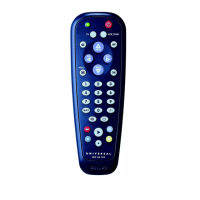
Other Philips Remote Models

Lists other Philips universal remote models available for different needs.

Summary

Universal Remote Control Instructions

At a Glance Overview

Provides a quick overview of the remote's basic functions and setup.

Operating Modes (TV;VCR)

Explains how to switch between TV and VCR modes using indicator LEDs.

Keypad and Function Keys

Details the use of the keypad, Shift, and other function keys for operation.

TV FastText Functions

Lists color buttons for TV FastText functions like Rewind, Stop, Play, Forward.

Getting Started: Batteries and Setup

Battery Installation and Care

Details the required battery type (AAA) and emphasizes regular replacement.

Philips Device Setup

Explains the initial setup process for Philips TVs and VCRs.

Brand-Specific Code Setup

Guides on entering 3-digit codes from the list for specific equipment brands.

Handsfree Autosearch Setup

Explains the autosearch function for finding codes when the brand is unknown.

Autosearch and Code Management

Stopping and Adjusting Autosearch

Instructions on how to stop the autosearch and go back to previous codes.

Locking and Verifying the Code

How to save the found code and test the remote's functionality.

Retrieving Stored Codes

Instructions on how to retrieve the currently stored code from the remote.

Customer Support and Additional Models

Need Help? Contacting Support

Information on contacting the helpline and preparing for support calls.

Other Philips Remote Models

Lists other Philips universal remote models available for different needs.

Philips SBC RU422 Specifications

General IconGeneral
BrandPhilips
ModelSBC RU422
CategoryRemote Control
LanguageEnglish

Related product manuals