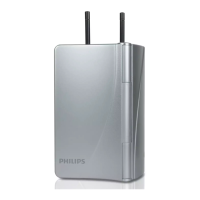
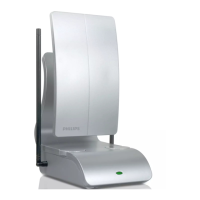
HD Flat Panel Passive Antenna is specially
designed to receive digital TV reception.
Important safety instructions:
• Use only indoors.
• DO NOT install in wet locations or
locations that can get wet.
Features:
• VHF/UHF/HDTV
• Stylish, slim prole
Package Contents:
• Digital Indoor Antenna
• Plastic Stand
• User’s manual
User manual
SDV1227B/27
Audio/Video
SDV1227B/27
v2 2/2018
Antenna
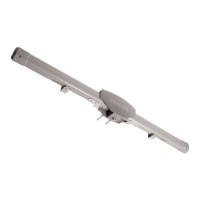
stand
Digital indoor
antenna
MADE IN CHINA
The Philips trademark and the Philips Shield Emblem are registered trademarks
of Koninklijke Philips N.V. used under license. This product has been
manufactured by Gibson Innovations Limited. It is distributed and warranted
by Jasco Products Company LLC, 10 E. Memorial Rd., Oklahoma City, OK 73114.
©2018 Gibson Innovations, all rights reserved.
This product comes with a limited-lifetime warranty.
Visit www.philips.com/support for warranty details.
Questions? Contact us at 1-844-816-0320 between
7:00AM—8:00PM CST.
Antenna Helpful Tips
• Maximize the number of channels you receive by placing the antenna
in several dierent locations to see which location provides the best
reception and the maximum number of channels. Be sure to run a
new channel scan on your TV in each position. Refer to the instruction
manual that came with your TV if you are not sure how to do this.
• Position or mount the antenna as high as possible or near a window for
best performance.
• Visit www.antennaweb.org or www.dtv.gov and look for the DTV
Reception Maps to determine the available television stations and
location of the broadcast towers in your area.
For further assistance, call 1-800-654-8483 for
technical support.
Coax from
antenna
TV
Antenna Assembly & Installation:
1. Attach the antenna stand to the antenna.
2. Place the antenna in the desired location.
3. Adjust dipoles to point up. Extend to desired length.
4. Connect the coax cable from the antenna to the TV.
5. SCAN FOR CHANNELS ON YOUR TV: This step is very important. Your TV will
NOT receive signals from the antenna without doing a channel scan. See your
TV’s menu for this process. You can also refer to the TV instruction manual for
detailed instructions. Note: It is important to repeat this process and re-scan
for channels anytime you move or, re-position the antenna.
6. Contact us at 1-800-654-8483 if you need assistance.

 Need help?
 General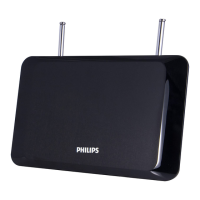

 To Next Page