EasyManua.ls Logo

Philips SDV6225T/27 - User Manual

Philips SDV6225T/27
12 pages
Print Icon
To Next Page IconTo Next Page
Loading...
Register your product and get support at
www.philips.com/welcome
SDV6225T/27
EN User manual
Question and Answer IconNeed help?

Do you have a question about the Philips SDV6225T/27 and is the answer not in the manual?

Summary

Important Safety and Compliance Information

Safety Precautions

Important safety information for using the Philips indoor television antenna, including handling and electrical safety.

FCC Compliance (USA)

Details compliance with FCC Rules Part 15 for Class B digital devices and potential interference.

Canadian Emission Compliance

Confirms compliance with Canadian regulations for Class B digital apparatus radio noise emissions.

Product Recycling Information

Guidance on responsible disposal of the product and its packaging, emphasizing environmental protection.

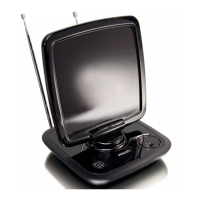
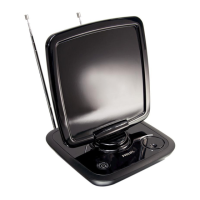
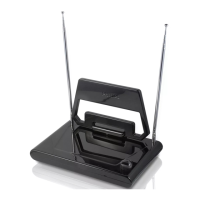
Your Philips SDV6225 T;27 Antenna

Product Overview and Registration

Introduction to the SDV6225T/27 antenna, including a welcome message and encouragement to register the product.

Getting Started with Your Antenna

Connecting the Antenna to Your TV

Instructions on connecting the coaxial cable from the antenna to the television set.

Installation and Signal Strength Assessment

Guidance on determining the best location for optimal reception and ensuring an unobstructed path to the transmitter.

Setting Up the SDV6225 T;27 Antenna

Setting Up for VHF Reception

Steps to extend dipoles and adjust the antenna for optimal reception of VHF channels.

Setting Up for UHF Reception

Instructions for adjusting the gain control and positioning the antenna for improved UHF channel reception.

Connecting to a Digital TV Tuner

Information on how to set up the antenna with a digital TV tuner for automatic channel installation.

Frequently Asked Questions

Reception Capabilities: Analog vs. Digital

This antenna can receive both analog and digital ATSC/HDTV broadcasts in UHF and VHF bands.

Antenna Power Options

The antenna can be powered by a DC power source and has a socket on the rear for a converter/adaptor.

Optimizing Placement and Gain Settings

For best reception, place the antenna near a window with a clear view of the transmitter and adjust gain as needed.

Digital Tuner Setup

The antenna is compatible with digital tuners and can be set up with them for channel installation.

Warranty and Service Information

Warranty and Technical Support

Details on warranty information and how to contact Philips for technical support via email.

Glossary of Technical Terms

Key Technical Terms Defined

Definitions of essential terms used in the manual, including Amplifier, Antenna, Coaxial, DVB, HDTV, UHF, and VHF.

Summary

Important Safety and Compliance Information

Safety Precautions

Important safety information for using the Philips indoor television antenna, including handling and electrical safety.

FCC Compliance (USA)

Details compliance with FCC Rules Part 15 for Class B digital devices and potential interference.

Canadian Emission Compliance

Confirms compliance with Canadian regulations for Class B digital apparatus radio noise emissions.

Product Recycling Information

Guidance on responsible disposal of the product and its packaging, emphasizing environmental protection.

Your Philips SDV6225 T;27 Antenna

Product Overview and Registration

Introduction to the SDV6225T/27 antenna, including a welcome message and encouragement to register the product.

Getting Started with Your Antenna

Connecting the Antenna to Your TV

Instructions on connecting the coaxial cable from the antenna to the television set.

Installation and Signal Strength Assessment

Guidance on determining the best location for optimal reception and ensuring an unobstructed path to the transmitter.

Setting Up the SDV6225 T;27 Antenna

Setting Up for VHF Reception

Steps to extend dipoles and adjust the antenna for optimal reception of VHF channels.

Setting Up for UHF Reception

Instructions for adjusting the gain control and positioning the antenna for improved UHF channel reception.

Connecting to a Digital TV Tuner

Information on how to set up the antenna with a digital TV tuner for automatic channel installation.

Frequently Asked Questions

Reception Capabilities: Analog vs. Digital

This antenna can receive both analog and digital ATSC/HDTV broadcasts in UHF and VHF bands.

Antenna Power Options

The antenna can be powered by a DC power source and has a socket on the rear for a converter/adaptor.

Optimizing Placement and Gain Settings

For best reception, place the antenna near a window with a clear view of the transmitter and adjust gain as needed.

Digital Tuner Setup

The antenna is compatible with digital tuners and can be set up with them for channel installation.

Warranty and Service Information

Warranty and Technical Support

Details on warranty information and how to contact Philips for technical support via email.

Glossary of Technical Terms

Key Technical Terms Defined

Definitions of essential terms used in the manual, including Amplifier, Antenna, Coaxial, DVB, HDTV, UHF, and VHF.

Philips SDV6225T/27 Specifications

General IconGeneral
BrandPhilips
ModelSDV6225T/27
CategoryTV Antenna
LanguageEnglish

Related product manuals