1 2 3
-
V-
+
V
1 2 3
V-
+
V
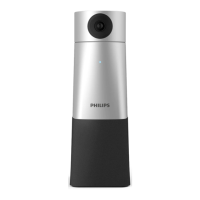
Use the remote to move the camera
up and down as well as horizontally
Press
or to
zoom in or out
To save a camera
position press
The status LED of the
device blinks blue
1 2 3
Press one of the three number
buttons to save the preset
-
1 2 3
V-
+
V
-
V-
+
V
If you press , the
camera will move
automaticly to the
active speaker
During this
mode, the status
LED lights up
blue
Press V+ or V- to change
the volume of the speaker
1 2 3
To reset the device,
press and hold the reset
button on the back side
of your device by using a
small, pointed object, for
example, a paper clip
Press to mute yourself
Connect the device to a computer.
Note: The device can only be
charged via the AC adapter
You can now use the device
with various meeting software,
by selecting "PSE0550"
Press to turn
the device on
1 sec
1
2
3
1
2
3
Connect the AC adapter
to the device and a power
socket
The LEDs on the back indicate
the battery status and stop
blinking after the device is
fully charged
Connect the correct plug
to the AC adapter


 To Previous Page