Need help?
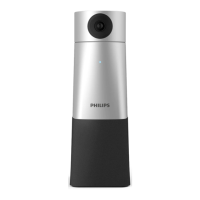
Do you have a question about the Philips PSE0600 and is the answer not in the manual?
Describes the 360-degree mode with blue indicator and automatic camera rotation to capture speakers.
Explains the 180-degree mode with green indicator and camera rotation based on sound direction.
Details how to switch between 360° and 180° modes using the remote control and indicator lights.
Instructions on how to set and store camera positions using the remote control's set and digit keys.
How to recall preset camera positions using the remote control's digit keys.
 General
| Brand | Philips |
|---|---|
| Model | PSE0600 |
| Category | Conference System |
| Language | English |


 To Next Page