EN 15
1 Computer connection by USB
1.Use the attached special charger to energize the PSE-0600;
2.Use the attached special USB cable to connect the PSE-
0600 to the computer;
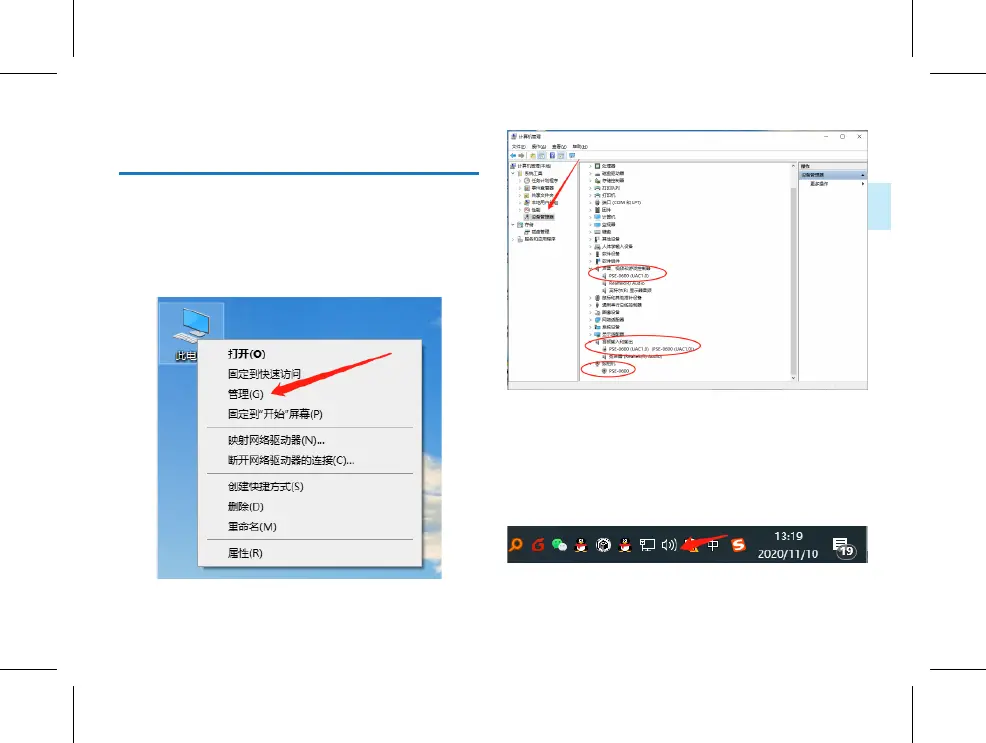
3.The system will load the driver automatically. After loading
is completed, an audio device will appear in the system’s
device manager, as shown below:
This means that the setup is successful, and the PSE-0600
can be operated normally and achieve the inputof audio and
video. If the computer is connected to many external devices,
the input device should be set to the PSE-0600 and the out-
put device set to the system speaker or any other speaker in
the system’s audio settings, as shown below:



 To Next Page