
 Need help?
Do you have a question about the Philips Sonicare HX6218/10 and is the answer not in the manual?
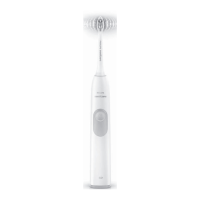
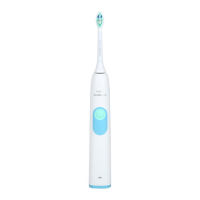
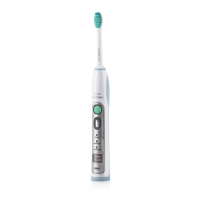
This document describes the Philips Sonicare 2 Series electric toothbrush, a personal care device designed for oral hygiene.
The Philips Sonicare 2 Series toothbrush is an electric toothbrush that utilizes sonic technology to provide effective cleaning. Its primary function is to remove plaque and improve gum health through high-speed bristle vibrations. The device is designed for daily use to maintain oral hygiene.
The Sonicare 2 Series toothbrush is straightforward to use. To begin, attach a brush head to the handle. The brush head should be aligned so that its bristles face the front of the handle, and then firmly pressed down onto the metal shaft until it stops. Sonicare brush heads come with easily identifiable icons to help distinguish them.
Before brushing, wet the bristles of the brush head and apply a small amount of toothpaste. Place the toothbrush bristles against the teeth at a slight angle towards the gumline. Press the power on/off button to activate the Sonicare toothbrush. For optimal effectiveness, apply light pressure and allow the toothbrush to do the work; scrubbing is not necessary. Gently move the brush head slowly across the teeth in a small back-and-forth motion, ensuring that the longer bristles reach between the teeth. This motion should be maintained throughout the entire brushing cycle.
To ensure even brushing across all areas of the mouth, the toothbrush incorporates a "Quadpacer" feature (available on specific models). This feature divides the mouth into four sections and provides an interval timer with a short beep and pause to remind the user to move to the next section. The recommended brushing sequence is to start in section 1 (outside top teeth) and brush for 30 seconds, then move to section 2 (inside top teeth) for another 30 seconds. Continue to section 3 (outside bottom teeth) for 30 seconds, and finally to section 4 (inside bottom teeth) for 30 seconds. After completing the main brushing cycle, users can spend additional time brushing chewing surfaces or areas with staining. The tongue can also be brushed with the toothbrush on or off, as preferred.
The "Smartimer" feature ensures that the recommended brushing duration is met. It automatically turns off the toothbrush at the end of the brushing cycle, which is typically 2 minutes, as recommended by dental professionals for twice-daily brushing. If the power on/off button is pressed after brushing for 2.5 seconds, the toothbrush will pause. If the pause lasts for 30 seconds, the Smartimer will reset.
The "Easy-start" feature is designed to help new users gradually adapt to the Sonicare experience. When activated, this feature gently increases the power of the toothbrush over the first 14 brushings. This model comes with the Easy-start feature activated by default. To activate or deactivate Easy-start, attach a brush head to the handle, place the handle in the plugged-in charger, and then press and hold the power on/off button for 2 seconds. If activated, two beeps will sound, and the battery level indicator will flash green. If deactivated, one beep will sound, and the battery level indicator will flash yellow. It's important that each of the first 14 brushings lasts at least 1 minute to properly progress through the Easy-start ramp-up cycle. Using the Easy-start feature beyond the initial ramp-up period is not recommended, as it can reduce the Sonicare's effectiveness in removing plaque.
The Sonicare toothbrush is safe for use with braces (though brush heads may wear out more quickly), dental restorations (fillings, crowns, veneers, implants). For clinical studies, the handle must be fully charged, and the Easy-start feature must be deactivated.
To charge the Sonicare toothbrush, plug the charger into a live electrical outlet and place the handle on the charger. The battery level indicator will flash to show that the toothbrush is charging. Once the light stops flashing and turns solid green, the toothbrush is fully charged. A full charge can take up to 48 hours, but the Sonicare can be used before it is fully charged. To maintain a fully charged battery, the Sonicare can be kept on the charger when not in use. A yellow battery level indicator signifies a low charge, while a green indicator signifies a high charge. The indicator turns off when the battery charge is between low and high. If three beeps are heard and the battery level indicator flashes yellow, it means the battery charge is below 10% and requires recharging.
Proper maintenance ensures the longevity and effectiveness of the Sonicare toothbrush.
It is crucial not to clean the brush head, handle, or charger in a dishwasher.
If the product will not be used for an extended period, unplug it from the electrical outlet, clean it, and store it in a cool, dry place away from direct sunlight.
For optimal results, Sonicare brush heads should be replaced every 3 months. Only genuine Philips Sonicare replacement brush heads suitable for this specific model should be used.
This appliance contains a rechargeable battery that must be disposed of properly. Users should contact local town or city officials for battery disposal information or visit www.rbrc.com for battery drop-off locations. For further assistance, the Philips website (www.philips.com/support) or customer service can be contacted.
To remove the rechargeable battery for disposal, ensure the battery is completely empty. First, remove the handle from the charger, turn on the Sonicare, and let it operate until it stops. Repeat this process until the Sonicare can no longer be turned on. Next, insert a small standard screwdriver into the bottom of the handle and turn it counter-clockwise to remove the screw. Pull off the end cap of the handle. Insert the screwdriver between the handle and the internal frame, tilting it to loosen the handle. Remove the internal frame from the handle. Remove the rubbers located on top and below the battery. Insert the screwdriver between the battery and the frame, tilting it to pop the battery out of the frame. Finally, place some tape over the ends of the battery to prevent any short-circuiting due to residual energy. The rechargeable battery can then be recycled or disposed of, and the rest of the product discarded appropriately.
 General
| Model | HX6218/10 |
|---|---|
| Brand | Philips Sonicare |
| Type | Electric Toothbrush |
| Technology | Sonic Technology |
| Brush Head Compatibility | Sonicare brush heads |
| Battery Life | Up to 2 weeks |
| Charging Time | 24 hours |
| Voltage | 110-220 V |
| Waterproof | Yes |
| Color | White |
| Cleaning Modes | 1 |
| Timer | Smartimer |
| Battery Type | Lithium-ion |
| Brush Head System | Easy click-on brush heads |


 To Next Page