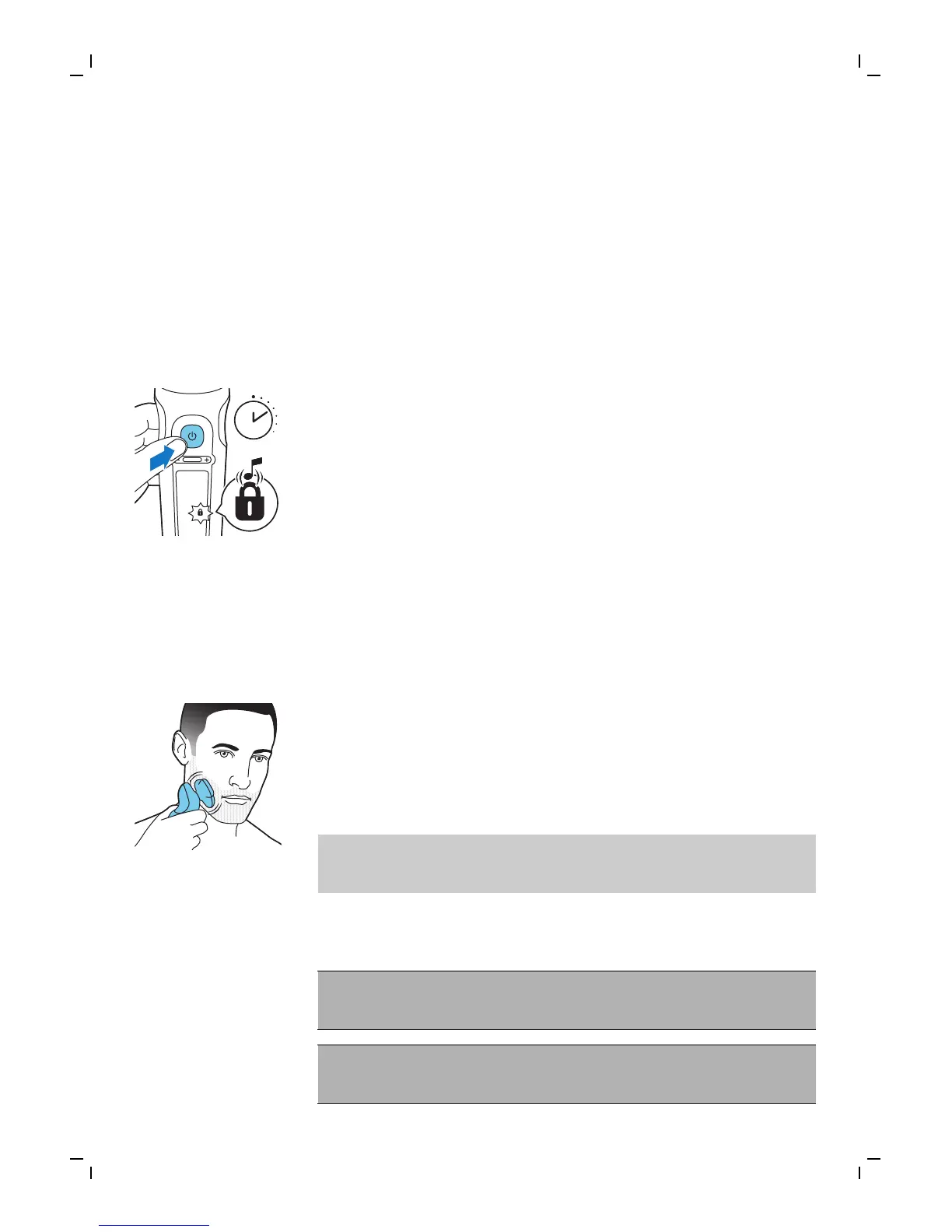
Travel lock
You can lock the shaver when you are going to
travel to prevent it from turning on
accidentally.
Activating the travel lock
1 Press the on/off button for 3 seconds to
enter the travel lock mode.
While you activate the travel lock, the travel
lock symbol lights up briefly and the shaver
produces a short sound. When the travel
lock is activated, the travel lock symbol
flashes.
If you try to switch on the shaver while the
travel lock is active, the travel lock symbol
flashes.
Deactivating the travel lock
1 Press the on/off button for 3 seconds.
While you deactivate the travel lock, the
travel lock symbol lights up briefly and the
shaver produces a short sound. The shaver
switches on and is now ready for use again.
Note: The shaver unlocks automatically when
it is connected to an electrical outlet.
Cleaning and maintenance
Regular cleaning guarantees better
shaving results.
Never clean, remove or replace the shaving
unit while the shaver is switched on.
22
English




 To Next Page