For preview purpose only
SPC611NC/37
Technical specifications Product highlights
Webcam
Date of issue 2006-10-25
Version: 1.0
12 NC: 9082 100 08388
UPC: 6 09585 11333 6
Specifications are subject to change without notice.
Trademarks are the property of Koninklijke Philips
Electronics N.V. or their respective owners.
© 2006 Koninklijke Philips Electronics N.V.
All Rights reserved.
www.philips.com
Video & snapshot capturing
• Sensor: CMOS
• Sensor resolution: VGA
• Lens: F2.8, D50°
• White balance: 2800 – 7600 k
• Video resolution: VGA
• Snapshot resolution: VGA
• Interpolated snapshot res.: SVGA
• Max. frame rate: 30 fps
• Min. illuminance: < 10 lux
• Color depth: 24 bit
Mechanics
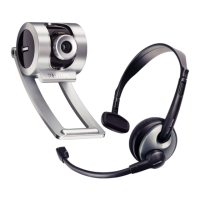
•Laptop clamp
• LCD clamp: No
• CRT stand: No
• Desktop stand: No
• Quicklaunch button: No
• Snapshot button: No
Accessories
• Included Accessories: Quick install guide,
User Manual
Software
• VLounge: Basic
• Add video to: MSN Messenger, Yahoo!
Messenger, AOL Messenger, Skype
System Requirements
• Operating System: Microsoft Windows 98,
Microsoft Windows ME, Microsoft
Windows 2000, Microsoft Windows XP
• Processor: Pentium II 500MHz or faster
• RAM memory: 128 MB RAM
• Sound card
• Internet connection
• Hard disk space: 200 MB
• USB: Free USB port
• CD-ROM or DVD-ROM Drive
Connectivity
• PC Link: USB 1.1
Dimensions
• Product depth: 20 mm
• Product weight (g): 60
Packaging Data
• 12NC: 908210004496
• EAN/UPC/GTIN: 87 10895 88526 3
• Gross weight: 0.283 kg
• Tare weight: 0.241 kg
• Height: 190 mm
• Length: 150 mm
• Width: 90 mm
• Quantity: 1
Outer Carton
• 12NC: 908210004496
• EAN/UPC/GTIN: 87 10895 88554 6
• Gross weight: 2.6 kg
• Tare weight: 2.348 kg
• Quantity: 6
• Length: 325 mm
• Width: 295 mm
• Height: 230 mm
•
Automatic Picture Optimizer
The Automatic Picture Optimizer helps you get the most
out of your webcam by automatically adjusting the
camera and image settings to match the light available.
30 frames per second video
With a 30 frames per second refresh rate you will enjoy
natural-looking and full motion video calls without jumpy
images some webcams produce.
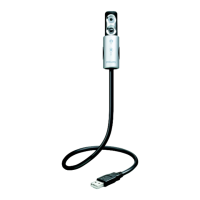
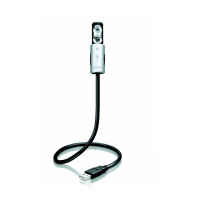
Gooseneck
This strong and flexible neck is the perfect compliment to
your laptop webcam. Move it exactly where you want it
and it stays there! Once you're ready to move, you can
neatly curl it of fold it up in any shape - making it even
more convenient to tuck away in any bag.
Super VGA resolution
The webcam captures Video Graphics Array (VGA) quality
(640x480) snapshots and flicker-free video clips for video
mails. With VGA resolution, your webcam becomes a
professional level camera. Add high quality photos to
documents, webpages and e-mails in an instant, or print
out photo-quality images.
VLounge software basic
Software for capturing, managing and archiving
snapshots and video clips in a very convenient way. With
just a couple of mouse clicks you will able to create and
send Video mails. This software package gives you all you
need to take full advantage of your Philips webcam.
Compatible with MSN and Skype
The webcam and its software have been designed with all
messaging systems in mind. Add video to Skype, MSN
Messenger, Yahoo!, AOL Messenger and other free
messenging services. It also works with Windows
Messenger and NetMeeting for multi-person video-
conferencing and is designed to be future-proof.
Installation manager
Install your webcam in seconds with the handy Installation
Manager. Just follow the easy, step by step instructions
and you'll have the webcam set up to match your
computer perfectly.
Integrated work light
Lights, camera, action! The webcam's handy built-in light
can be used to illuminate your laptop's keyboard, making
working in dimly lit areas more enjoyable. It also makes
video chatting in low light possible.
Compatible with all software
The webcam works with all available free and
professional imaging software. Take a snapshot or a still
picture from your video and open it with any image
program.
Sliding lens cover
A sleeve on the webcam's body smoothly slides over the
lens when the webcam is not in use for extra protection.
The cover also slides down to reveal and activate the
handy keyboard light.


 To Previous Page
 Loading...