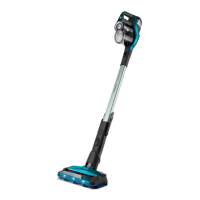
Using the appliance
with Turbo power
mode (Setting 2)
15 minutes 20 minutes
Using the appliance
with regular power
mode (Setting 1)
30 minutes 40 minutes
Troubleshooting
This chapter summarizes the most common problems you could encounter
with the appliance. If you are unable to solve the problem with the
information below, visit www.philips.com/support for a list of frequently
asked questions or contact the Consumer Care Center in your country.
Problem Possible cause Solution
The appliance does
not work when I
push the button.
When the battery is
empty,the bottom
segment of the
display flashes red.
To charge the battery,
connect the appliance to the
charging station or attach the
magnetic charging disc of the
charging station directly to
the the handheld vacuum
cleaner.
You have to push the
slider forward to
switch on the
appliance.
Push the slider forward to
setting 1 to switch on.
Increase the suction power
further by pushing the slider
to setting 2 to clean dirty
surfaces.
The appliance has
a lower suction
power than usual.
The filter and the
cyclone are dirty.
Clean the filter and the
cyclone. Make sure that you
wash the sponge filter at
least once every two weeks if
you use the appliance
regularly.
You have not
attached the dust
container lid properly
to the dust container.
You have not
attached the dust
container to the
appliance properly.
In both cases, there
will be a loss of
suction power.
Make sure that you attach
the dust container lid to the
dust container and the dust
container to the appliance
properly.
An object may be
stuck inside the tube.
Remove the tube and check
for blockages.
Dust escapes from
the appliance.
The filter is dirty. Clean the filter.
The filter is not
present in the
appliance.
Make sure that the filter is in
the appliance and assembled
correctly.
Something blocks
the cyclone.
Check the cyclone for objects
stuck in it and remove any
object that blocks the
cyclone.
If dust falls out of the
dust container, the
dust container lid is
probably not
attached properly to
the dust container.
Empty the dust container and
attach the dust container lid
correctly.
The appliance does
not move smoothly
across the floor
when cleaning a
carpet.
You selected a too
high suction power.
Reduce the suction power by
choosing setting 1.
The brush does not
turn anymore.
The brush
encounters too much
resistance.
Clean the brush with a pair of
scissors or by hand.
The brush may stop
turning when it
encounters too much
resistance from high-
pile carpet.
Switch off the appliance and
then switch it back on again.
You have not
installed the roller
brush in the nozzle
properly after
cleaning.
Follow the instructions in the
cleaning chapter of the user
manual to slide the roller
brush into the nozzle
properly and secure it inside
the nozzle by snapping home
the locking lever.
FC6727, FC6726,
FC6725, FC6723:
The LEDs in the
nozzle do not
come on.
You have not
attached the nozzle
to the appliance or
handheld properly.
Attach the nozzle to the
appliance or handheld
properly.
The appliance is
not charging.
The magnetic
connector is not
connected correctly
to the charging disk
or the adapter is not
inserted into the wall
socket properly.
Make sure that the magnetic
connector is connected
properly to the charging disk
and that the adapter is
inserted into the wall socket
properly.
You have not
connected the
correct adapter and
cord.
Make sure that you use the
correct adapter and cord.
If you have checked the
above and the appliance still
does not charge, take it to a
Philips service center or
contact the Consumer Care
Center via
www.philips.com/support.
FC6727, FC6726:
The mini turbo
brush does not
function properly.
The roller brush is
blocked.
Remove hairs from the brush
with a pair of scissors (see
user manual).
The roller brush is
blocked by fabric or
surfaces during
cleaning.
Keep the mini turbo brush
aligned with the surface and
do not push the turbo brush
into soft surfaces.
The mini turbo brush
is not fully closed.
Make sure that the top and
bottom parts of the mini
turbo brush are properly
connected and there is no
gap between the two parts.
Check if the locking ring is in
closed position (see user
manual).
When I use my
vacuum cleaner I
sometimes feel
static electricity
shocks.
Your vacuum cleaner
builds up static
electricity. The lower
the air humidity, the
more static electricity
the appliance builds
up.
Discharge the appliance by
frequently holding the tube
against other metal objects in
the room (for example the
legs of a table or chair, etc.).
You can also raise the air
humidity level in the room.
You vacuumed up
fine sand, lime or a
similar substance.
This also causes
static electricity.
Empty the dust container and
clean the filter according to
the instructions in the user
manual.
The bottom
segment of the
display flashes red.
The battery is empty. Charge the battery by
connecting the appliance to
the charging station. You can
also charge the appliance
directly by inserting the
adapter into the wall socket
and attaching the magnetic
charging disc to the
underside of the appliance.
All segments of the
display flash
quickly.
An error has
occurred.
Check for any blockages in
the tube or nozzle. Try
recharging the appliance,
emptying the dust container
and cleaning the filter. If this
does not help, take the
appliance to a Philips service
center or contact the
Consumer Care Center via
www.philips.com/support.
The middle
segment of the
display flashes
white and the
bottom segment of
the display flashes
red.
The appliance is
stored or charged at
temperatures below
5 °C.
Move the appliance to a
warmer room. Do not store or
charge the appliance at
temperatures below 5 °C or
above 40 °C.
Русский
Важные сведения о безопасности - Дополнение к
эксплуатационной документации
Перед началом эксплуатации прибора и аксессуаров к нему
внимательно ознакомьтесь с этой важной информацией и сохраните
ее для дальнейшего использования в качестве справочного
материала. Входящие в комплект аксессуары могут различаться в
зависимости от вида продукта.


 To Next Page
 Loading...