7EN
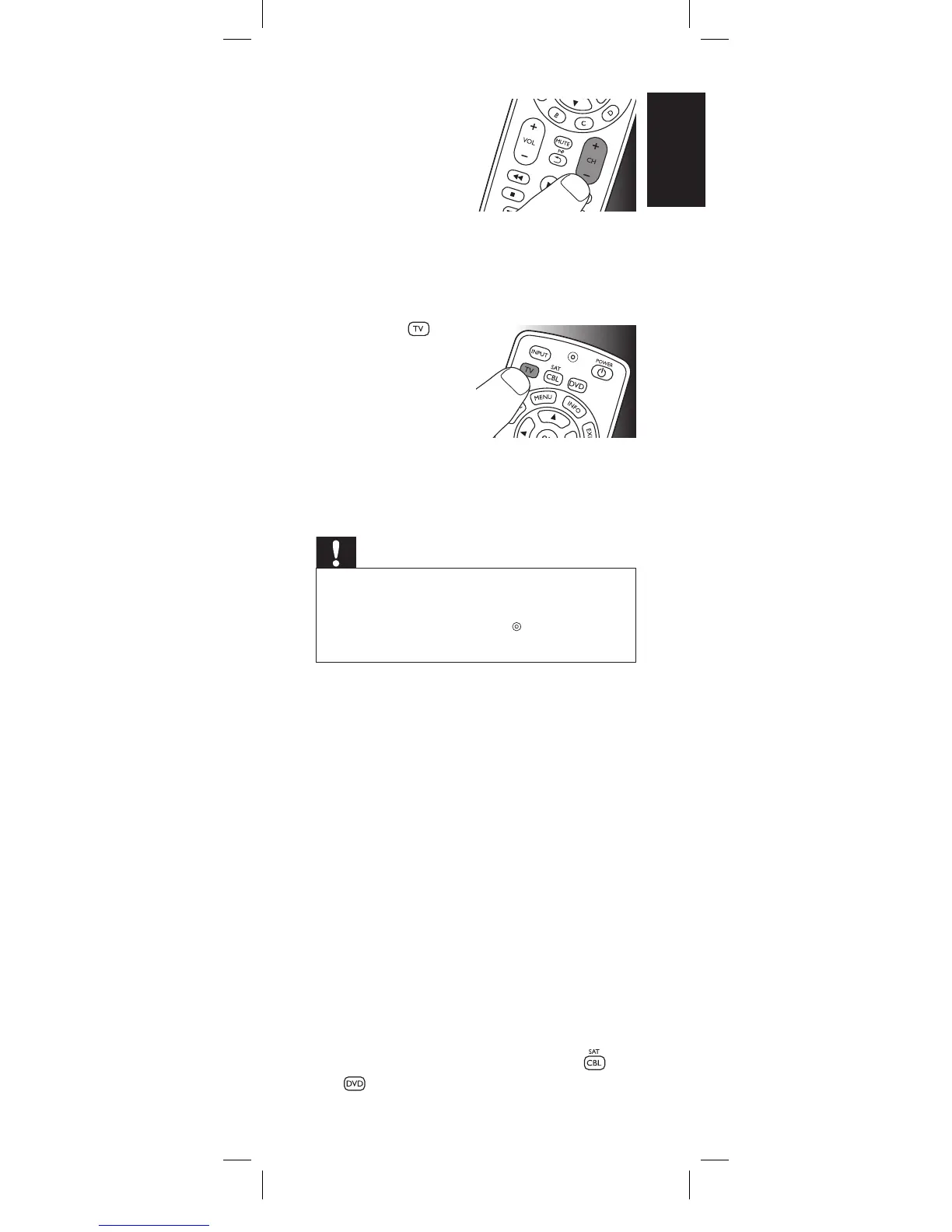
5 SwitchON the TV.
Try out the keys
you need for
operating it. Try, for
example, if the - CH
+ and digit keys
function properly.
• If a key does not work as expected, press
andhold that key. Release it immediatelyas
soon as it works. For more information, see
chapter 2.3.2.
6 Press the
device selection key
twice to finish setup.
•
When no key
is pressed for
5 minutes or
more, the remote control will exit setup
mode, automatically saving all your
settings.
Important
If you made a mistake:
• Press the device selection key twice to exit
setup. The red Setup light
turns off.
•
Restart from the beginning.
• Ifthedevicedoesnotrespondatallornotto
allofthekeycommandsorifyoucannotfind
thecodeforyourbrand,enter‘9,9,9,9’instep
3andcontinuewithstep4.Theremotecontrol
willnowsearchitsfulldatabaseforacode
thatworkswithyourTV.Fulldatabasesearch
maytakeupto15minutes.
2.3.1 Settinguptheremotecontrolfor
otherdevices(
DVD player/recorder
and Cable/Satellite box
)
1 Make sure the device is turned on, fully
operational and able to respond to remote
control commands. E.g. insert a disc in the
DVD player / recorder or a video cassette in
the VCR.
2 Then follow steps 2 to 6 of ‘Setting up the
remote control for your TV’. Make sure to
use the correct device selection key:
or
.
Gettingstarted
2x
English
SRP2003_27__Manual_80_210.indd 7 25-09-09 11:06




 To Next Page