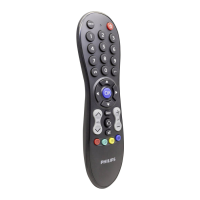
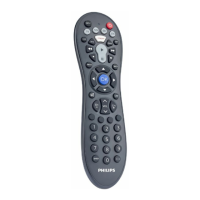
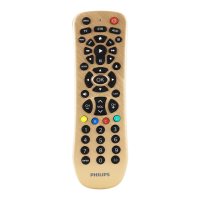
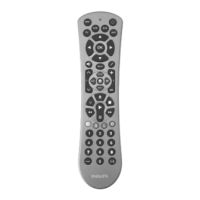
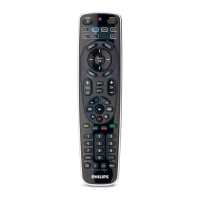
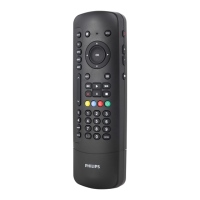
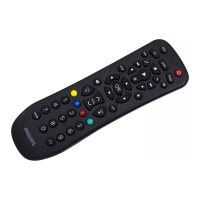
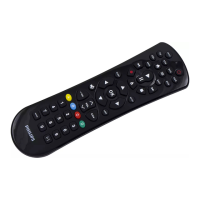
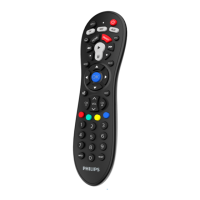
The Philips Universal Remote SRP3013 is a versatile remote control designed to operate up to three different devices. It features a user-friendly layout with clearly labeled buttons for various functions, making it easy to set up and use.
Function Description:
The remote allows users to control their TV, Satellite/Cable/Set-Top Box (SAT/CBL/STB), and auxiliary equipment such as media center PCs. It includes dedicated device selection buttons (TV, SAT, AUX) to switch between controlling different devices.
Key functions include:
- INPUT: Selects available source inputs (antenna, cable, etc.).
- Power (ن): Turns devices on or off.
- LED Indicator: Provides visual feedback for various operations, such as setup and learning modes.
- Subtitle: Activates or deactivates subtitles.
- HOME: Accesses the home menu of the selected device.
- SMART: Specifically designed for SMART TV, My App, or Apps functions.
- EPG: Displays the electronic program guide.
- Playback Controls: Includes standard buttons for play (►), fast forward (►►), rewind (◄◄), pause (II), stop (■), and record (●).
- MENU: Toggles the device's menu on or off.
- BACK: Navigates back one menu level.
- Navigation Arrows (▲/▼/◄/►): Scrolls through menus up/down/left/right.
- OK: Confirms selections within menus.
- Mute (⑤): Mutes or unmutes the audio.
- LAST: Returns to the previously tuned channel.
- CH+/-: Changes to the next or previous channel.
- VOL: Adjusts the volume.
- Red / Green / Yellow / Blue (⑥): Context-sensitive buttons that perform different functions depending on the on-screen display.
- Digit Buttons (⑦): Used for direct channel entry and inputting codes during setup.
- INFO: Displays on-screen channel information.
- TEXT: Opens or closes teletext.
Usage Features:
The SRP3013 offers two primary methods for setting up control over devices:
-
Code Selection:
- Users switch on their device (e.g., TV).
- They press and hold the corresponding device selection button (e.g., TV) for 5 seconds until the red LED illuminates.
- A 5-digit code specific to the device's brand is looked up in the provided code list. The most popular code is listed first.
- The 5-digit code is entered using the digit buttons.
- If the LED turns off, a valid code is saved. If it flashes six times and remains on, the code needs to be re-entered.
- The user then operates the device with the universal remote to confirm correct functionality. If only some buttons work, the next code in the list should be tried.
-
Auto Registration:
- Users switch on their device.
- They press and hold the device selection button (e.g., TV) for 5 seconds until the red LED illuminates.
- The remote is pointed at the device, and the power button (ن) is pressed and released to start searching for the code. The remote sends a different infrared signal every 2 seconds, indicated by a blue flash.
- When the device turns off, the user immediately presses and releases the OK button to save the code. The blue LED indicator will turn off.
- The device is then operated with the universal remote to confirm correct functionality. Auto registration can be reversed by pressing and releasing the power button (ن) again during the process if the OK button was missed.
-
Learning Commands:
- The remote can learn commands directly from an original remote control.
- To initiate learning, the device selection button is held for 5 seconds until the red LED is on, then the learning code
99900 is entered. The red LED flashes once and stays on.
- The universal remote and the original remote are placed 3-5 cm apart, facing each other.
- The desired key on the universal remote is pressed and released. The LED flashes twice and stays on.
- The target key on the original remote is pressed and held for a few seconds.
- If the LED flashes once and stays on, the command is learned successfully. If it flashes six times quickly, there was an error, and the process needs to be repeated.
- Learning mode can be terminated by pressing and holding any key for 3 seconds.
- Each function key can only hold one command; learning a new command overwrites the previous one.
Maintenance Features:
- Battery Replacement: The remote requires batteries (not included). Users are advised to check battery polarity when inserting them to prevent damage. When replacing batteries, all user settings are retained in memory for 5 minutes.
- Clearing Learned Commands:
- To clear all learned codes for a specific device: Hold the device selection button for 5 seconds, then enter
99910. The red LED flashes once and turns off.
- To clear all learned codes for the universal remote control: Hold the device selection button for 5 seconds, then enter
99910. The red LED remains on briefly, flashes twice, and then turns off.
Important Technical Specifications (Implicit from manual):
- Device Compatibility: Controls up to 3 devices (TV, SAT/CBL/STB, AUX).
- Signal Type: Infrared (IR) signals.
- Battery Type: Not specified, but typically AAA or AA batteries are used in universal remotes.
- Memory Retention: User settings are retained for 5 minutes during battery replacement.
- Learning Distance: 3 to 5 cm between remotes for learning functions.
- Learning Timeouts:
- No key selected for 15 seconds in Step 4 of learning: LED flashes six times, learning mode exits.
- No other remote signal received for 30 seconds in Step 5 of learning: LED flashes six times and stays on.
- The product is designed with high-quality, recyclable materials.
- The packaging is designed for easy separation into cardboard, polystyrene foam, and polyethylene.
- The product and its batteries are marked with symbols indicating compliance with European Directives (2012/19/EU for electrical/electronic products and 2013/56/EU for batteries), meaning they should not be disposed of with normal household waste. Users are encouraged to follow local regulations for separate collection and recycling to prevent negative environmental and health consequences.

 Need help?
 General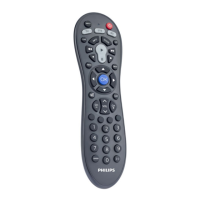


 To Next Page