Need help?
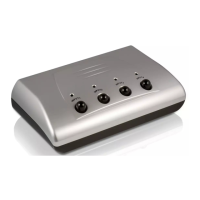
Do you have a question about the Philips SWS2325W and is the answer not in the manual?
Details the dimensions of the product packaging, including weight and UPC.
Provides dimensions and weight details for the outer shipping carton.
Details the dimensions and weight for the inner carton packaging.
Enables use of S-Video connections for enhanced picture performance.
Supports component cable connections for high-definition picture quality.
Built with premium materials for extended product durability and performance.
Provides a direct audio connection for improved stereo sound to receivers.
Ensures high-speed data transfer for optimal HDTV performance with minimal signal loss.
Features color-coded inputs to ensure simple and correct connection setup.
 Packaging Dimensions
| packaging dimensions | 16.5 x 25.4 x 7.1 cm |
|---|---|
| nett weight | 0.408 kg |
| gross weight | 0.476 kg |
Outer Carton| outer carton dimensions | 36.2 x 27.9 x 42.9 cm |
|---|---|
| nett weight | 4.896 kg |
| gross weight | 7.031 kg |
Inner Carton| inner carton dimensions | 25.7 x 17.3 x 13.3 cm |
|---|---|
| nett weight | 0.816 kg |
| gross weight | 1.066 kg |

 To Next Page