EasyManua.ls Logo

Philips TAS3505 - User Manual

Philips TAS3505
11 pages
Print Icon
To Next Page IconTo Next Page
Loading...
Register your product and get support at
www.philips.com/support
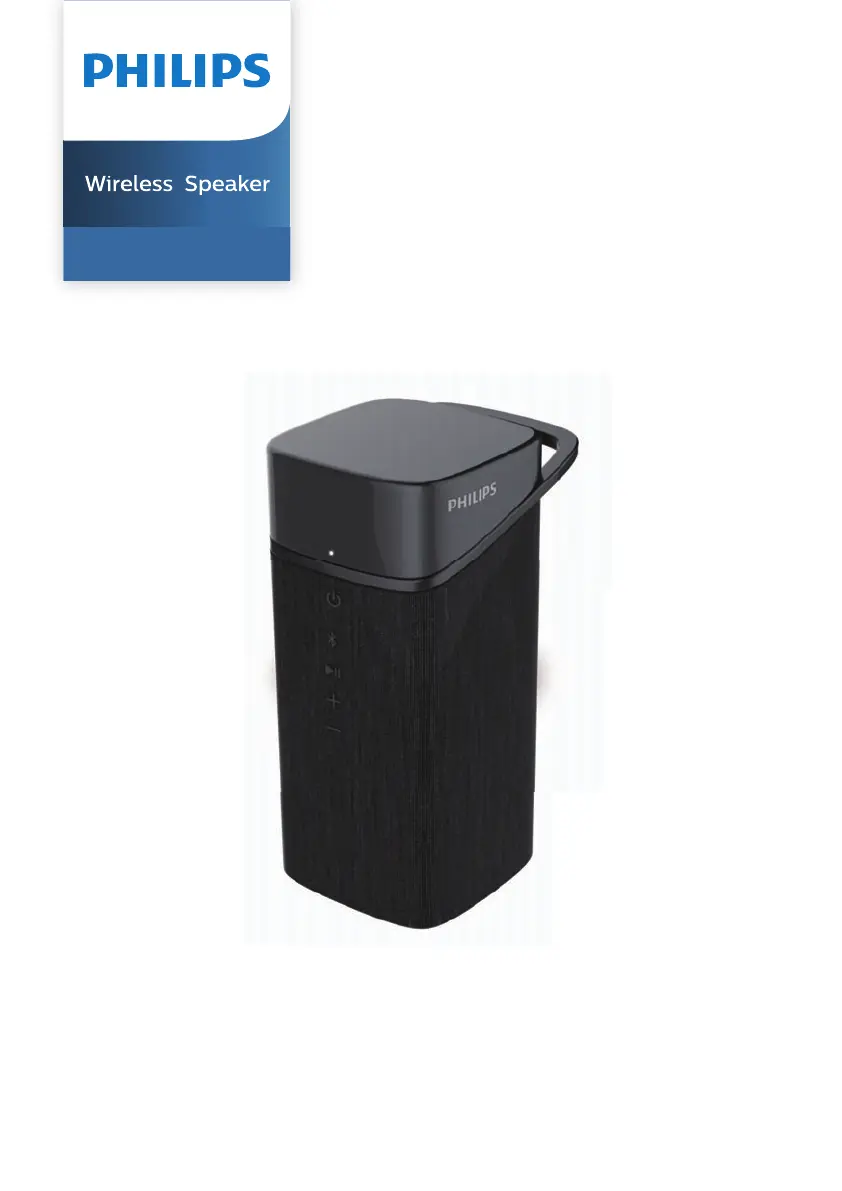
User manual
TAS3505

Questions and Answers

  • J
    Jennifer FarrellAug 3, 2025
    Why is there no sound from my Philips TAS3505 Speakers?
    • D
      David WilsonAug 3, 2025
      If you're not getting any sound from your Philips Speakers, here are a few things to check: * Ensure the volume is turned up on the speaker itself. * Verify the volume is also at an audible level on the device connected to the speaker. * Confirm that your Bluetooth device is within the operational range of the speaker.
  • C
    cmckeeAug 8, 2025
    What to do if my Philips TAS3505 Speakers have no power?
    • W
      William RyanAug 9, 2025
      If your Philips Speakers are not turning on, try the following: * Ensure the speaker is fully charged. * Make sure the USB socket of the speaker is properly connected. * Note that, as a power-saving feature, the speaker turns off when no audio signal is received.
  • D
    Devin SingletonAug 13, 2025
    What to do if my Philips TAS3505 Speakers fail to connect with my Bluetooth device?
    • M
      mendozajamesAug 13, 2025
      If you're having trouble connecting your Philips Speakers via Bluetooth, consider the following: * Ensure that the Bluetooth function of your device is enabled. Consult your device's user manual for instructions if needed. * Check if the speaker is in pairing mode. * Verify that the speaker isn't already connected to another Bluetooth device. Disconnect it from the other device and try again.
  • W
    Wendy BurchAug 18, 2025
    What to do if I fail to find Philips S3505 on my Bluetooth device for pairing?
    • J
      Jeremiah BarnesAug 18, 2025
      If you can't find your Philips S3505 speakers on your Bluetooth device, press and hold the pairing button for 2 seconds to enter Bluetooth pairing mode, and then try again.
  • S
    Sarah MillerAug 23, 2025
    What to do if my Philips TAS3505 Speakers have no response?
    • D
      Daniel LivingstonAug 23, 2025
      If your Philips Speakers are unresponsive, try restarting the speaker.
  • E
    Elizabeth JacksonAug 28, 2025
    How to fix poor audio quality on Philips TAS3505 Speakers via Bluetooth?
    • P
      Patricia HermanAug 28, 2025
      If you experience poor audio quality with your Philips Speakers when connected via Bluetooth, it might be due to poor Bluetooth reception. Try moving your device closer to the speaker or removing any obstacles between them.

Summary

Important Safety Information

Safety Precautions

Essential safety instructions and battery precautions to prevent hazards during use.

Your Wireless Speaker

Package Contents

Check and identify all items included in the speaker package.

Speaker Overview

Identify the main components, buttons, and indicators of the speaker.

Getting Started

Charging the Battery

Instructions for fully charging the speaker's internal battery before first use.

Powering On and Off

Learn how to turn the speaker on and off, and understand LED status indicators.

Bluetooth Connectivity and Playback

Connecting Your Device

Steps to enable Bluetooth and pair your device with the speaker for audio streaming.

Playback and Call Controls

Manage music playback and handle incoming calls using speaker controls.

Product Information

General Information

Details on USB port, battery, dimensions, weight, operating ambient, and IP protection.

Amplifier Specifications

Technical details of the speaker's amplifier, including output power and frequency response.

Speaker Specifications

Information about speaker impedance, maximum input power, and size.

Bluetooth Specifications

Details on Bluetooth version, frequency range, transmission power, and compatibility.

Troubleshooting

General Issues

Solutions for common problems like no power, no sound, or speaker turning off.

Bluetooth Connectivity Issues

Troubleshoot poor audio quality, pairing failures, and connection problems with Bluetooth.

Notices and Environmental Information

Regulatory Compliance

Information regarding product compliance with European directives and CE marking.

Environmental Disposal

Guidelines for responsible disposal of old products and batteries to protect the environment.

Regulatory Statements

FCC Compliance

Details on FCC rules, operational conditions, and RF exposure compliance.

Trademark Information

Information about Bluetooth and other registered trademarks for the product.

Philips TAS3505 Specifications

General IconGeneral
Audio output channels- channels
RMS rated power5 W
Battery typeBuilt-in battery
Battery voltage3.7 V
Battery capacity1000 mAh
Battery technologyLithium
Wi-Fi-
BluetoothYes
Bluetooth range20 m
Bluetooth version5.0
Bluetooth profilesA2DP, AVRCP, HFP, HSP
USB connector typeUSB Type-C
Connectivity technologyWireless
Product typeMono portable speaker
Product colorGray
Volume controlDigital
International Protection (IP) codeIPX7
Cables includedUSB
Harmonized System (HS) code85182200
Weight and Dimensions IconWeight and Dimensions
Depth56 mm
Width120 mm
Weight228 g

Related product manuals