your remote control is set to
ork your TV and many
infrared remote (IR) control
VCRs, Cable Boxes, Satellite
Systems, DBS, etc. However; an
easy onetime step may be neces-
sary before the remote will work
your VCR.
Try this initial check to see if
going on to the following section
is necessary.
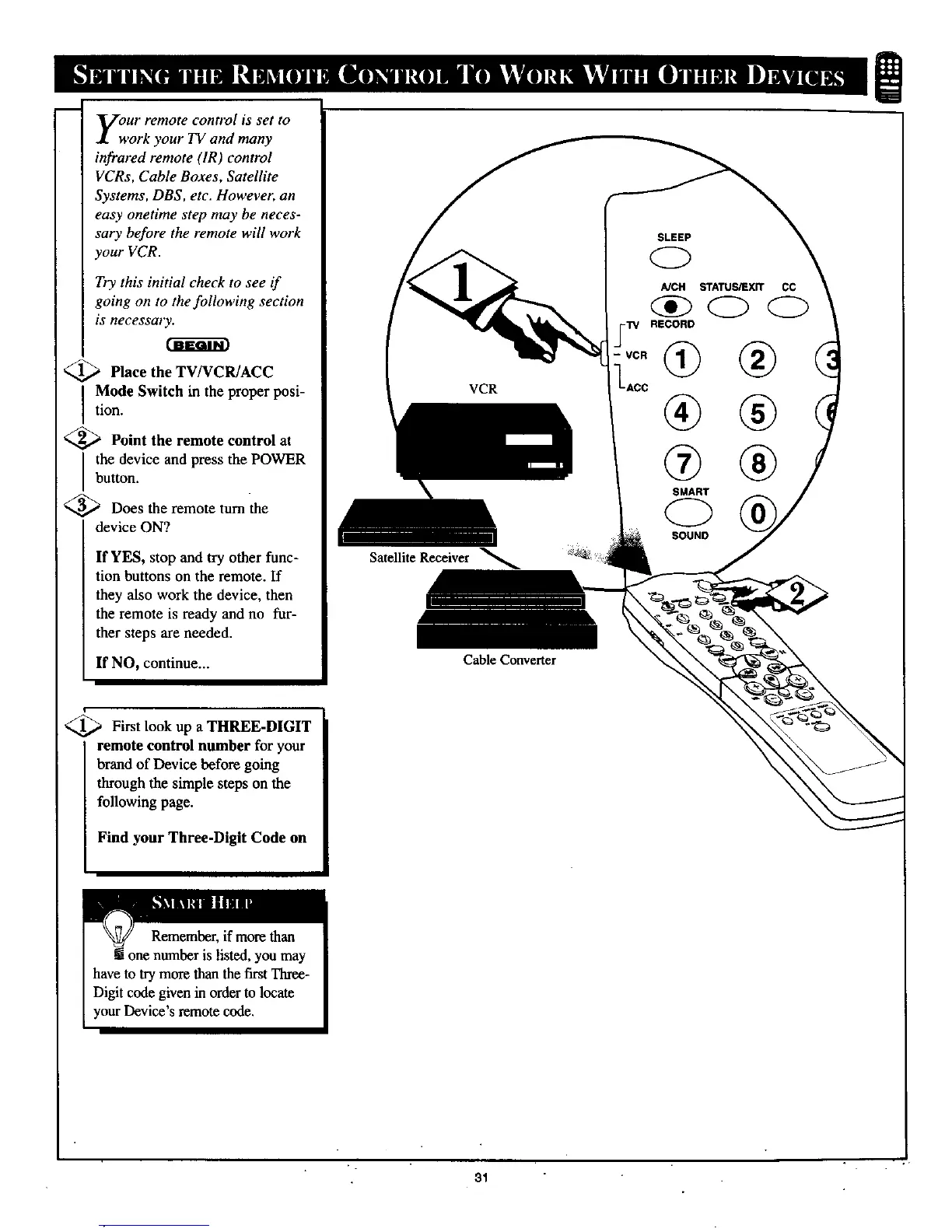
<_ Place the TV/VCR/ACC
I Mode Switch in the proper posi-
tion.
Point the remote control at
the device and press the POWER
button.
<_ Does the remote turn the
device ON?
If YES, stop and try other func-
tion buttons on the remote. If
they also work the device, then
the remote is ready and no fur-
ther steps are needed•
If NO, continue...
VCR
Satellite Receiver
Cable Converter
AiCH STATUS,'EXR CC
-'rv RECORD
-ACC
® ®
SMART
C)
SOUND
i
_-._ First look up a THREE-DIGIT
remote control number for your
brand of Device before going
through the simple steps on the
following page.
Find your Three-Digit Code on
31



 To Next Page