5.2
Batteries
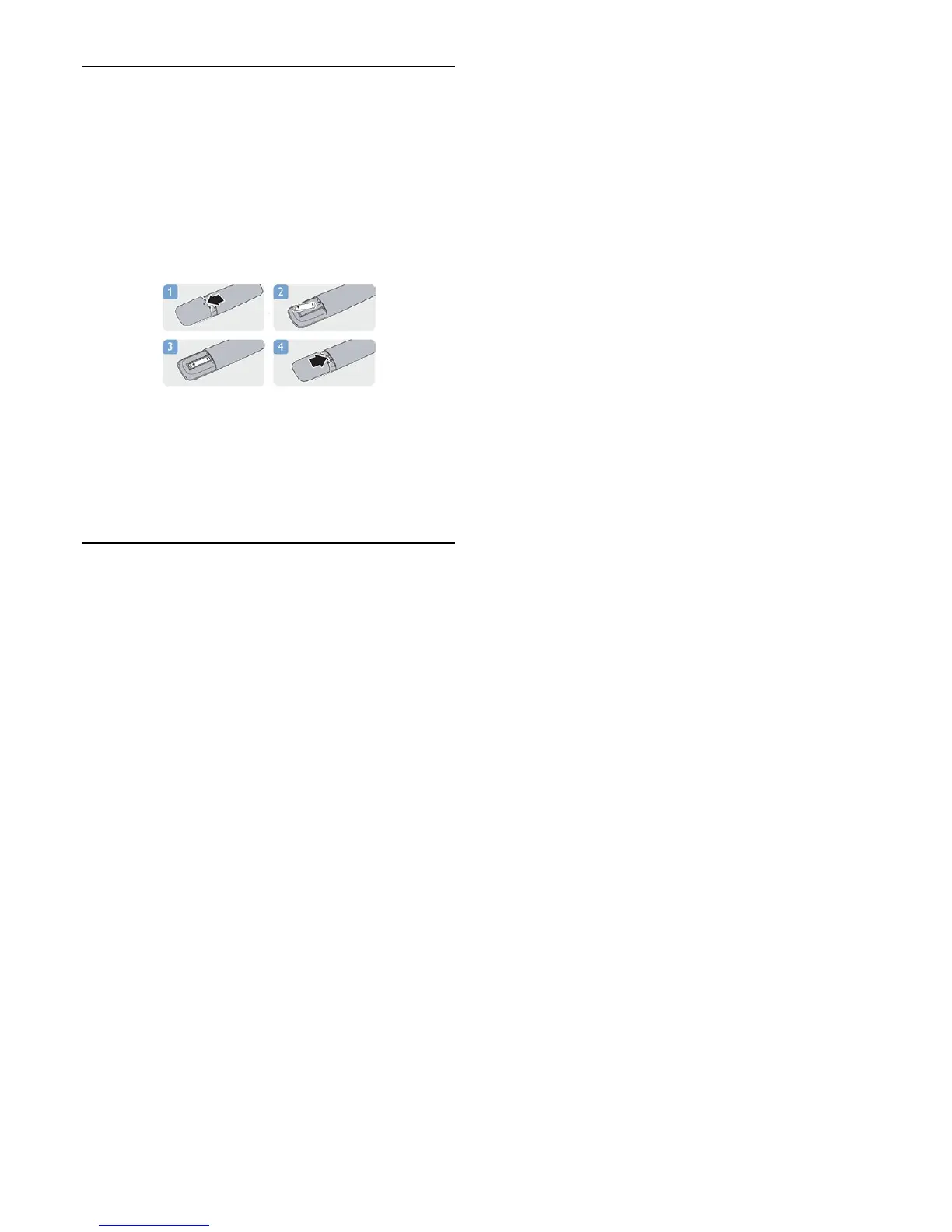
1. Slide the battery door in the direction shown by the arrow.
2. Replace the old batteries with 2
type
AAA-LR03-1.5V
batteries. Make sure the + and the - ends
of the batteries line up correctly.
3. Reposition the battery door.
4. Slide it back until it clicks.
Remove the batteries if you are not using the remote control for
a long time.
Safely dispose of your old batteries according to the end of use
directions.
5.3
Cleaning
Your remote control is treated with a scratch-resistant coating.
To clean the remote control, use a soft damp cloth. Never use
substances such as alcohol, chemicals or household cleaners on
the remote control.
15



 To Next Page