10
Getting started
3 Getting started
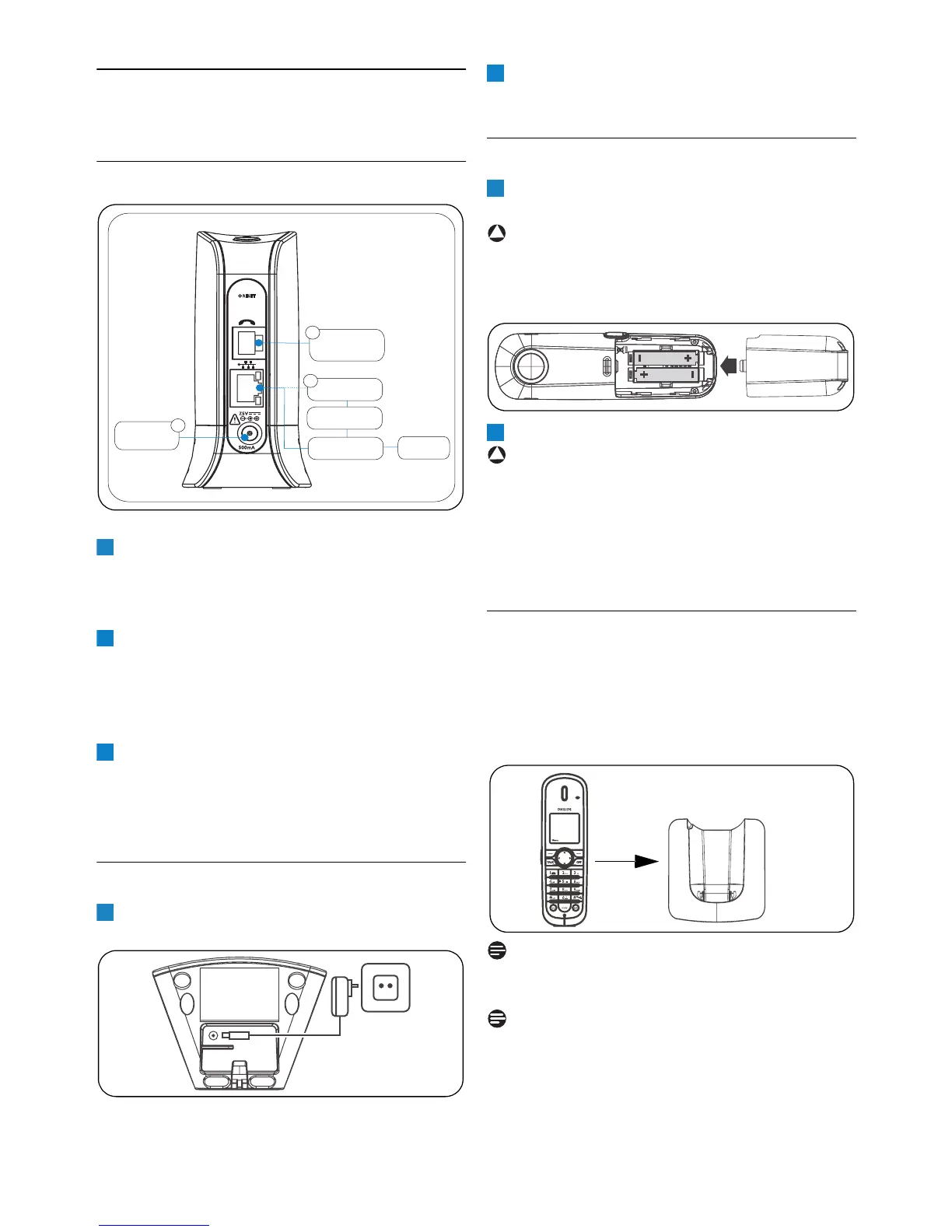
3.1 Connect the base
Insert the plug of the base power adapter into
the socket on the side of the base unit.
Plug the power adapter into your power
outlet.
Connect one end of the Ethernet cable to the
Ethernet socket on the side of the base unit.
Plug the other end to an ADSL/Cable modem
or a router or a switch/hub connected to the
Internet.
Connect the telephone line cord to the
phone socket on the side of the base unit and
the wall phone socket using the proper
socket phone adapter provided in the box.
3.2 Connect the charger
Insert the plug of the charger power adapter
into the socket on the bottom of the charger.
Plug the power adapter into your power
outlet.
3.3 Insert the batteries
Place the two rechargeable batteries
(included) into the battery compartment.
Warning
Verify the batteries polarity when inserting the
batteries. Incorrect polarity may damage the
product.
Slide the battery door firmly into place.
Warning
RISK OF EXPLOSION IF BATTERY IS
REPLACED BY AN INCORRECT TYPE. USE
RECOMMENDED TYPE SUPPLIED WITH THIS
PRODUCT. NEVER USE NON-
RECHARGEABLE BATTERIES.
3.3.1 Place the handset on the charger
Place the handset on the charger. The power
supply of the charger must be connected to the
power outlet.
• The battery icon appears on the screen:
charging has started.
Note
Leave the handset(s) on the charger for at least
14 hours before first use.
Note
If the batteries are completely exhausted, the
product will not be able to power-on
immediately. Handset may get warm during initial
charge. This is normal.
Phone
(Landline)
Socket
Power
Supply
1
2
Router
(Optional)
Switch/Hub
(Optional)
ADSL
Cable Modem
Internet
3
1
2
3
1
2
1
!
2
!



 To Next Page