—
5
—
S
NEDERLANDS
ITALIANO
DEUTSCH
FRANÇAIS
ENGLISH
NEDERLANDS
NEDERLANDS
NEDERLANDS
NEDERLANDS
NEDERLANDS
NEDERLANDS
NEDERLANDS
NEDERLANDS
NEDERLANDS
NEDERLANDS
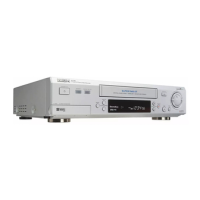
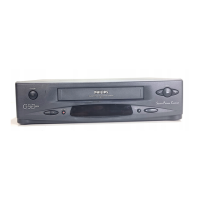
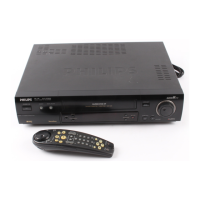
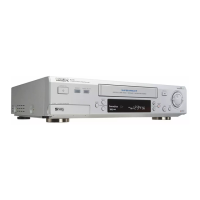
FFront PPanel
1 STANDBY/ON button
2 S-VHS ET button
(✈P.39)
3 AUDIO DUBBING button
(✈P.41)
4 SPEED button
(✈P.23, P.27, P.28)
5 DISPLAY button
(✈P.23)
6 Cassette compartment
7 REC/OTR ¶ button
(✈P.23, P.36)
8 STOP/EJECT 7 / 0 button
(✈P.22, P.23, P.24)
9 SHUTTLE ring
(✈P.32)
10 S-VIDEO input jack
(✈P.42)
RRear PPanel
1 AC (alternating current) power cord
2 S(Video) OUT jack
(✈P.8, P.42)
3 AV1 (L-1) IN/OUT connector (SCART)
(✈P.8, P.42, P.43, P.44)
4 SAT CONTROL jack
(✈P.46)
5 ANT. (Antenna) IN terminal (from Antenna)
(✈P.8)
OOn-S-Screen DDisplay
1 Current time
2 Operation mode
3 Receiving broadcast
4 Tape position indicator
5 Remaining tape length
6 Tape speed
7 Channel position no.
6 Remote PAUSE connector
• Enables connection to second VCR equipped
with R.A. EDIT connector.
7 AUDIO OUT jacks
(✈P.8, P.42)
8 AV2 (L-2) IN/DECODER Connector
(✈P.42, P.43, P.44, P.45, P.46)
9 RF OUT terminal (to TV)
(✈P.8)
8 TV station name
9 Smart Picture setting
10 Sound output mode
11 Index no.
12 Time counter
11 VIDEO input jack
(✈P.42)
12 AUDIO input jacks
(✈P.42)
13 C. RESET button
(✈P.23)
14 Display window
(✈P.6, P.7)
15 IR (infrared) remote sensor
16 PROGRAMME 5 / ∞ button
(✈P.23, P.33)
17 PLAY 3 button
(✈P.22)
18 PAUSE/STILL 8 button
(✈P.23, P.32)
19 Jog dial
(✈P.32)


 To Next Page