Child lock
This function will prevent unauthorised use of your video
recorder. All button-functions will be locked.
DYou can make programmed recordings while the
child lock is on.
a With the video recorder switched on, press the
CHILD LOCK u button on the remote control.
’{’ will appear on the video recorder display.
Keep the remote control in a safe place.
b If you want to switch off the child lock, press the
CHILD LOCK u button again.
’{’ will disappear from the video recorder display.
DIf you press a button when the child lock is on, ’{’
will flash on the display for a few seconds.
Setting the on-screen display (OSD)
You can switch the on-screen display of the current operating
information on or off.
a Switch on the TV set and select the programme number
for the video recorder.
b Press the MENU button on the remote control. The main
menu will appear.
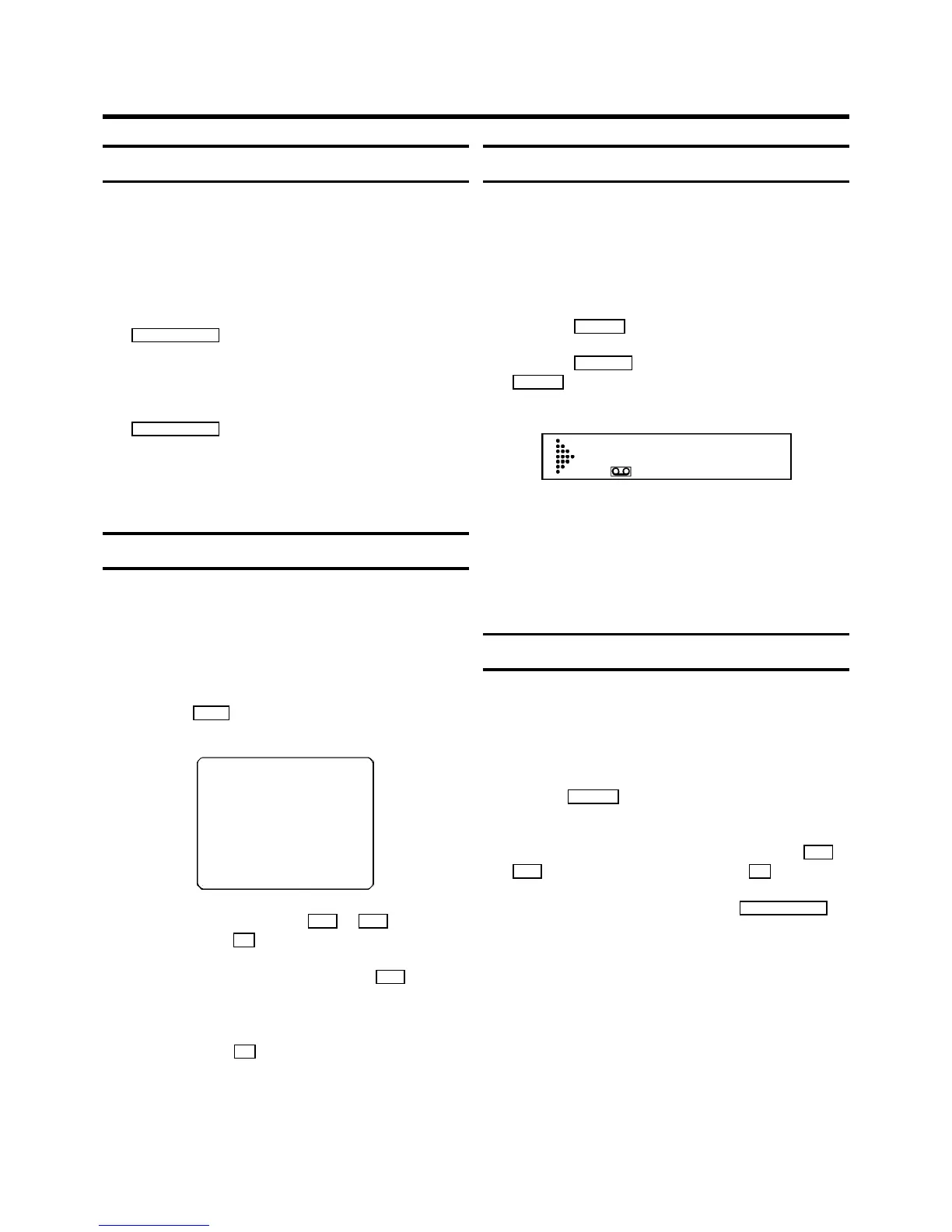
CLOCK
OSD
CHANNEL ALLOCATION
CHANNEL/FREQUENCY
MANUAL SEARCH
AUTOINSTALL
FOLLOW TV
DIRECT RECORD
COUNTER
------------------------
-/+ OK
c Select the line ’OSD’ with the P r or P q buttons and
confirm with the OK button.
d Select one of the options shown with the P q button.
’ON’: Shows the OSD for a few seconds only.
’OFF’: Switches off the OSD.
e Confirm with the OK button.
Continuous playback
You can automatically play a cassette again and again. When
the video recorder reaches the end of the tape or the end of
the recording, it will rewind and start again.
a Put a cassette in the machine.
b Press the PLAY G button.
c Press the MONITOR button on the remote control and the
PLAY G button on the video recorder at the same time .
On the video recorder display you will see:
REP
d If you want to cancel continuous playback, repeat
step c .
DDuring continuous playback, no other button will
work. After a power failure, playback will
automatically start again.
Automatic switch-off (tuner mode)
If you do not use the video recorder for a few minutes in
certain modes (e.g.: STOP), it will switch to standby
automatically. You can cancel this function to use the video
recorder as a television receiver (tuner).
a Hold the STOP h button until +appears on the video
recorder display.
b Select the programme number you want with the P r or
P q button or with the number buttons 0-9 .
c Switch off the video recorder with the TV/STANDBY m
button, if you no longer want to watch TV.
7. ADDITIONAL FUNCTIONS
19



 To Next Page