EasyManua.ls Logo

Philips VR355/50 - Page 23

Philips VR355/50
29 pages
Print Icon
To Next Page IconTo Next Page
To Previous Page IconTo Previous Page
Loading...
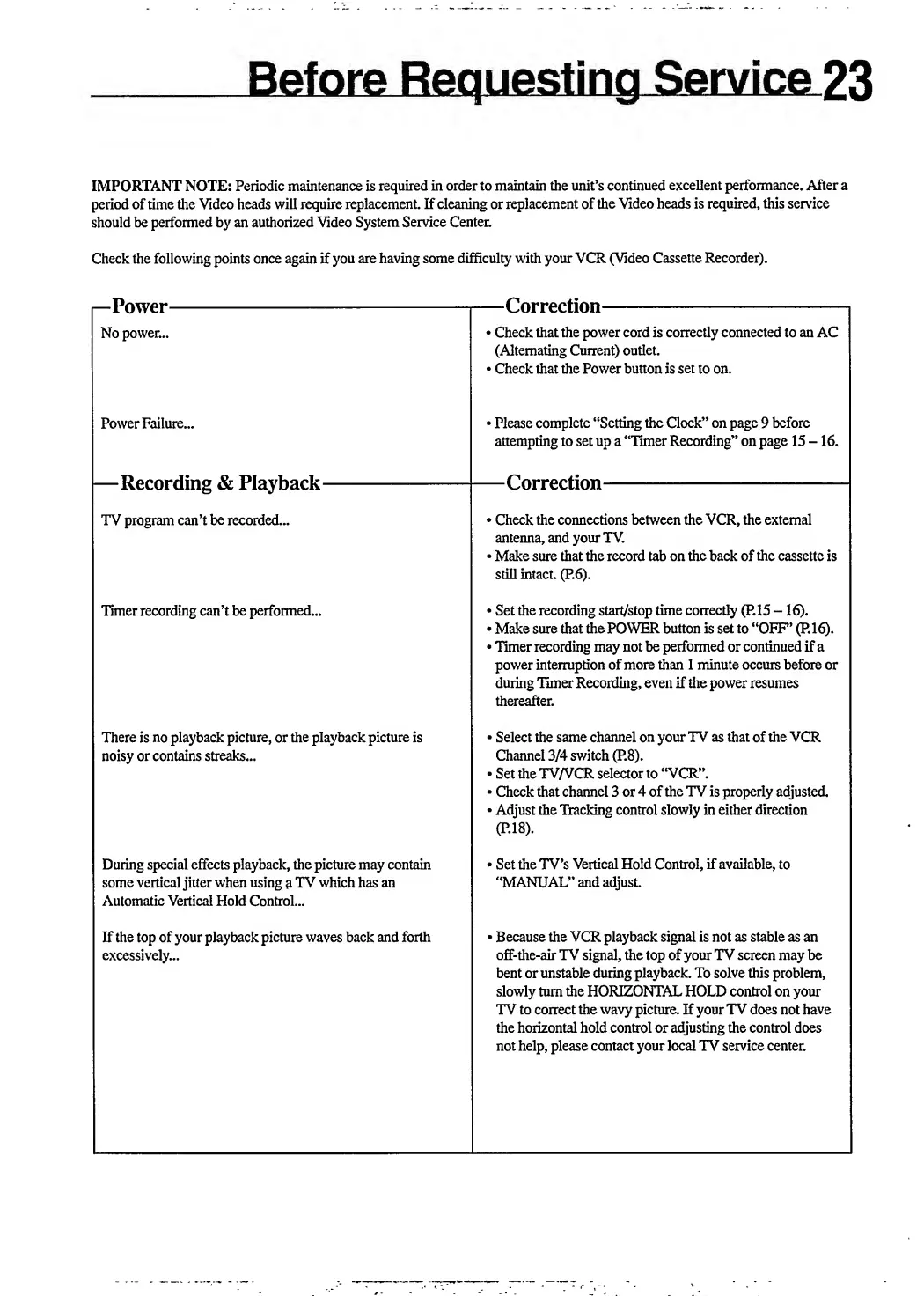
IMPORTANT
NOTE:
Periodic
maintenance
is
required
in
order
to
maintain
the
unit’s
continued
excellent
performance.
After
a
period
of
time
the
Video
heads
will
require
replacement.
If
cleaning
or
replacement
of
the
Video
heads
is
required,
this
service
should
be
performed
by
an
authorized
Video
System
Service
Center.
Check
the
following
points
once
again
if
you
are
having
some
difficulty
with
your
VCR
(Video
Cassette
Recorder).
i—Power-
No
power...
Power
Failure...
|—Recording
&
Playback-
TV
program
can’t
be
recorded...
Timer
recording
can’t
be
performed...
There
is
no
playback
picture,
or
the
playback
picture
is
noisy
or
contains
streaks...
During
special
effects
playback,
the
picture
may
contain
some
vertical
jitter
when
using
a
TV
which
has
an
Automatic
Vertical
Hold
Control...
If
the
top
of
your
playback
picture
waves
back
and
forth
excessively...
—Correction-
Check
that
the
power
cord
is
correctly
connected
to
an
AC
(Alternating
Current)
outlet.
Check
that
the
Power
button
is
set
to
on.
»Please
complete
“Setting
the
Clock”
on
page
9
before
attempting
to
set
up
a
“Timer
Recording”
on
page
15-16.
—Correction-
Check
the
connections
between
the
VCR,
the
external
antenna,
and
your
TV.
Make
sure
that
the
record
tab
on
the
back
of
the
cassette
is
still
intact.
(P.6).
Set
the
recording
start/stop
time
correctly
(P.15
—16).
Make
sure
that
the
POWER
button
is
set
to
“OFF’
(P.16).
Timer
recording
may
not
be
performed
or
continued
if
a
power
interruption
of
more
than
1
minute
occurs
before
or
during
Timer
Recording,
even
if
the
power
resumes
thereafter.
»
Select
the
same
channel
on
your
TV
as
that
of
the
VCR
Channel
3/4
switch
(P.8).
Set
the
TV/VCR
selector
to
“VCR”.
Check
that
channel
3
or
4
of
the
TV
is
properly
adjusted.
Adjust
the
Tracking
control
slowly
in
either
direction
(P.18).
Set
the
TV’s
Vertical
Hold
Control,
if
available,
to
“MANUAL”
and
adjust.
Because
the
VCR
playback
signal
is
not
as
stable
as
an
off-the-air
TV
signal,
the
top
of
your
TV
screen
may
be
bent
or
unstable
during
playback.
To
solve
this
problem,
slowly
turn
the
HORIZONTAL
HOLD
control
on
your
TV
to
correct
the
wavy
picture.
If
your
TV
does
not
have
the
horizontal
hold
control
or
adjusting
the
control
does
not
help,
please
contact
your
local
TV
service
center.

Related product manuals