SETTING CHANNEL, DATE AND TIME FOR THE FIRST TIME ENGLISH
10
10
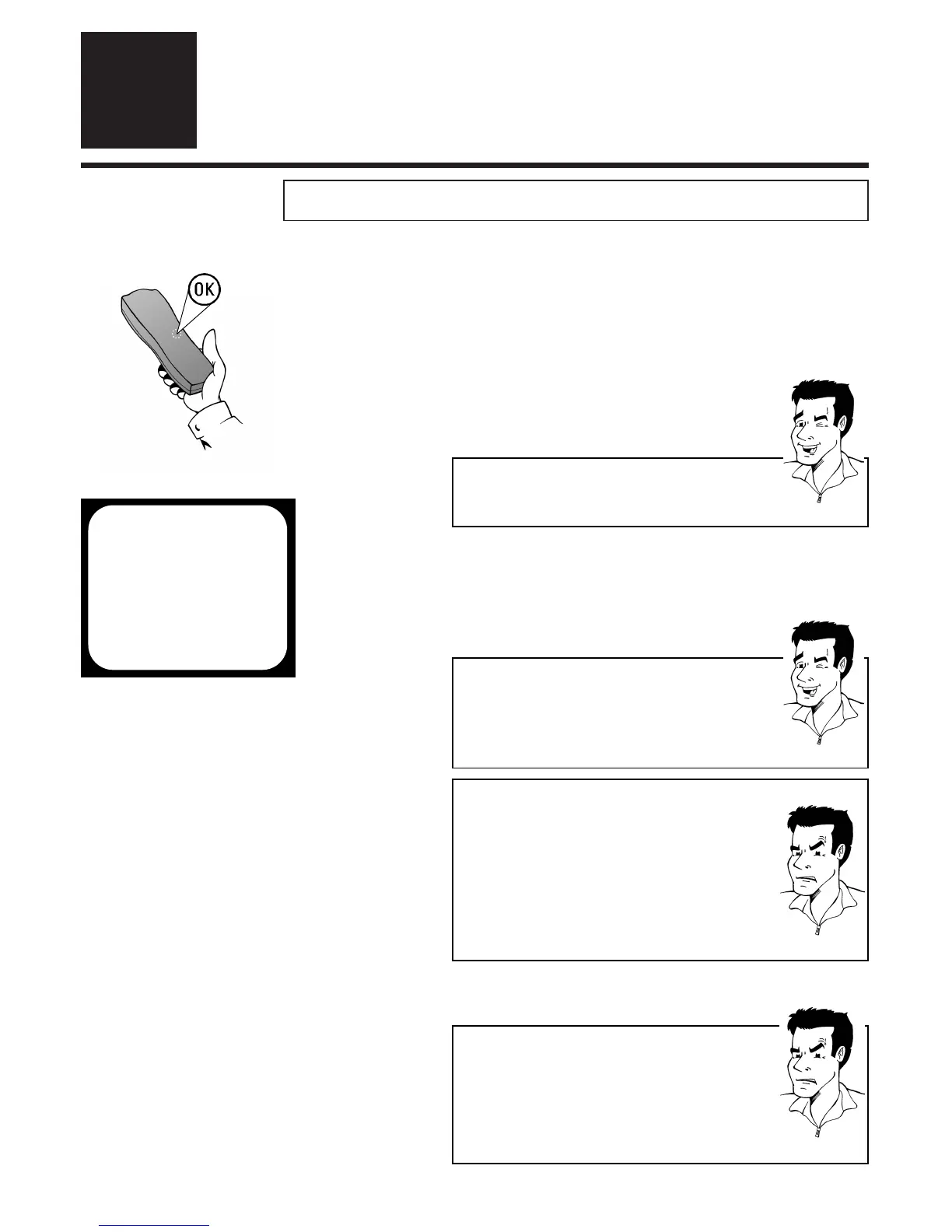
1 Using the
OOKK
button activate the automatic
initial installation
SSeettttiinngg cchhaannnneell,, ddaattee aanndd ttiimmee ffoorr tthhee ffiirrsstt ttiimmee
IInniittiiaall iinnssttaallllaattiioonn
3
3
TTIIPP
2 The set seeks out and stores all available TV
channels as well as time and date. This
procedure may take several minutes.As soon
as all the data has been stored,the screen will
show the message STORED.
AAiimm ccoorrrreeccttllyy
Always point the remote control at the video recorder
and not at the TV set.
AUTO INSTALL
SEARCHING
00 TV CHANNELS FOUND
hhhh_______________
PLEASE WAIT...
3 The initial setting of channel, date and time is
completed
TTIIPP
TThhee TTeelleetteexxtt cclloocckk rreesseettss aauuttoommaattiiccaallllyy
If a TV channel which has Teletext is stored as
programme number P01, the video recorder
automatically takes in the date and time from the text
function.The change from summer to winter time and
vice versa should also occur automatically.
PPRROOBBLLEEMM
88 TThhee ttiimmee iiss nnoott sshhoowwnn iinn tthhee ddiissppllaayy ooff tthhee vviiddeeoo
rreeccoorrddeerr ((----::----)) oorr iiss sshhoowwnn iinnccoorrrreeccttllyy
44
While initial installation was going on, the set was
unable to recognise the time. Please read the
paragraph in Section 4 Changing the time and
date to correct this problem
PPRROOBBLLEEMM
88 DDeessppiittee aa ccoonnttiinnuueedd sseeaarrcchh tthhee vviiddeeoo rreeccoorrddeerr
ffiinnddss nnoo TTVV cchhaannnneellss ((
00 TV CHANNELS FOUND
))
44
Please be patient! The video recorder will search
through the entire frequency range in order to
identify the maximum possible number of
available TV channels. TV channels transmitted in
your country may use a higher frequency band.
As soon as this range is reached, the video reor-
der will find all available channels.
If your TV set supports the Easylink function and data has been
downloaded from the TV (
EEAASSYYLLIINNKK IISS LLOOAADDIINNGG DDAATTAA FFRROOMM TTVV
)you
can skip this section.Your video recorder has already stored all
the necessary details. Please continue by reading the section
Searching for TV channels manually.



 To Next Page