6
Connecting to the aerial
Your video recorder could actually be referred to as a
"TV set without picture screen".
This is why you have to connect it to an aerial as well
as to a TV set. Only then you can make recordings and
play cassettes.
!
Remove the aerial cable plug from the TV set and
insert it into the 3 socket at the rear of the
video recorder.
"
Use the aerial cable supplied to connect the 4
socket on the video recorder with the aerial input
socket on your TV set.
Both the TV set and the video recorder are now
connected to the aerial.
Inserting the batteries into
the remote control
!
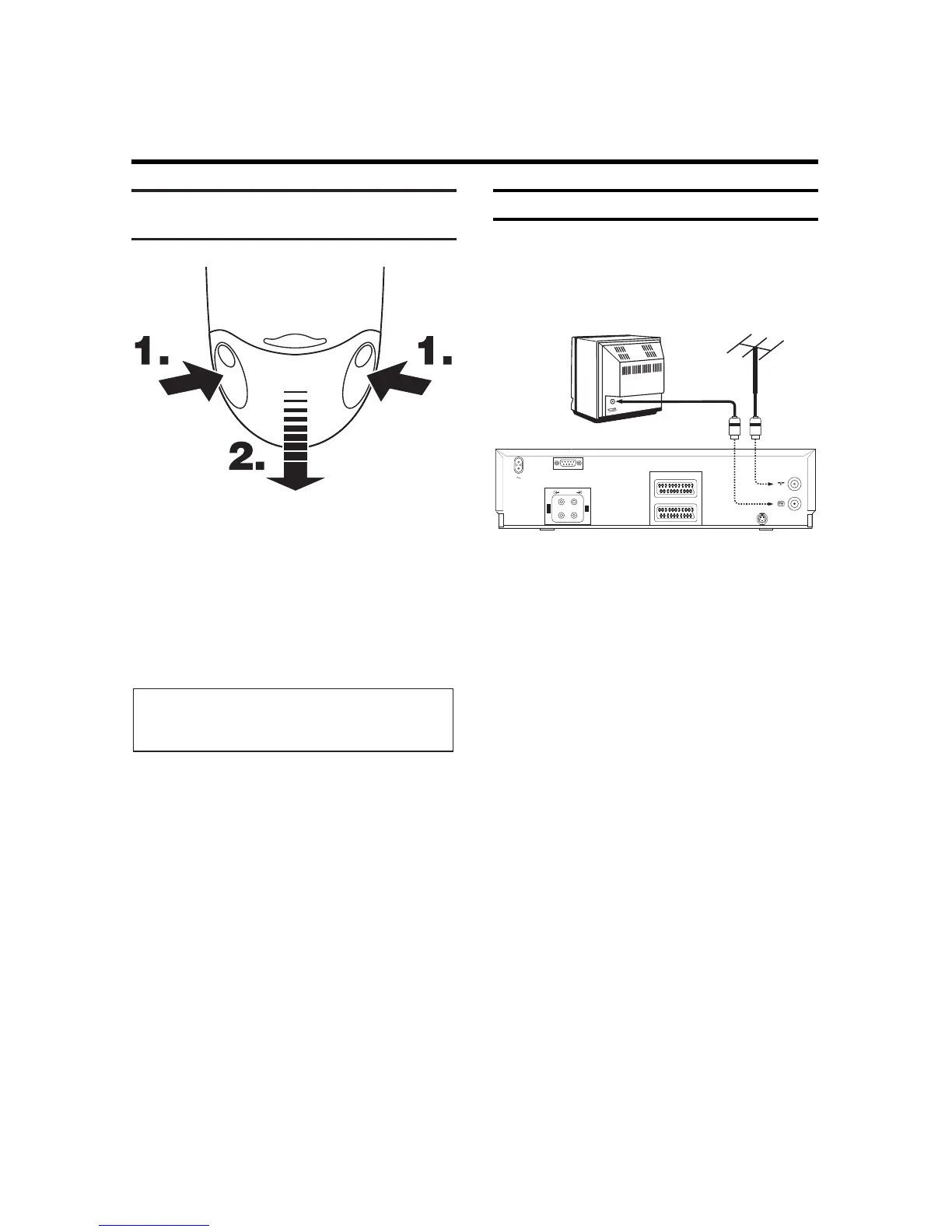
Remove the battery holder from the back of the
remote control.
To do this, squeeze the holder at the lateral marks
(1.) and pull it off (2.).
"
nsert the batteries as indicated in the battery
holder.
¤
Close the battery holder by sliding it into the
remote control until you hear a "click"
Note:
* So that the battery operates correctly, it must
always be pointed at the TV set.


 To Next Page