16
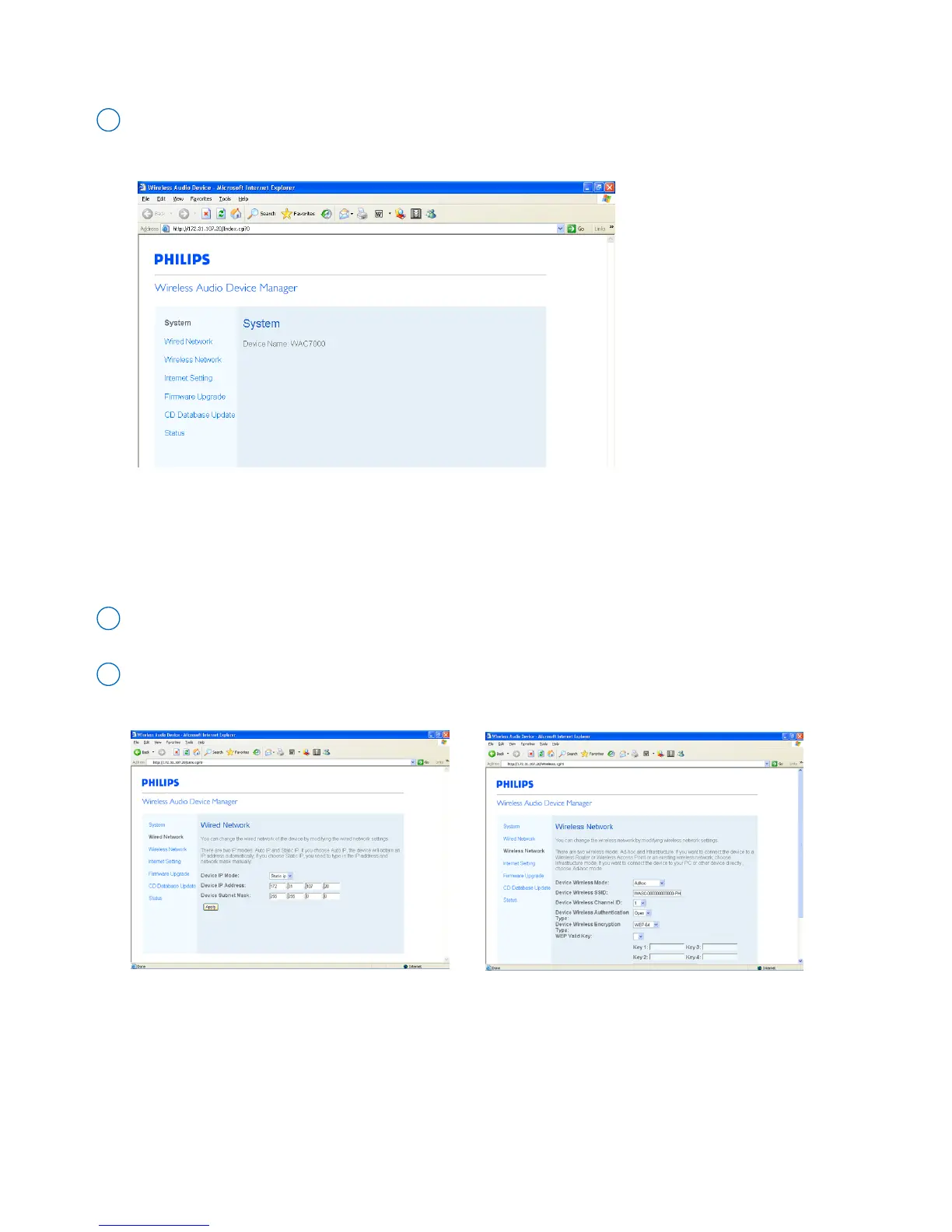
• Display the name of Philips Wireless Music Center/Station
Click to enter the System sub-menu
1
• Manage the network settings of your Philips Wireless Music Center/Station
On your PC, you can do network setting for Philips Wireless Music Center/Station in a more straight-forward way.
With your PC, you can easily connect the device with external wired/wireless network or Internet (for CD
information update).
Click to enter the Wired Network, Wireless Network or Internet Setting sub-menu
1
Follow the screen instructions to adjust the network setting (wired/wireless) or Internet setting (for
CD information update)
2
➜ The name of the connected device appears



 To Next Page