Content management
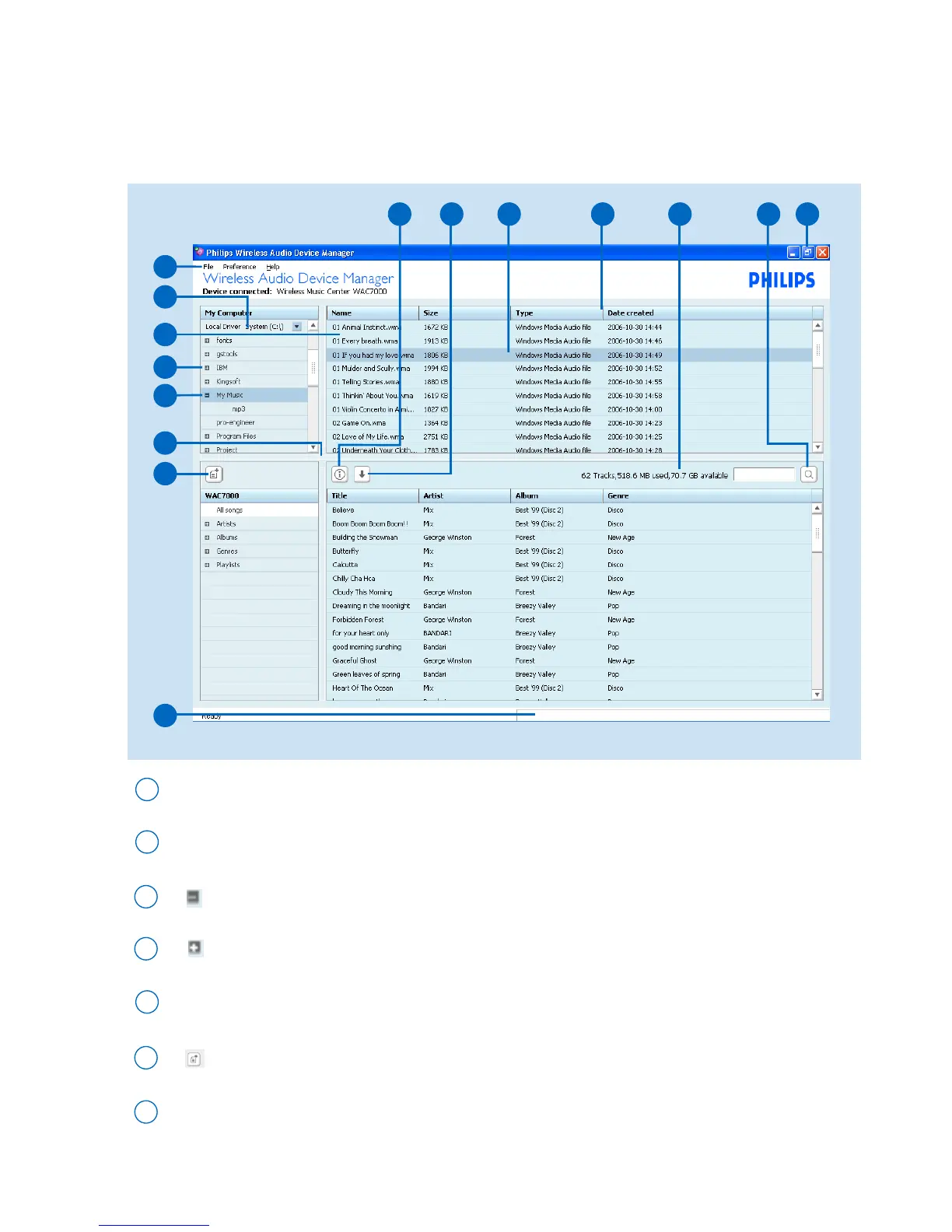
Click the Content management button to enter the content management screen.
The screen consists of two windows.The upper My Computer window is to display your PC’s contents;
the lower window is the device window, showing the contents of connected Philips Wireless Music Center.
Selector panel: selects the content categories
Content panel: displays the contents of your PC and Philips Wireless Music Center/Station
Pull-down menus
1
2
5
13
10
15
12
2
5
1
7
3
3
4
expanded view: displays item contents in full
3
collapsed view: item contains more contents to display
4
6
8
creates a new playlist
6
14 11
Scroll bar: scroll the option list upward or downward
7
9



 To Next Page