EasyManua.ls Logo

Philips Walita HTS3155 - User Manual

Philips Walita HTS3155
52 pages
Print Icon
To Next Page IconTo Next Page
Loading...
Manual do Usuário
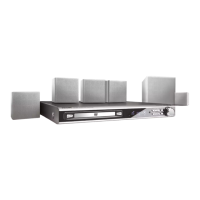
DVD HOME THEATRE SYSTEM
HTS3152
HTS3155

Table of Contents

Question and Answer IconNeed help?

Do you have a question about the Philips Walita HTS3155 and is the answer not in the manual?

Summary

Safety and Compliance Information

Laser Safety Precautions

Warning regarding safe operation and potential hazards of laser use.

Remote Control Functions

Remote Control Button Guide (Part 1)

Detailed description of the primary remote control buttons.

Remote Control Functions (Continued)

Remote Control Button Guide (Part 2)

Further detailed descriptions of secondary remote control buttons.

Operating the Remote Control

Basic Connections Guide

Step 1: Speaker Placement Strategy

Guidance on optimal positioning of front, center, and rear speakers.

Connecting the System to Your TV

Composite Video Connection Option

Instructions for connecting via composite video (CVBS).

Component Video Connection Option

Instructions for connecting via component video (Y Pb Pr).

Connecting Speakers and Subwoofer

Speaker and Subwoofer Wiring

Connecting speakers and subwoofer to the main unit using color-coded sockets.

Antenna and Power Connections

FM;AM Antenna Setup

Connecting FM and AM/MW antennas for optimal reception.

Connecting the Power Cord

Procedure for connecting the main unit to the power outlet.

Quick Start Guide: Setup and Source Switching

Quick Guide: Language Preference Settings

DVD Audio, Subtitle, and Menu Language

Selecting preferred audio, subtitle, and menu languages for DVD playback.

Quick Guide: Display and Aspect Ratio

Adjusting TV Display Aspect Ratio

Configuring the image aspect ratio to match your TV type (4:3, 16:9).

Quick Guide: Progressive Scan Setup

Quick Guide: Speaker Channel Calibration

Adjusting Speaker Volume and Delay Times

Fine-tuning speaker volume levels and audio delay for optimal surround sound.

Disc Operations: Playback Basics

Loading and Starting Disc Playback

Step-by-step guide for inserting and playing a disc.

Disc Operations: Playback Controls

Basic Playback Functions

Controls for pausing, resuming, skipping tracks, and stopping playback.

Disc Operations: Advanced Playback

Disc Operations: MP3;WMA File Playback

Playing MP3 and WMA Discs

Instructions for playing MP3 and Windows Media Audio files from discs.

Disc Operations: JPEG Image Playback

Disc Operations: Mixed Media and DivX

Playing DivX Movies

Instructions for playing DivX encoded video files from discs.

USB Device Playback

System Configuration Menu

Configuration Menu: General Settings

Configuration Menu: Audio Settings

Configuration Menu: Video Settings

Configuration Menu: Preferences

Configuration Menu: Advanced Preferences

Radio Operations Guide

Radio Operations: Station Management

Volume and Sound Controls

Troubleshooting Common Issues

Unit Power and Display Problems

Solutions for when the unit doesn't turn on or display.

Audio, Remote, and Image Quality Issues

Troubleshooting audio distortion, remote control, and image quality problems.

Troubleshooting Playback and Connectivity

Playback Errors and Restrictions

Resolving issues with disc playback, aspect ratio, and feature availability.

Troubleshooting USB Device Performance

USB File Compatibility and Speed Issues

Solutions for USB drive read errors and slow performance.

USB Device Frequently Asked Questions

Technical Specifications

Amplifier and Main Unit Specs

Detailed specifications for the amplifier and main unit.

Speaker and Subwoofer Specs

Detailed specifications for the front, rear, center speakers, and subwoofer.

Summary

Safety and Compliance Information

Laser Safety Precautions

Warning regarding safe operation and potential hazards of laser use.

Remote Control Functions

Remote Control Button Guide (Part 1)

Detailed description of the primary remote control buttons.

Remote Control Functions (Continued)

Remote Control Button Guide (Part 2)

Further detailed descriptions of secondary remote control buttons.

Operating the Remote Control

Basic Connections Guide

Step 1: Speaker Placement Strategy

Guidance on optimal positioning of front, center, and rear speakers.

Connecting the System to Your TV

Composite Video Connection Option

Instructions for connecting via composite video (CVBS).

Component Video Connection Option

Instructions for connecting via component video (Y Pb Pr).

Connecting Speakers and Subwoofer

Speaker and Subwoofer Wiring

Connecting speakers and subwoofer to the main unit using color-coded sockets.

Antenna and Power Connections

FM;AM Antenna Setup

Connecting FM and AM/MW antennas for optimal reception.

Connecting the Power Cord

Procedure for connecting the main unit to the power outlet.

Quick Start Guide: Setup and Source Switching

Quick Guide: Language Preference Settings

DVD Audio, Subtitle, and Menu Language

Selecting preferred audio, subtitle, and menu languages for DVD playback.

Quick Guide: Display and Aspect Ratio

Adjusting TV Display Aspect Ratio

Configuring the image aspect ratio to match your TV type (4:3, 16:9).

Quick Guide: Progressive Scan Setup

Quick Guide: Speaker Channel Calibration

Adjusting Speaker Volume and Delay Times

Fine-tuning speaker volume levels and audio delay for optimal surround sound.

Disc Operations: Playback Basics

Loading and Starting Disc Playback

Step-by-step guide for inserting and playing a disc.

Disc Operations: Playback Controls

Basic Playback Functions

Controls for pausing, resuming, skipping tracks, and stopping playback.

Disc Operations: Advanced Playback

Disc Operations: MP3;WMA File Playback

Playing MP3 and WMA Discs

Instructions for playing MP3 and Windows Media Audio files from discs.

Disc Operations: JPEG Image Playback

Disc Operations: Mixed Media and DivX

Playing DivX Movies

Instructions for playing DivX encoded video files from discs.

USB Device Playback

System Configuration Menu

Configuration Menu: General Settings

Configuration Menu: Audio Settings

Configuration Menu: Video Settings

Configuration Menu: Preferences

Configuration Menu: Advanced Preferences

Radio Operations Guide

Radio Operations: Station Management

Volume and Sound Controls

Troubleshooting Common Issues

Unit Power and Display Problems

Solutions for when the unit doesn't turn on or display.

Audio, Remote, and Image Quality Issues

Troubleshooting audio distortion, remote control, and image quality problems.

Troubleshooting Playback and Connectivity

Playback Errors and Restrictions

Resolving issues with disc playback, aspect ratio, and feature availability.

Troubleshooting USB Device Performance

USB File Compatibility and Speed Issues

Solutions for USB drive read errors and slow performance.

USB Device Frequently Asked Questions

Technical Specifications

Amplifier and Main Unit Specs

Detailed specifications for the amplifier and main unit.

Speaker and Subwoofer Specs

Detailed specifications for the front, rear, center speakers, and subwoofer.

Philips Walita HTS3155 Specifications

General IconGeneral
Remote ControlYes
Channels5.1
AudioDolby Digital, DTS
Playback MediaDVD, CD, MP3, USB
ConnectivityUSB
TunerFM
TypeDVD Home Theater System
Power Supply220-240V, 50Hz
Speakers5.1 Channel

Related product manuals