WelcomeEye / Link
12
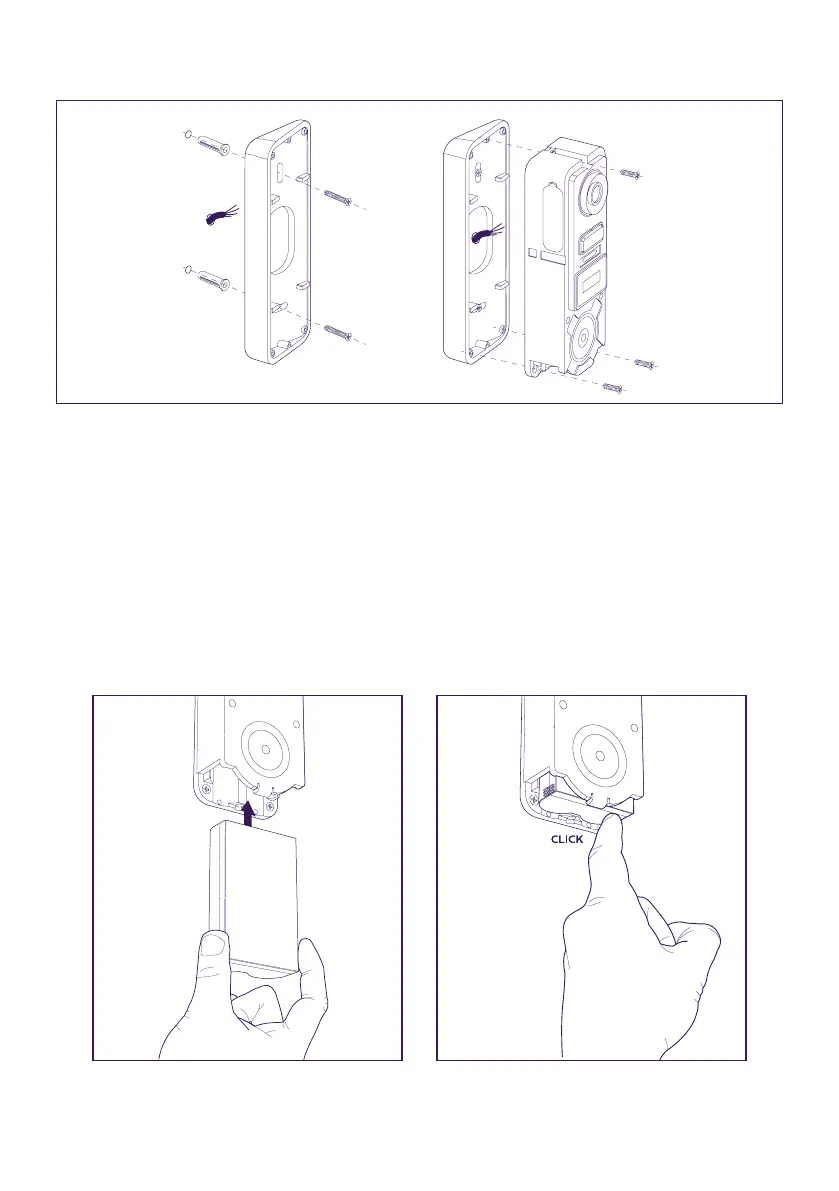
- Use the horizontal tilting bracket if you need to.
Warning: If applicable, don’t forget to connect the motorised control (dry contact on the
back) before xing the intercom panel.
Use the 2 screws provided for this purpose.
Important: The control is a dry contact. You can connect it directly to the control for your
motorised gate.
In the case of an electric latch or lock, you should use a wired auxiliary power supply to
operate the control.
Note that in this case you will need an electric lock or strike plate with a memory. Operation
lasts for less than one second.
Step 2: Insert the battery (making sure you insert it the right way up, with the micro USB
plug side rst) until the support lug clicks.












 To Next Page