WelcomeEye / Link
15
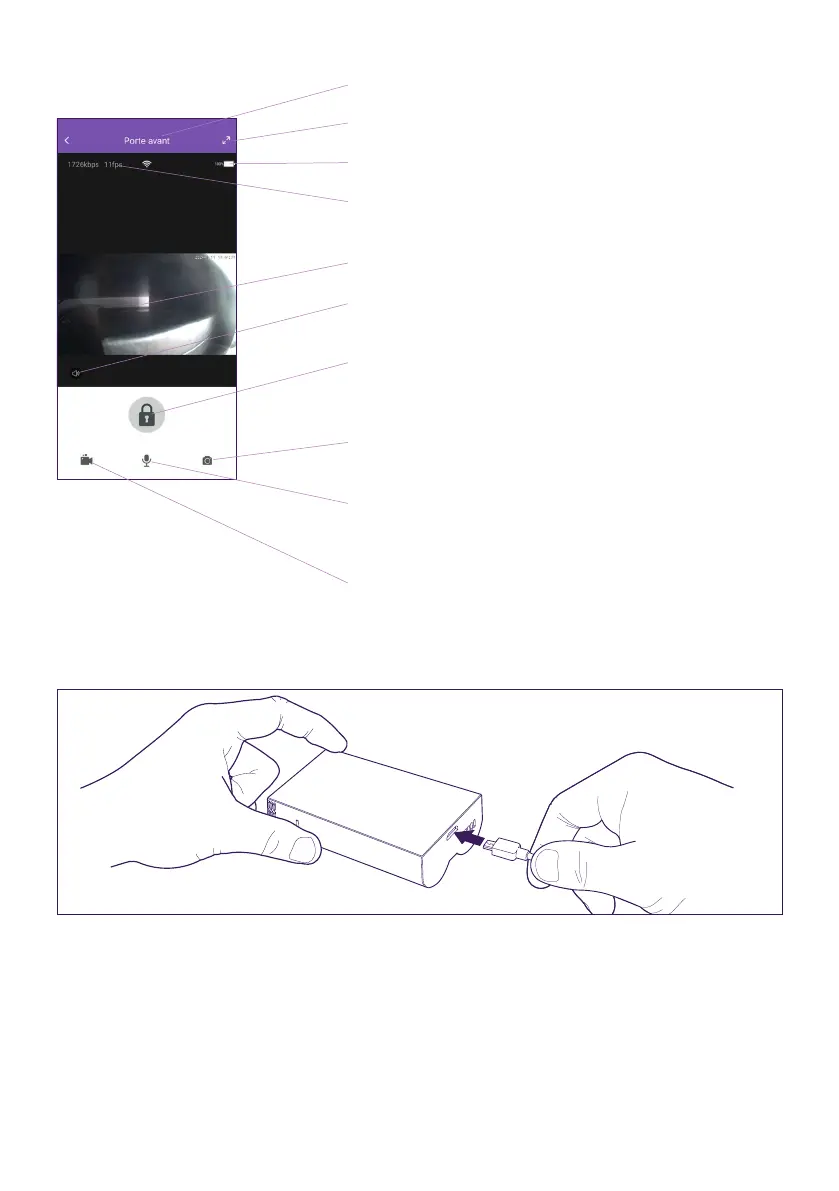
Customised name for your intercom panel
Go to full-screen mode
Battery status of your intercom panel
Current connection speed and number of images
per second
Live video
Mute/unmute the intercom panel microphone
(activated by default when you take a call)
Trigger the door release/gate opening on the back
of the intercom panel (see Wiring section for more
details)
Manually take a photo and save it to smartphone
memory
Mute/unmute your smartphone’s microphone
(deactivated by default when you take a call)
Manually record a live video and save it to
smartphone memory
If the battery needs to be recharged, remove the front of the panel to access it. Charge for
at least 5 hours using the USB cable provided.












 To Next Page