6
Ordering accessories
To buy accessories or spare parts, visit www.philips.com/parts-and-accessories or go to your Philips dealer. You can also contact the Philips
Consumer Care Center in your country.
Replacement
To buy accessories or spare parts, visit www.philips.com/parts-and-accessories or go to your Philips dealer. You can also contact the Philips
Consumer Care Center in your country (see the international warranty leaflet for contact details).
Replacement parts and type numbers:
- Replacement filter XV1631
Replace the filter every 6 months to ensure maximum performance.
Note: You can dispose of the old filter and the microfiber brushes with the normal household waste.
Warranty and support
Versuni offers a two-year warranty after purchase on this product. This warranty is not valid if a defect is due to incorrect use or poor maintenance.
Our warranty does not affect your rights under law as a consumer. For more information or for invoking the warranty, please visit our website
www.philips.com/support.
Recycling
- This symbol means that electrical products and batteries shall not be disposed of with normal household waste (Fig. 3).
- Follow your country’s rules for the separate collection of electrical products and batteries.
- This symbol means that it is necessary to check the recycling provisions of your local municipality (Fig. 4).
- For an explanation of the material symbols, see the separate enclosed leaflet.
Removal of rechargeable batteries
Remove rechargeable batteries from the product when you discard the product. Before removing the battery, make sure that the appliance is
disconnected from the wall socket and that the battery is completely empty.
Take any necessary safety precautions when you dispose of batteries.
To remove the rechargeable battery, follow the instructions below.
1 Disconnect the appliance from the wall socket and let it run until the motor stops.
2 Press the unlock button and pull the battery out of the appliance.
Operating time
Mode Operating time
Using the handheld with Turbo-mode Up to 10 minutes
Using the handheld with Eco-mode Up to 40 minutes
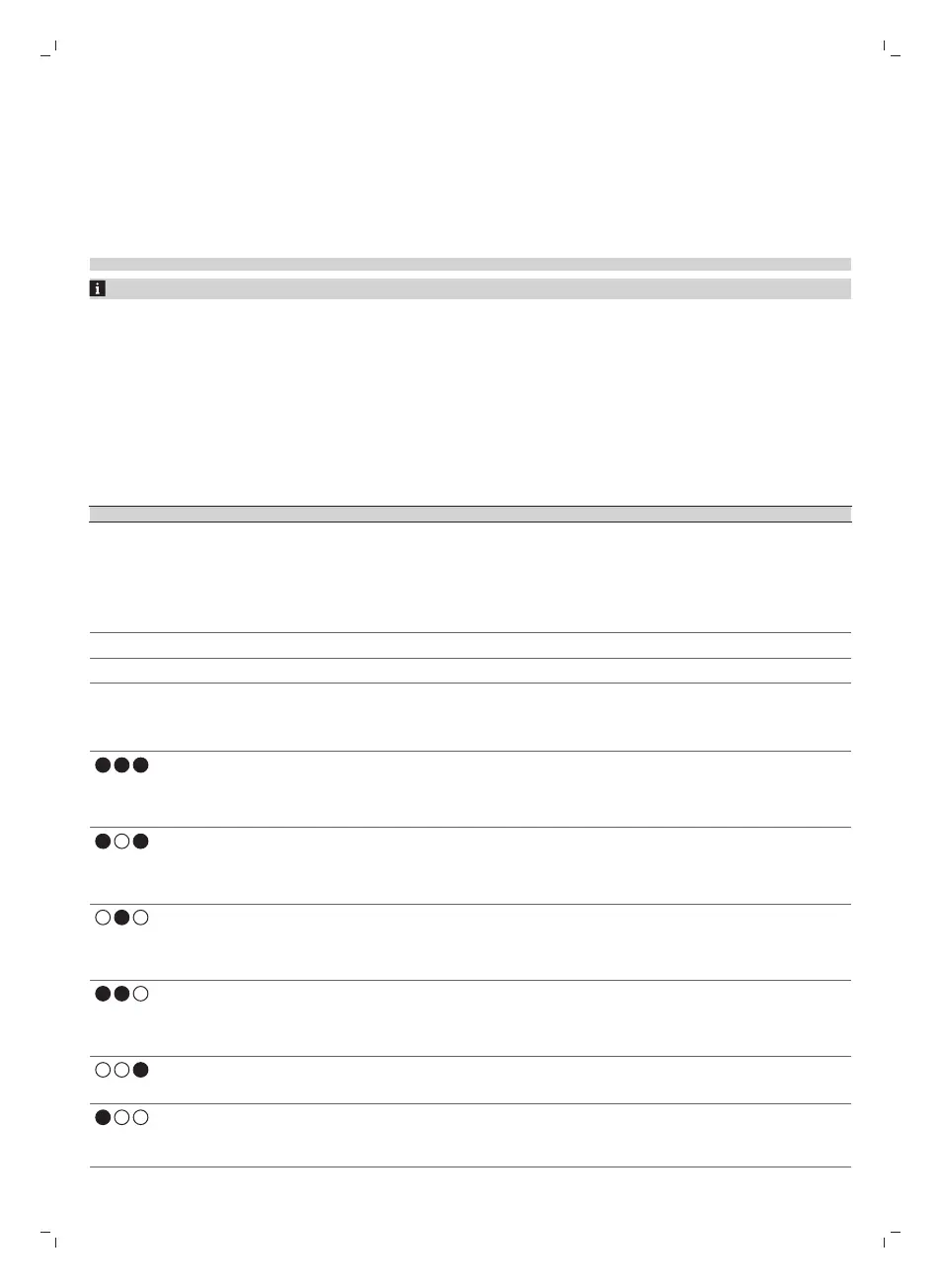
Error codes and their meaning
LED signal on the appliance (or on the
battery pack)
Meaning of the error Suggested solution
Flashes twice a second for 10 times.
The ambient temperature is too high or too
low.
Move the appliance to a cooler or warmer
room. Use and store the appliance at a
temperature between 0 °C and 35 °C. Charge
the appliance or battery at a temperature
between 10 °C and 35 °C.
Flashes three times a second for 15 times.
The motor is jammed or damaged. Remove the battery (Fig. 5), wait 10 seconds,
and then put the battery back. If this does not
work, please take the appliance to a Philips
service center or contact the Consumer Care
Center.
Flashes twice a second for 10 times.
Foreign object is stuck in the nozzle. Make sure the appliance is switched off. Clean
the nozzle according to the user manual by
removing the tube from the main appliance.
Remove the object in the nozzle and restart the
appliance.
Flashes three times a second for 15 times.
There is a short circuit in the nozzle. Remove the nozzle, leave it aside for potential
moisture to dry, and then put the nozzle back.
If this does not work, please take the appliance
to a Philips service center or contact the
Consumer Care Center.
Flashes twice a second for 10 times.
A wrong adapter is used. Change to the supplied adapter.
Flashes four times a second for 20 times.
The battery is not charged. Charge the appliance and restart the appliance.
If this does not work, please take the appliance
to a Philips service center or contact the
Consumer Care Center.



 To Next Page